
Reve just retooled its image platform: the Halfmoon text-to-image model (Reve Image 1.0) now sits beside the Reve v1 editing model, and both live inside the same browser UI + API. That means you can create brand-new visuals, drop in existing assets, drag elements around, and let the AI re-render without jumping between tools.
Below is a compact English summary of the Japanese article—what changed, why it matters, how pricing works, how to operate it, and what to check before rolling it into production.
Table of Contents
- Model Overview
- Strengths
- Architecture Highlights
- Pricing
- Workflow Basics
- Use Cases
- Preflight Checklist
- Risks & Legal Items
- Wrap-Up
Model Overview
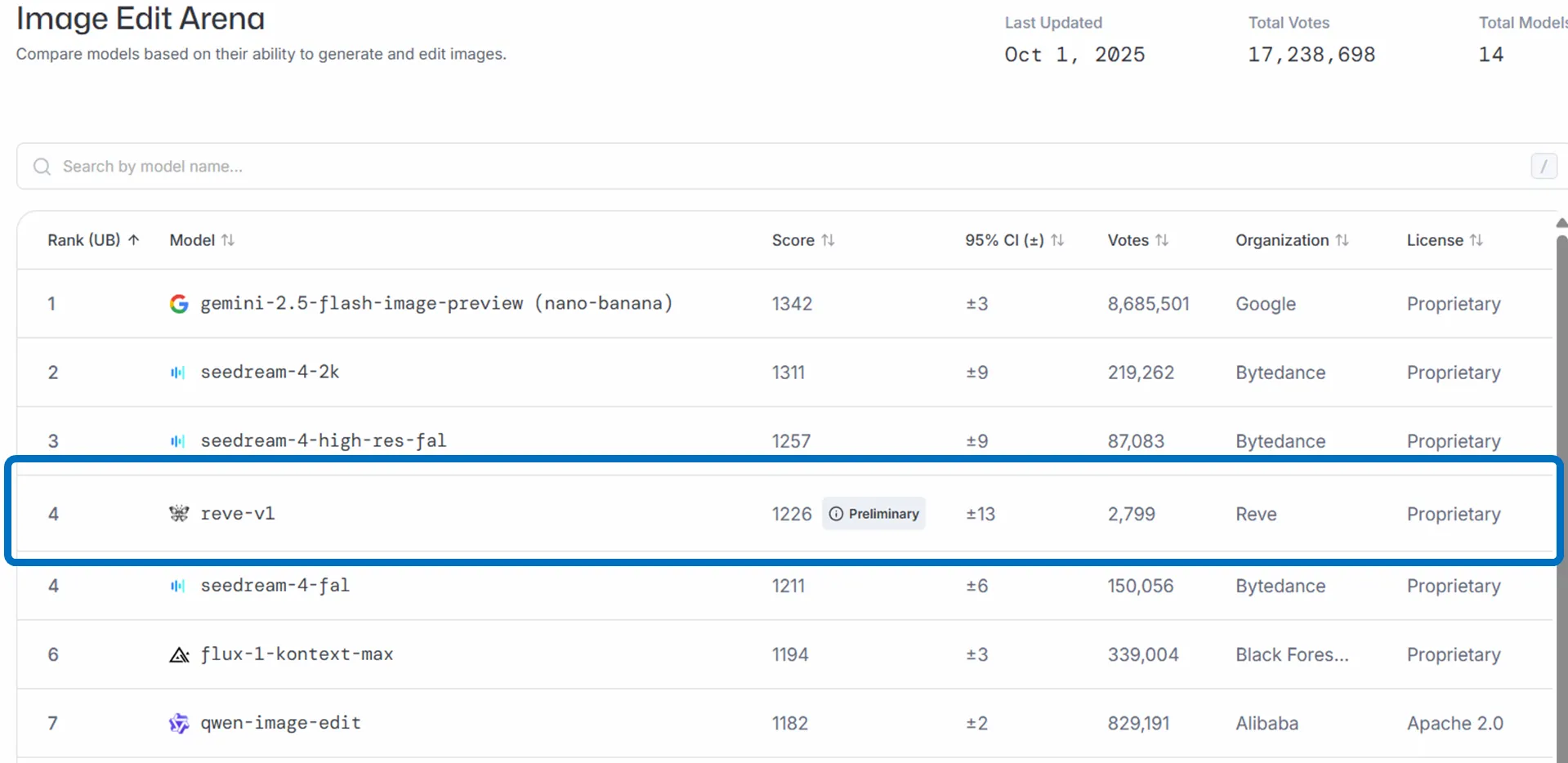
- Reve Image 1.0 (Halfmoon) handles text-to-image and aims at prompt fidelity, aesthetics, and legible typography.
- Reve v1 is the new editing model (released Oct 1, 2025) built for single-image edits and multi-image composites. It ranks near the top on LM Arena and Artificial Analysis for tasks like shadow cleanup, environment fixes, and restorations.
- Both models are accessible via the same Web app and beta API. Official comms highlight natural-language editing, a drag-and-drop editor, multi-image compositing, and open APIs.
Strengths
-
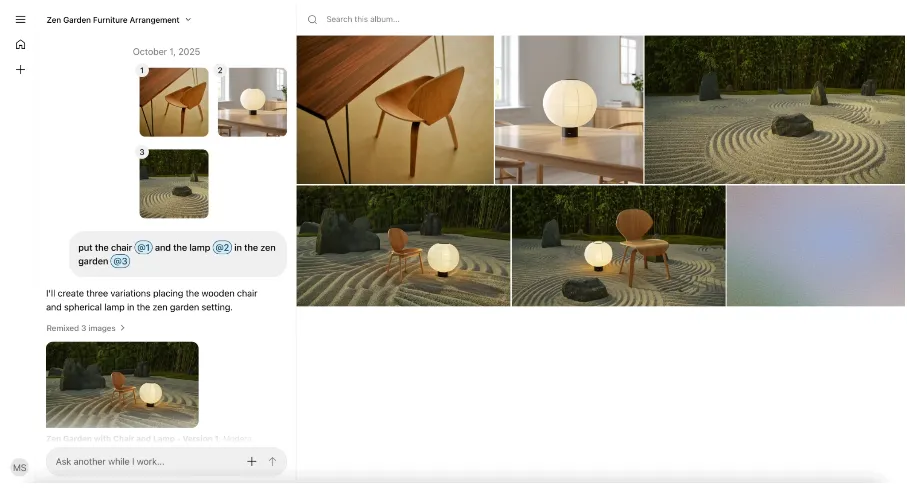
Unified generate + edit: type a prompt, get an image, then pivot to edits without exporting.
-
Drag-and-drop editor (beta): move objects directly on canvas, resize them, then let the AI re-render the final look.
-
Natural language commands: describe tweaks (e.g., “remove the person on the left,” “add copy that reads ‘Limited Release’”), and Reve applies them.
Architecture Highlights
| Component | What it does |
|---|---|
| Layout representation | Breaks a scene into structured data (position, shape, lighting), letting language, references, and direct manipulation live together. |
| Direct manipulation editor | Click-and-drag objects; AI takes care of rendering/lighting after you place them. |
| Reve v1 | Editing model tuned for single/multi-image jobs; sits near the top of edit leaderboards. |
| Halfmoon | Generation model optimized for prompt adherence, aesthetics, and clean type. |
| API beta | Offers text→image, edit, and remix endpoints. |
Pricing
| Tier | Notes |
|---|---|
| App Free | Basic usage limits upfront; includes gallery visibility. |
| App Pro | $20/month; ~100× more credits/storage plus context-aware tools. |
| API Text→Image | $24 / 1,000 images (beta pricing). |
| API Edit/Remix | $40 / 1,000 images. |
Always cross-check the official pricing page because beta numbers shift.
Workflow Basics
- Sign up at app.reve.com and log in.
- Describe the scene you want—e.g., “hero shot of sneakers on a reflective surface with bold typography.”
- Generate the image, then switch to edit mode to refine via language prompts or the drag UI.
- Upload existing assets if you need to retouch, composite, or localize.
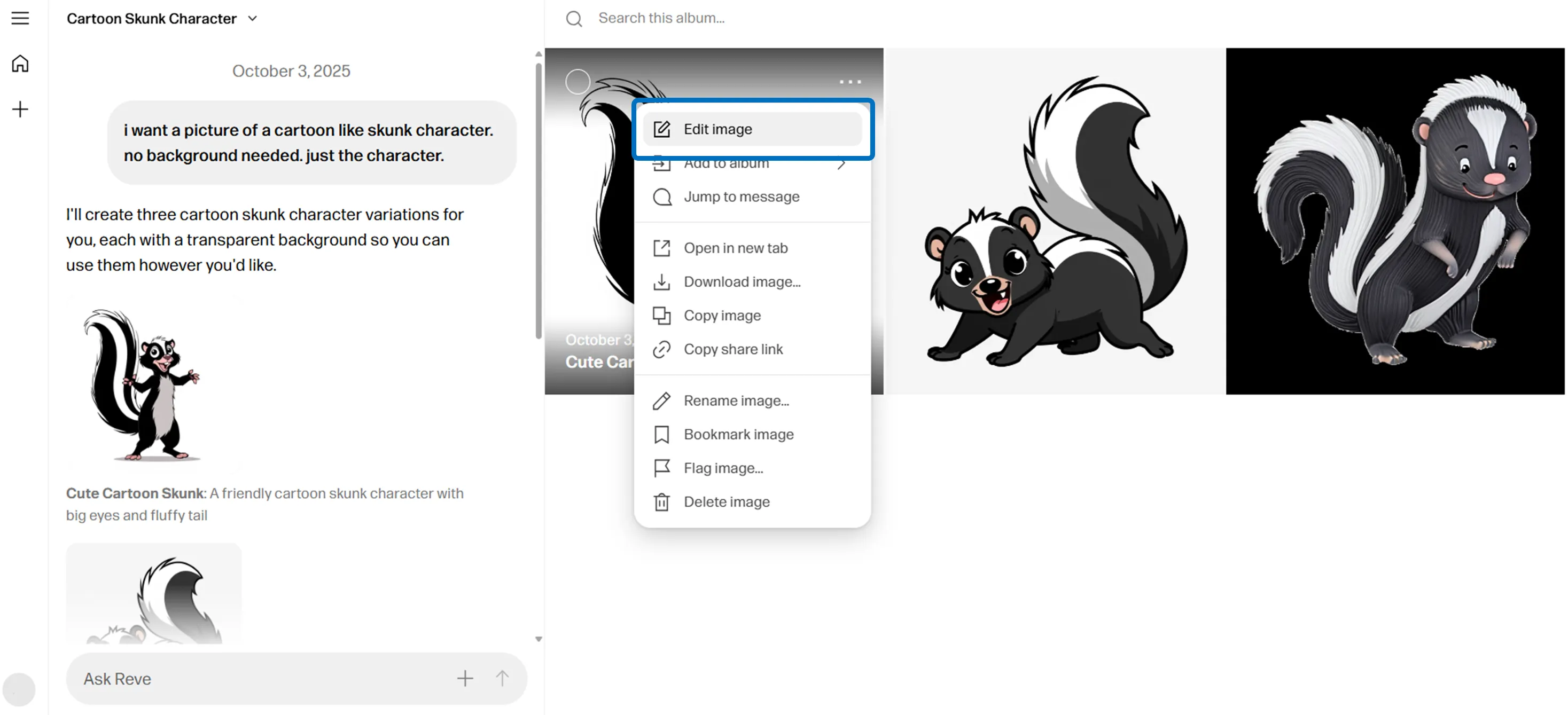
Reve’s multi-image editor lets you combine references, adjust layout, or design banners without leaving the browser.
Use Cases
- Ads / campaign visuals: create hero images, then tweak shadows/backgrounds for each channel.
- Web & social banners: typography-friendly output makes it easier to ship a dozen size variants.
- Pitch decks: quick composites help visualize concepts for stakeholders without waiting on design.
- Agency workflows: keep Halfmoon generations and Reve v1 edits in a single audit trail for QA.
Preflight Checklist
- Rights & sharing: Free plans may display outputs in a public gallery; Pro makes projects private. Generated assets are generally yours, but they aren’t exclusive (others can prompt similar results).
- Training opt-out: Paid accounts can opt out of having their outputs used for training—a must-have for sensitive projects.
- Policy alignment: Review Reve’s usage policy (no illicit, violent, or sensitive content). Govern how your team accesses/exports files.
Risks & Legal Items
- Regional availability: FAQ notes some countries (e.g., China, Russia) are unsupported, so confirm coverage before onboarding global teams.
- Governance: Arbitration (NAM) and California jurisdiction appear in the ToS, so coordinate with legal/procurement.
- Dispute workflow: Keep a record of prompts/assets if you enter a licensing dispute—Reve’s logs can help.
Wrap-Up
Reve’s update effectively turns it into a unified art direction surface: Halfmoon handles generation, Reve v1 handles edits, and the drag editor bridges the two. That combination cuts iteration time for ads, banners, and internal pitches—especially when you reuse the same references across variants.
Start on Free to feel the workflow, then upgrade to Pro or API access once you want private galleries, more storage, or automated pipelines. As long as you lock down rights settings and usage policies, Reve can trim days off image-heavy projects.