
Video and still image production has traditionally required specialized skills and significant budgets, but generative AI is changing that. Dream Machine from Luma AI stands out as a service that combines high-quality image/video generation with built-in editing capabilities—all from text prompts.
This guide covers Dream Machine’s architecture, pricing, and practical usage flows.
Table of Contents
- Dream Machine Overview
- Key Features and Business Value
- Pricing and Credit Management
- Usage Guide
- Business Use Cases
- Pre-Deployment Checklist
- Risks and Considerations
- Summary
Dream Machine Overview
Source: https://lumalabs.ai/dream-machine
Dream Machine is a cloud service that generates and edits photorealistic images and videos from text or image inputs in seconds. Powered by Luma AI’s proprietary Ray2 and Photon models, it delivers high-speed, high-resolution content with strong consistency.
Key points:
-
Ray2 Model The latest video generation model trained at 10× compute scale. Achieves natural motion and physics simulation, generating up to 10-second 1080p videos.
-
Photon Model Specialized for fast, high-resolution image generation. Returns 4 variants per prompt to expand creative exploration.
-
Web and iOS Support Available via browser or iOS app—start generating immediately after signup.
These models combined with an intuitive UI dramatically lower the barrier to video production.
Key Features and Business Value
Dream Machine isn’t just a generation model—it’s a powerful AI toolkit with editing and collaboration features. Below are representative capabilities highlighted by Luma AI on their official X account.
High-Quality Image & Video Generation
Enter text and Photon/Ray2 interprets it, creating short-form videos with 4K-level detail and natural camera work. Ray2 excels at physics simulation, handling complex phenomena like liquids and explosions. Generation speed averages 2–4 seconds for images and ~30 seconds for 10-second videos—fast enough for production use. Strong consistency for characters and objects makes it ideal for social ads and prototype footage.
Modify with Instructions
Select a specific frame in your video and give natural-language instructions like “change the red dress to a blue suit”—the AI applies the change across the entire clip. Perfect for quick iterations in VFX, advertising, and design. Beyond color and texture swaps, you can adjust cinematic parameters like exposure and depth of field via text, compressing hours of traditional editing into minutes.
Reframe
Outpaint image or video edges to change aspect ratio freely. Convert between portrait and landscape for social media or add cinemascope letterboxing with one click. Automatic subject detection and repositioning prevents information loss or composition issues—produce both vertical Shorts and horizontal YouTube versions from a single source.
Creative Workflow Tools
Organize projects with Boards; auto-generate similar ideas with Brainstorm and More Like This. Team sharing and collaborative editing are built in. Tag ideas, add comments, and retain version history—centralize feedback loops and concept comparisons online.
These capabilities let you handle everything from early ideation to final editing in a single environment.
Pricing and Credit Management
Below are the main web plans (USD, monthly billing):
| Plan | Monthly | Monthly Credits | Commercial Use |
|---|---|---|---|
| Free | $0 | Images only, 720p | No |
| Lite | $9.99 | 3,200 | No |
| Plus | $29.99 | 10,000 | Yes |
| Unlimited | $94.99 | 10,000 (fast) + unlimited (slow) | Yes |
| Enterprise | Contact sales | API access, SLA, etc. | Yes |
Credit consumption: 4 credits per image; video generation consumes 160–340 credits per 10 seconds depending on model and length. Unused credits do not roll over.
Usage Guide
Open Dream Machine in your browser and sign in with Google or Apple to access the dashboard.
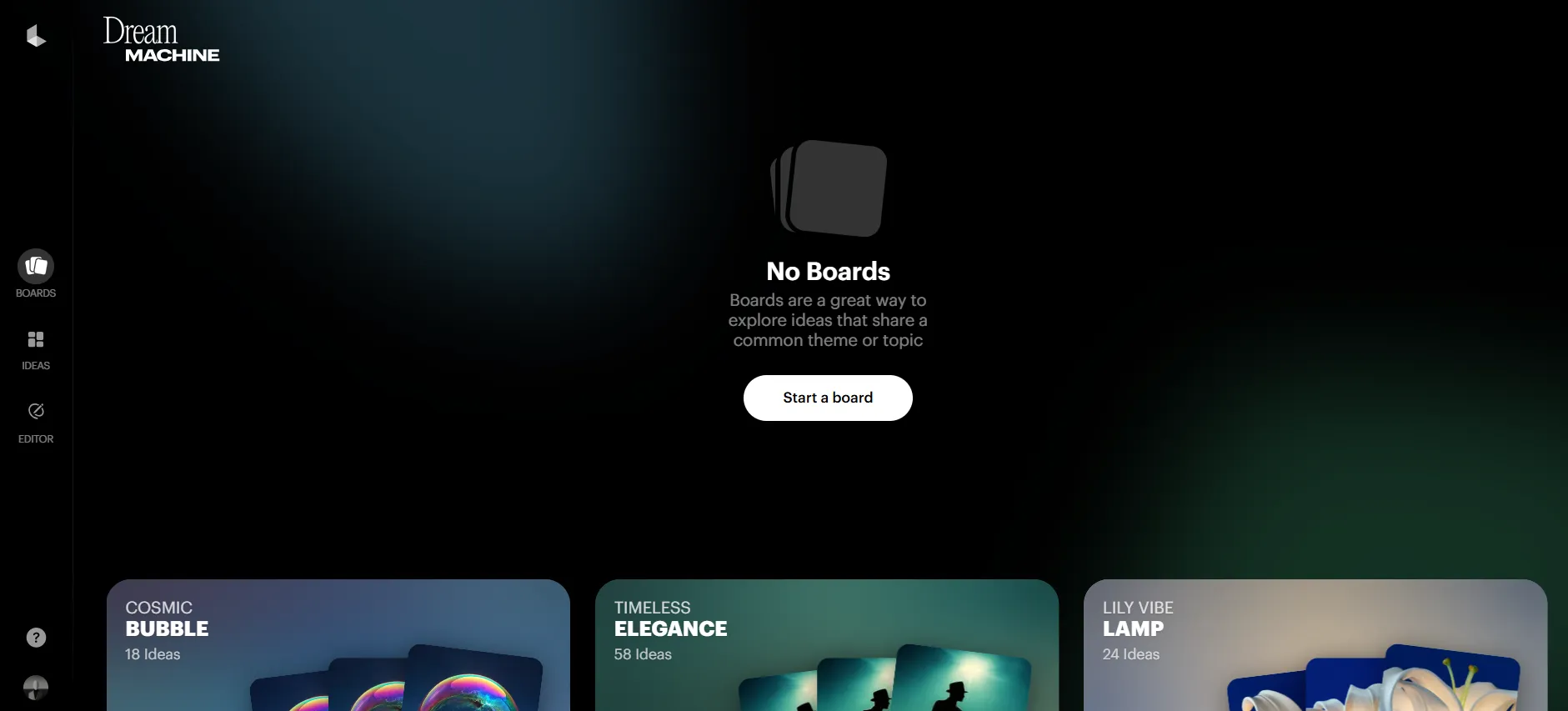
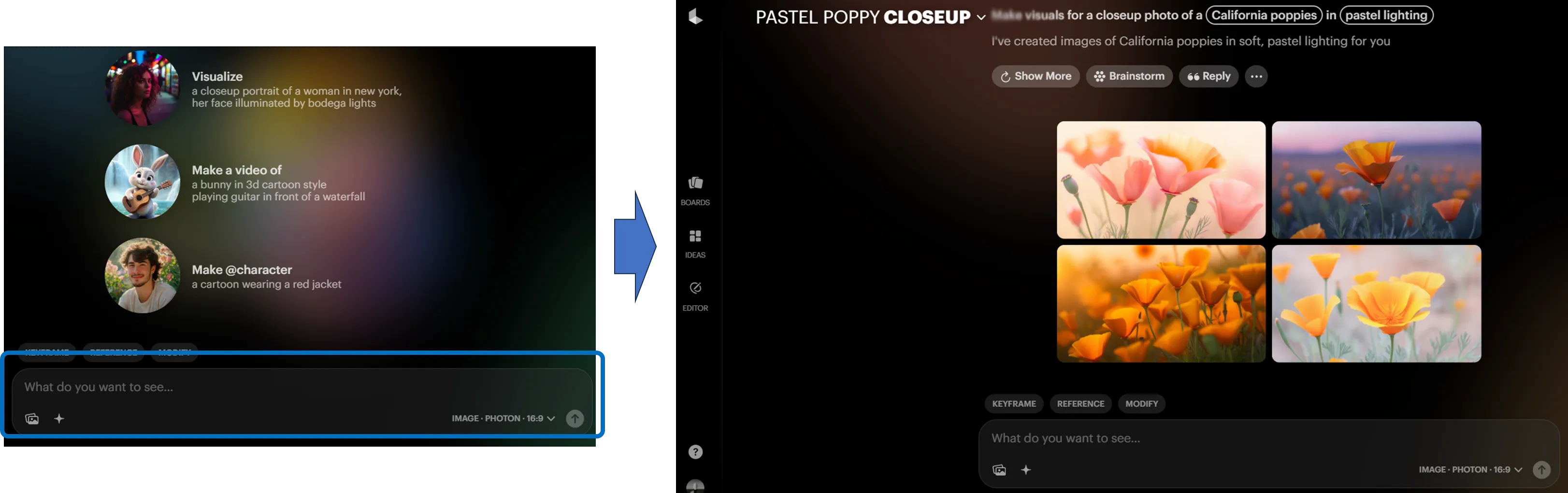
Create a Board, describe your desired scene in the input field, and run generation—within seconds you’ll see 4 candidate images.
Select a favorite, use More Like This for similar variants, or Modify to adjust color and texture. Once finalized, click Make Video to generate a ~5–10 second clip.
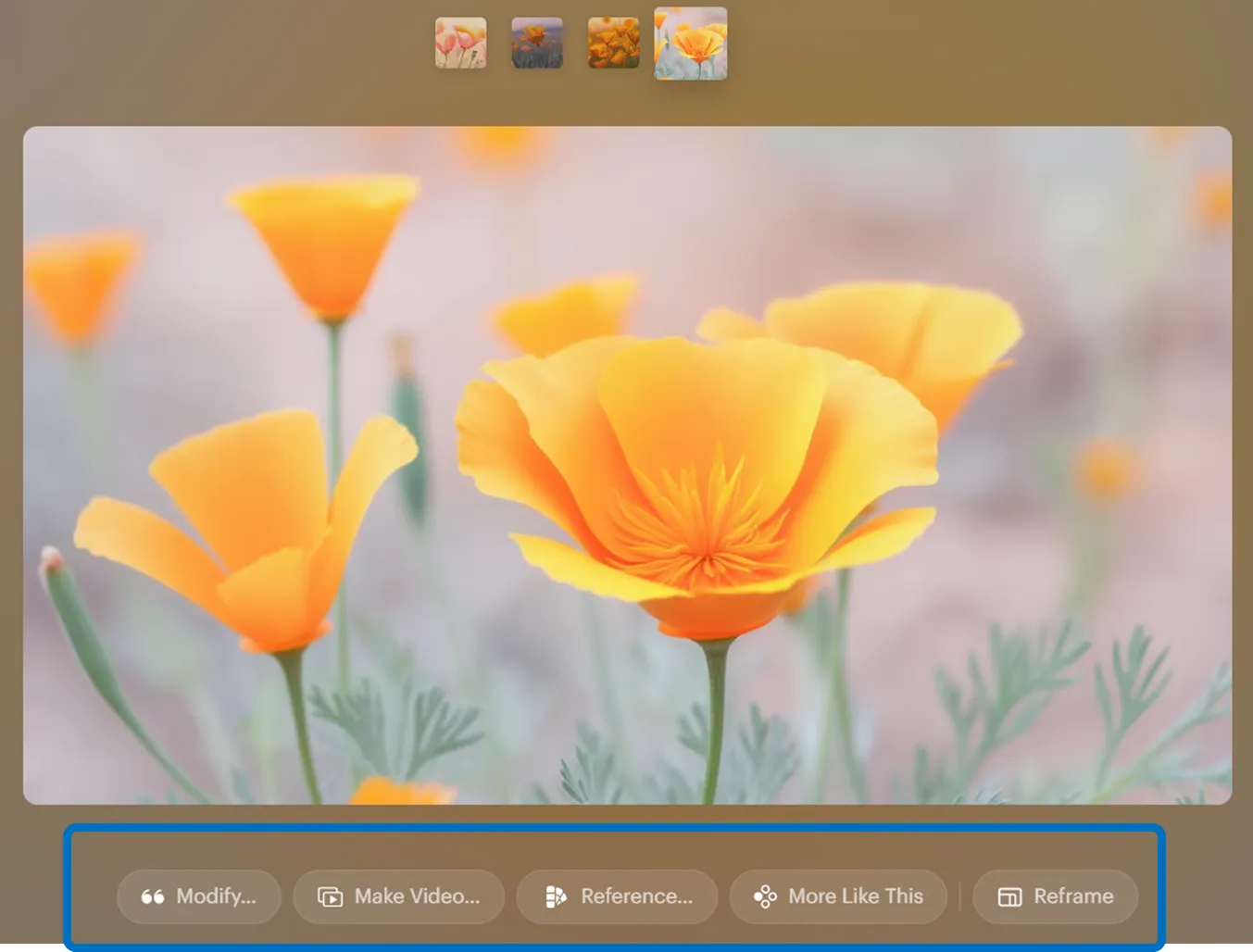
Download finished assets from the top-right menu or share via link.
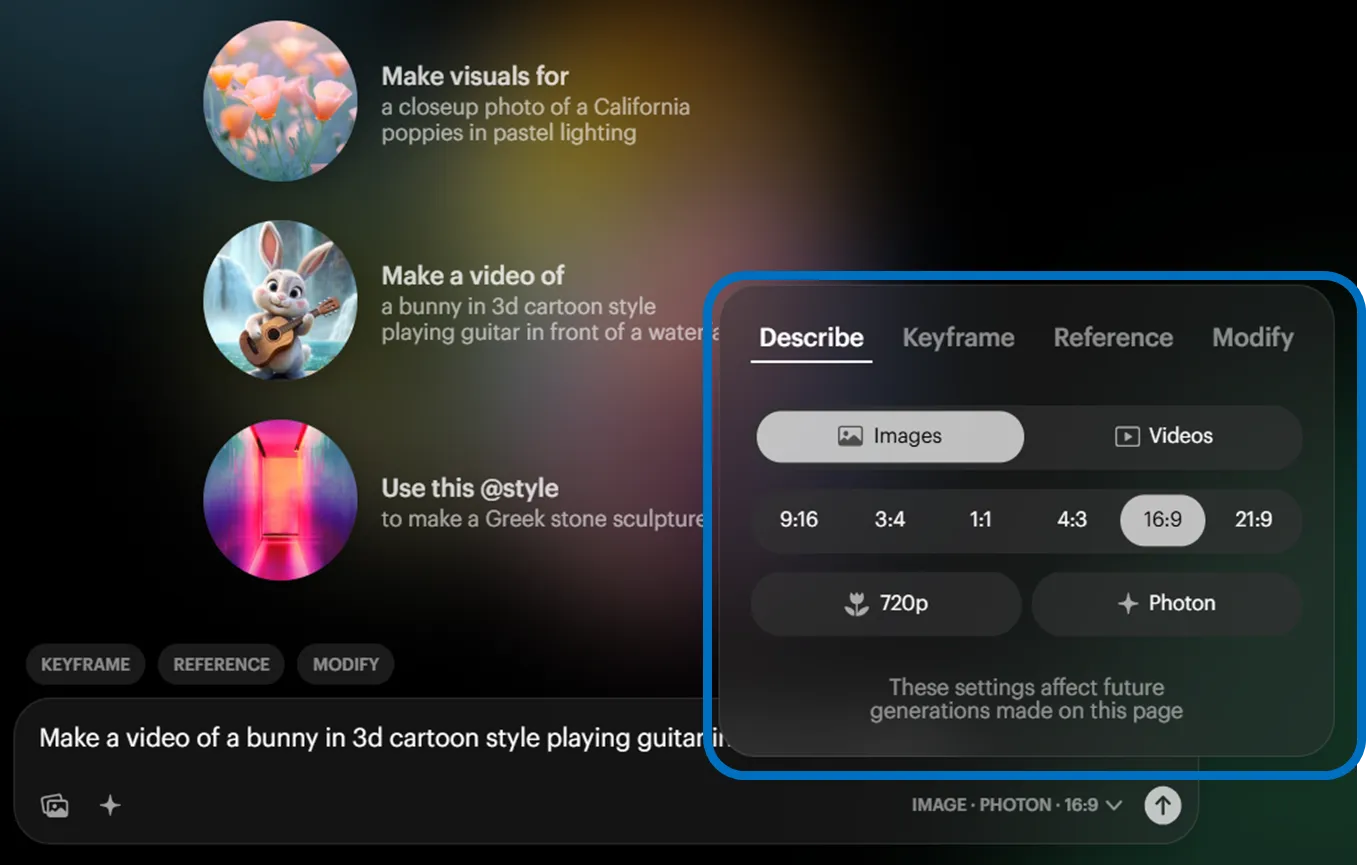
You can also generate video directly from text prompts without uploading images. In that case, select “Videos” instead of “Images” from the menu next to the prompt field.
Business Use Cases
Luma AI highlights the following use cases for Dream Machine:
-
Film Production The “Modify Video” feature (released June 2025) enables workflows where backgrounds and costumes are swapped while preserving actor performances.
-
Advertising & Design “Modify with Instructions” (announced July 2025) helps reduce variation shoot costs by swapping product packaging between brands after the fact.
-
Collaborative Studios “Dream Lab LA” in Hollywood (opened July 2025) is a space where film studios and creators prototype AI-generated footage.
-
Software Integration Ray2 is slated for integration into Adobe Firefly, enabling high-quality video generation directly from existing creative environments.
These examples show adoption spanning from prototypes to production-ready footage.
Pre-Deployment Checklist
Review these points before deployment:
-
Commercial Rights Free/Lite are non-commercial; Plus and above allow commercial use. Choose your plan based on project requirements.
-
Credit Consumption Video credits scale with length and resolution—estimate your monthly generation volume.
-
Output Resolution Currently capped at 1080p and 10 seconds. Monitor the roadmap if long-form or 4K output is essential.
-
Team Collaboration If using Boards for sharing, verify alignment with your project management policies.
Risks and Considerations
Key risks to keep in mind:
-
Watermarks Free/Lite outputs include watermarks that cannot be removed. Commercial projects require Plus or higher.
-
Terms of Service Free/Lite generated data may be used for model improvement. Note this for projects requiring confidentiality.
-
Output Accuracy AI-generated content may include unintended elements—always review and clear rights before publishing.
Understanding these risks and establishing operational policies enables safer adoption.
Summary
Dream Machine delivers end-to-end image and video generation plus editing, powered by Ray2 and Photon. Its intuitive UI and credit-based pricing adapt to everything from small promotions to full-scale production. Commercial use requires Plus or higher, but features like Modify and Reframe dramatically reduce iteration time. With upcoming Adobe Firefly integration, use cases will continue expanding. Estimate credit consumption and rights requirements for your use case, try the Free plan to experience the interface, and upgrade as needed.