
Efficiently creating product images and advertising materials is a common challenge across many industries. Google has released “Gemini 2.5 Flash Image Preview” (formerly Nano Banana), a cutting-edge AI model that delivers high-speed, high-quality image generation and flexible editing capabilities. It stands out for solving traditional challenges while offering practical features for real-world business applications.
This article provides a comprehensive overview of its features, usage methods, pricing, and practical use cases.
Table of Contents
- Overview of Gemini 2.5 Flash Image Preview
- Enhanced Key Features
- Usage Environments and Pricing
- Setup and Operation Workflow
- Real-World Use Cases (Examples from X/Twitter)
- Implementation Considerations and Risks
- Summary
Overview of Gemini 2.5 Flash Image Preview
Developed by Google DeepMind, this latest image generation AI can create and edit high-quality images using only text instructions. Initially offered under the codename “nano-banana” for testing, it has now been officially integrated into the Gemini series. Currently available as a preview version, it will transition to a stable release within a few weeks. Compared to previous Gemini 2.0 models, it features significant improvements in generation speed, image quality, and editing capabilities.
Enhanced Key Features
Gemini 2.5 Flash Image Preview introduces features that were difficult with previous models, directly addressing business needs. Let’s explore each key feature in detail.
Character Consistency
Traditional image generation AI struggled with maintaining consistent character features—hairstyles and facial features would subtly change across repeated generations. This model strengthens “character consistency,” enabling stable reproduction of the same person or product appearance across multiple images.
For example, you can feature a brand mascot character across different scenes in social media ads and brochures while maintaining a consistent visual identity. This is a significant advantage for series advertising campaigns and promotional rollouts.
Precise Editing with Natural Language
Professional tools like Photoshop require advanced skills for tasks like background removal and object deletion. Gemini 2.5 Flash Image achieves precise editing through simple text instructions like “blur the background” or “remove the person.”
It also handles complex operations such as “colorize black and white photos” or “change person’s pose.” Since editing work is completed through conversational instructions, operational efficiency is dramatically improved.
Leveraging Gemini’s Knowledge
Beyond simple image editing, this model integrates the knowledge base of Gemini’s large language model. For example, it can understand handwritten mathematical formulas and diagrams, then automatically generate complete educational materials with solutions and annotations.
This is particularly valuable for educational fields and technical training materials, demonstrating the evolution from a simple visual generation AI to a “knowledgeable image assistant.”
Multi-Image Fusion
The “multi-image fusion” feature that naturally combines multiple images into one is remarkably powerful. For instance, you can merge product photos with separately shot backgrounds to create catalog visuals, or seamlessly place people and pets together from different photos.
Traditional compositing struggled with unnatural lighting and shadows, but this model automatically performs corrections to achieve photo-realistic results indistinguishable from real photography. It’s an immediately practical feature for marketing material creation and product promotion.
Usage Environments and Pricing
Gemini 2.5 Flash Image Preview is available through the following methods. The recommended approach is to first try it for free in AI Studio, then adopt the API or Vertex AI as needed.
| Environment | Features | Pricing |
|---|---|---|
| Gemini App | Chat-based image generation | Partially free |
| Google AI Studio | Easy browser-based trial | Free |
| Gemini API | Developer-oriented, embeddable in apps | Approximately $0.039 per image (~¥4) |
| Vertex AI | Enterprise-scale usage | Pay-as-you-go |
Pricing Basis
Each image uses approximately 1,290 tokens, with pricing at $30 per million tokens. This translates to approximately $0.039 per image.
Setup and Operation Workflow
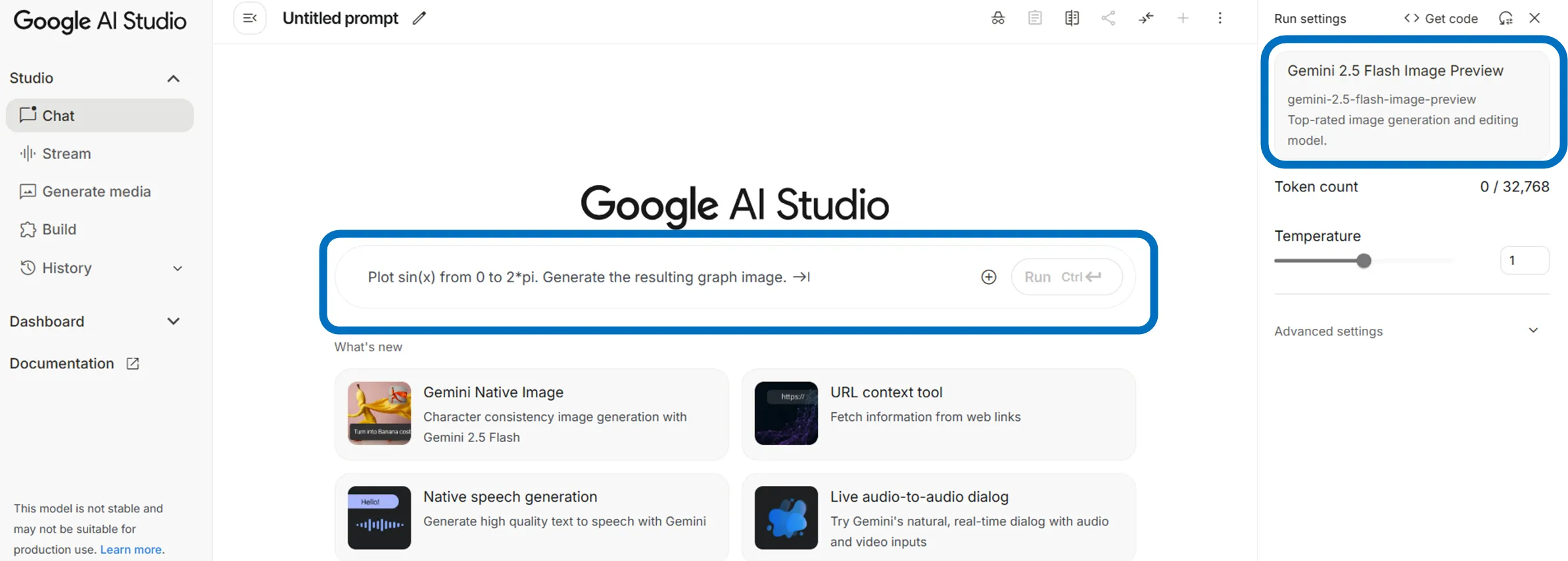
Access Google AI Studio and enter text like “Generate a product photo of XX.” Ensure the model is set to “Gemini 2.5 Flash Image Preview.”
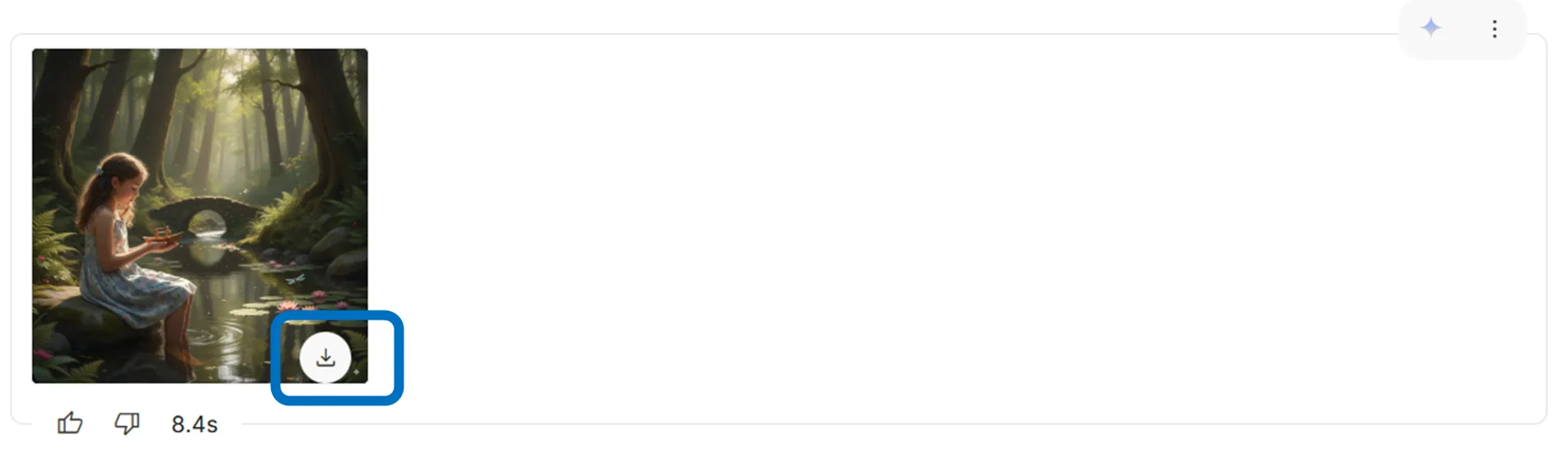
Generated images can be downloaded as PNG or JPEG. You can also upload existing photos and give instructions like “make the background white” for immediate editing.
Additionally, using AI Studio’s “Build Mode,” you can simply prompt “create an image editing app” to automatically generate a sample application complete with upload, filter application, and save functionality. Generated apps can be saved to GitHub or deployed directly.
Real-World Use Cases (Examples from X/Twitter)
Actual posts on X demonstrate concrete business results, including the following examples.
Instantly achieving background changes and local edits while maintaining the same character
Naturally combining multiple reference images to generate a single integrated image
Generating multiple shots with consistency for use as continuous materials
Implementation Considerations and Risks
When utilizing AI-generated images, it’s important to confirm the following points in advance.
-
License and Usage Scope Verify commercial use permissions and license conditions for generated images.
-
Integration with Internal Data Organize security and data management methods for safe handling.
-
Generated Content Characteristics AI-generated images include SynthID watermarks to prevent misuse and forgery. When using them in business contexts, handle them with awareness that they are “AI-generated content.”
-
Content Controls The system is controlled to prevent generation of images that violate public order and morals.
Understanding these points in advance enables confident use of AI-generated images.
Summary
Gemini 2.5 Flash Image Preview is Google’s latest image generation AI, offering high-speed, high-quality generation and flexible editing capabilities. It streamlines product image creation and advertising material production, with applications across diverse business needs. Start by trying it for free in AI Studio, experience its effectiveness firsthand, and then consider adopting the API or Vertex AI as needed.