
Building 3D assets or explorable worlds typically requires modeling, retopo, shading, and level design talent. Tencent’s Hunyuan 3D-Gen v3.0 and Hunyuan World Model 1.0/1.1 shrink that pipeline: the former outputs high-resolution objects, the latter generates or reconstructs interactive worlds. This guide distills how they differ, how to try them, pricing models, production-ready use cases, and the guardrails you need in place.
Table of Contents
- Hunyuan 3D Overview
- Feature Comparison
- Delivery & Pricing Options
- How to Use (Web / Local / API)
- Business Use Cases
- Deployment Checklist
- Risks & Mitigations
- Wrap-Up
Hunyuan 3D Overview
Hunyuan splits into the 3D-Gen line (asset generation) and the World Model line (world generation/reconstruction). Use the former when you need “parts” (props, characters, hero products) and the latter when you need “places” (VR venues, level blockouts, digital twins).
World Model 1.0 generates worlds from text or images. World Model 1.1 (WorldMirror) complements it with feed-forward reconstruction from multi-view photos or video, outputting depth, normals, cameras, and 3D Gaussians.
Feature Comparison
| Angle | 3D-Gen v3.0 | World Model 1.0 | World Model 1.1 |
|---|---|---|---|
| Purpose | High-fidelity single objects | Immersive world generation | Feed-forward world reconstruction |
| Tech | Layered diffusion, 1536³ geometry, ~3.6B voxels | Semantic separation (sky/terrain/objects) + mesh export | Outputs depth, normals, cameras, 3DGS in one pass |
| Output | Mesh + textures | Editable scene with individual objects | Point cloud / 3DGS / mesh-ready data |
| Use cases | Ads, e-commerce spins, game props, film assets | VR venues, game levels, digital twins, architecture | Reverse-engineering real locations, drone capture, relight pipelines |
What’s New in 3D-Gen v3.0
- Threefold precision boost with layered generation keeps silhouettes sharp and textures consistent
- Character tuning improves facial structure and poses, reducing deformation in marketing assets
- Access paths: try it free on the Hunyuan 3D web playground (20 credits/day), integrate via Tencent Cloud’s metered API, or request the invite-only 3D Studio for UV/rigging workflows
World Model 1.0 vs. 1.1
- 1.0 (text/image → world): Builds a sky/ground/object layout, exports meshes, and supports Draco compression for DCC/game engines
- Voyager module: Generates long camera paths and RGB‑D video from a single image, then reconstructs quickly
- 1.1 (WorldMirror): Focuses on reconstruction—feed-forward depth, normals, camera poses, and 3D Gaussians from video or multi-view photos. Optional priors (poses/intrinsics/depth) boost quality and plug straight into COLMAP/3DGS workflows
Delivery & Pricing Options
| Option | 3D-Gen v3.0 | World Model 1.0/1.1 |
|---|---|---|
| Web | Hunyuan 3D playground (20 credits/day free) | Official portal for text/image prompts |
| API | Tencent Cloud (pay-per-task, varies by quality/length) | N/A (self-host OSS) |
| OSS | Studio roadmap announced but not public yet | GitHub/HF release under Hunyuan Community License |
| License caveats | Follow Tencent Cloud T&Cs | MAU > 1M requires extra approval; EU/UK/Korea excluded; generated output cannot train other models |
How to Use (Web / Local / API)
First decide what you need. Reach for 3D-Gen v3.0 when you want standalone objects; reach for World Model when you need the space itself.
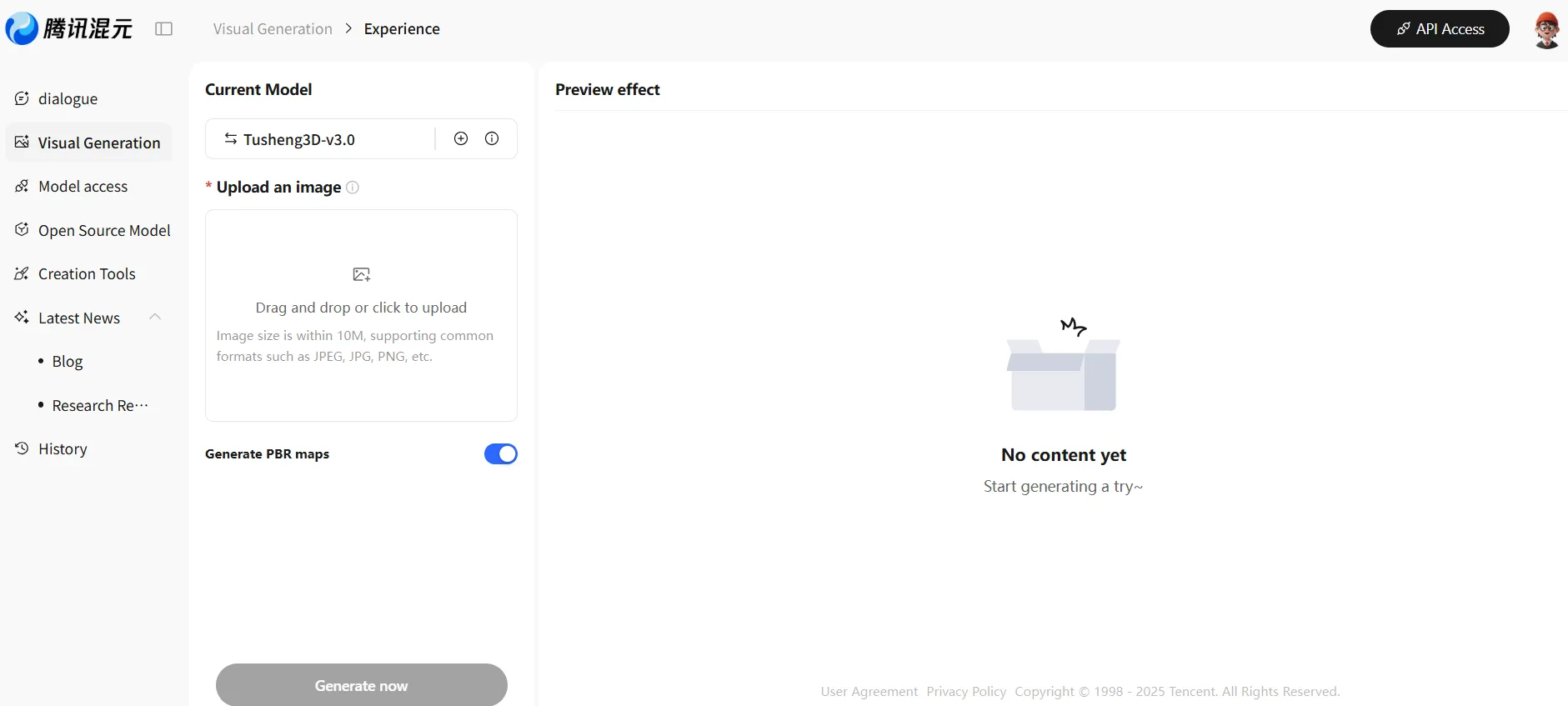
For 3D-Gen v3.0, visit the Hunyuan playground, enter a text description or upload a reference image, and generate. You can review the result in the browser and export it in standard 3D formats.
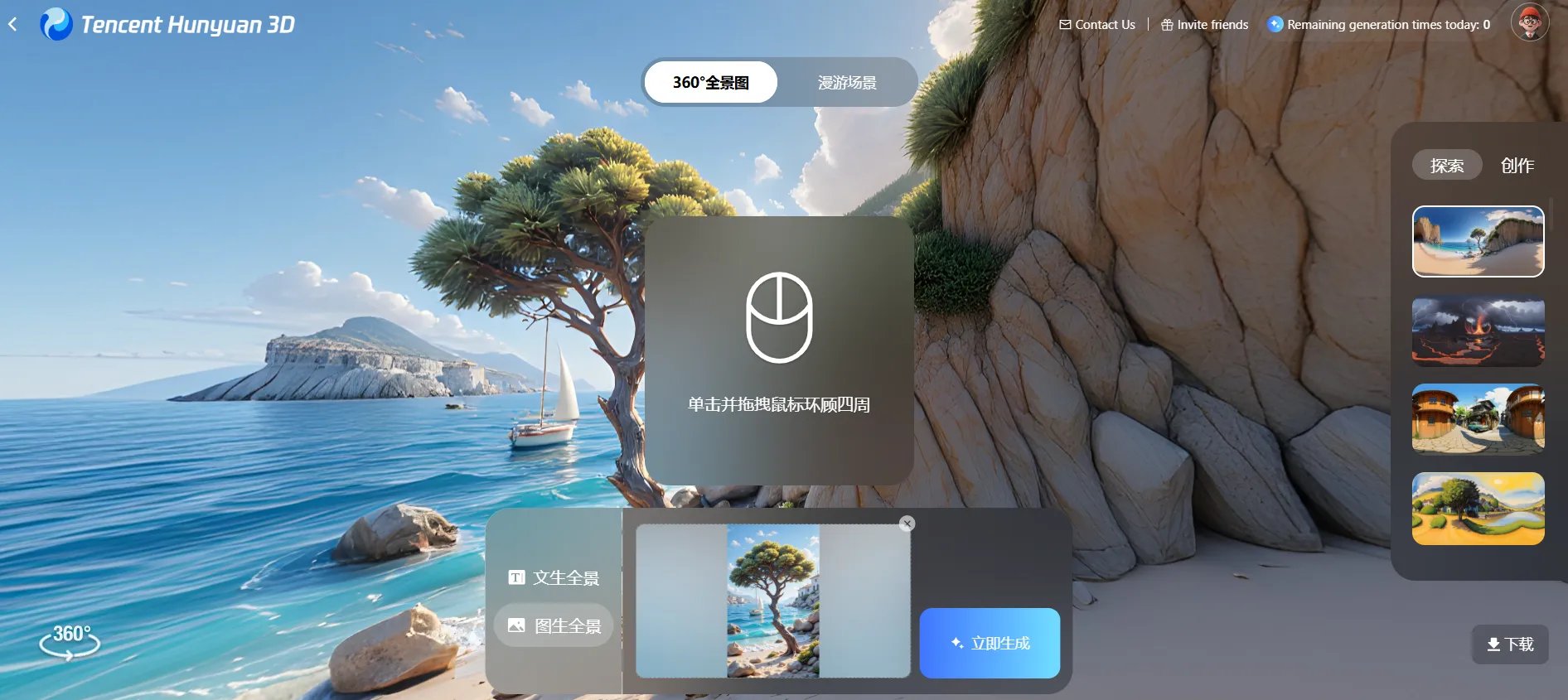
For World Model, open Tencent Hunyuan 3D, submit a prompt or reference image, and generate. You can orbit the scene in 360°, then download it or hand it off to downstream tools.
Business Use Cases
- Advertising & e-commerce: Generate product turntables or hero props via 3D-Gen, drop them into LPs or AR viewers
- Game/XR production: Use 3D-Gen for characters and props, World Model for level blockouts, then polish in the engine
- Digital twins & simulation: Reconstruct plants, stores, or urban scenes with World Model 1.1, then run logistics or safety sims
- Architecture & real estate: Produce atmosphere boards or walkthroughs to align with clients before investing in full BIM scenes
Deployment Checklist
- Output acceptance: Set thresholds for resolution, polycount, texture size, naming, and retopo requirements
- Licensing: Document API contracts, MAU caps, geographic exclusions, and prohibited downstream use
- Pipeline integration: Define how assets move into DCC/game engines, how versions are reviewed, and how edits are tracked
- Disclosure policy: Decide when “Generated with Tencent Hunyuan” or similar attribution is required
Risks & Mitigations
| Risk | Mitigation |
|---|---|
| License violations (World Model) | Respect MAU/geography limits; obtain written approval for large deployments |
| Quality inconsistency | Create prompt templates, camera/framing guidelines, and a regeneration policy |
| Cost creep | Prototype on free tiers or OSS, then migrate to API once KPIs are proven; monitor compute spend |
| Misrepresentation | Label generated/reconstructed assets, ensure necessary usage rights, and track consent |
Wrap-Up
- 3D-Gen v3.0 is the fast path to production-ready props and characters
- World Model 1.0 handles world generation, while 1.1 accelerates reconstruction from real footage
- Start with web demos or OSS to understand controls, then formalize workflows, acceptance criteria, and license compliance before scaling