
Creating consistent character representations and high-quality text-inclusive visuals has traditionally been time-consuming and costly in advertising and design. Ideogram is a tool that uses proprietary generative AI models to easily create text-inclusive designs and consistent character images.
This article comprehensively covers Ideogram’s overview, features, how to use the Character function, pricing structure, and business use cases.
Table of Contents
- What is Ideogram?
- Key Features of Ideogram
- Consistent Character Generation with Character Function
- Pricing Plans and Usage Scope
- How to Use Ideogram (Character Function Example)
- Business Use Cases
- Implementation Considerations
- Summary
What is Ideogram?

Source: https://ideogram.ai/t/explore
Ideogram is an image generation AI developed by a Toronto, Canada-based company. Founded by researchers from Google Brain, they independently developed an image generation model capable of naturally depicting text. A key feature is its ability to reproduce long texts and complex layouts that are difficult for other generative AIs.
Key Features of Ideogram
Ideogram offers multiple proprietary features to support design production. Here’s how each feature specifically helps.
High-Precision Text Generation
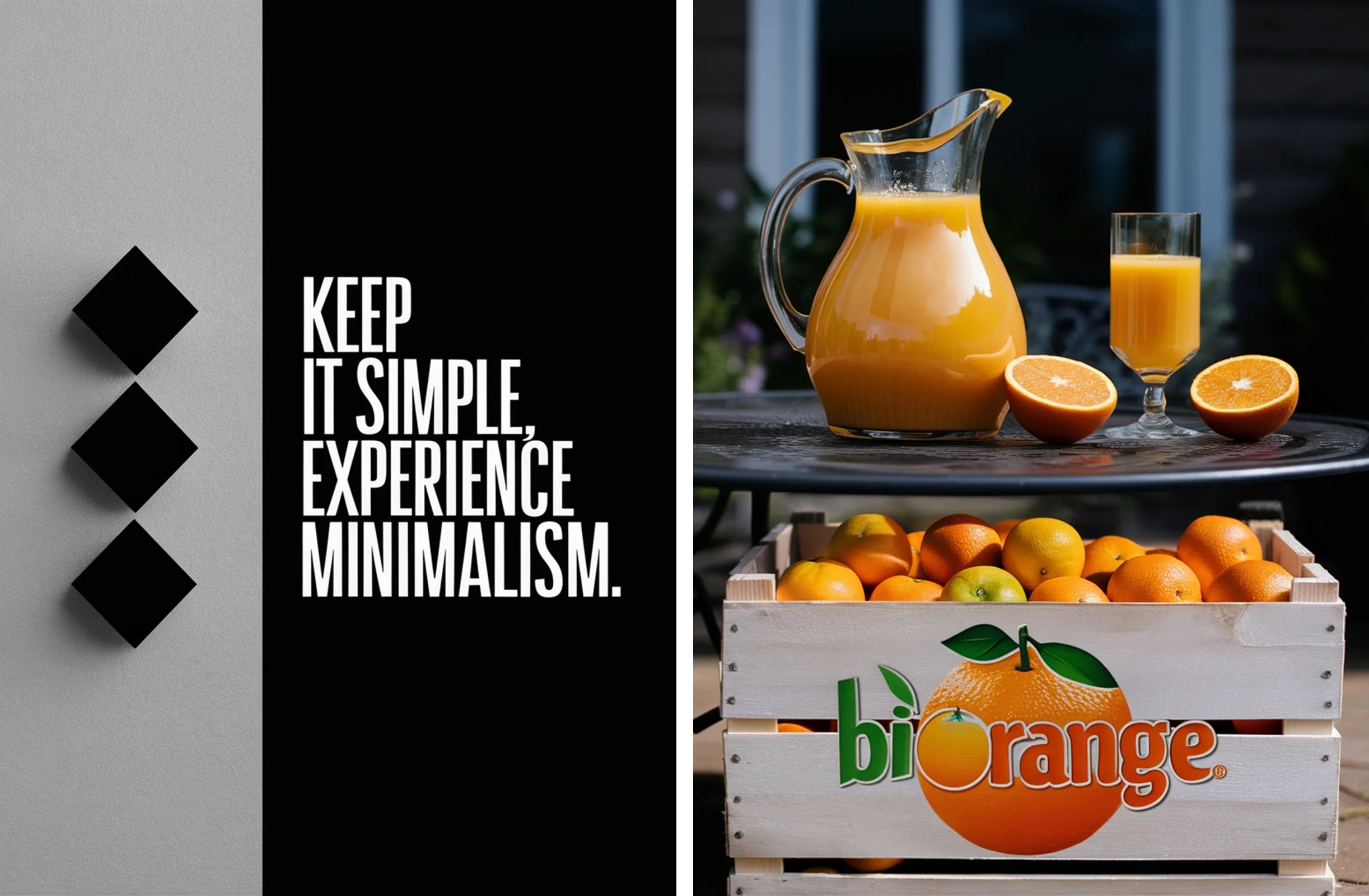
While other generative AIs often produce distorted or illegible text, Ideogram’s proprietary model can accurately depict even long texts and complex fonts. For example, it can generate catchphrases for posters and advertisements, as well as brand-name logos, seamlessly integrated into images. This reduces the effort designers need to invest in layout creation from scratch, enabling high-quality designs in a short time.
Source: https://docs.ideogram.ai/using-ideogram/prompting-guide/2-prompting-fundamentals/text-and-typography
Diverse Styles and Customization
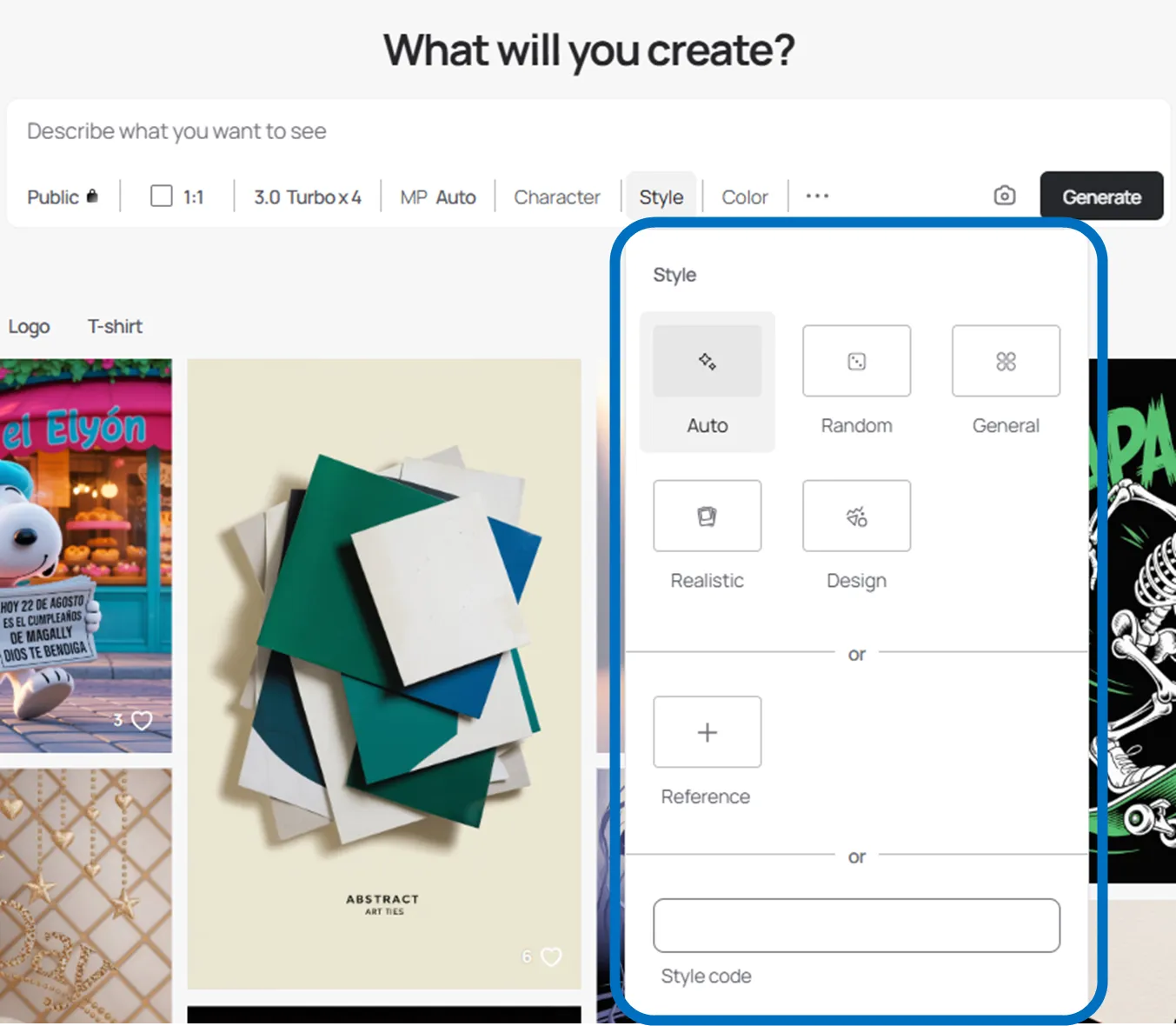
Users can choose from a wide range of styles including “Realistic (photographic),” “Design (graphic-oriented),” “Anime,” and “3D.” This allows for everything from realistic images like product photos to illustration-style expressions, achieving optimal results tailored to purposes such as marketing materials or social media posts.
Furthermore, the Style Reference function allows you to upload your own images and reflect their atmosphere and artistic style in newly generated images. For example, you can easily create visuals that align with existing advertising tones or brand guidelines, eliminating the need to specify details through text as was previously necessary.
Magic Prompt for Prompt Enhancement
When you enter simple instructions, AI automatically converts them into more specific and detailed prompts. For instance, simply entering “person in a cafe” expands to “a young person sitting at a wooden table with a coffee cup, smiling, by a window with soft natural light streaming in.” This makes it easy to achieve high-quality generation results even without specialized knowledge.
Editing Features (Canvas, Remix, Magic Fill)
Ideogram also includes editing features for processing generated images.
-
Canvas allows you to place images on an infinite canvas, extend backgrounds, or replace portions.
-
Remix lets you replace content while maintaining the layout of existing images.
-
Magic Fill allows you to select specific areas with a brush and replace only those parts with new elements.
This enables not just image generation but also flexible design modifications and variation development.
Consistent Character Generation with Character Function
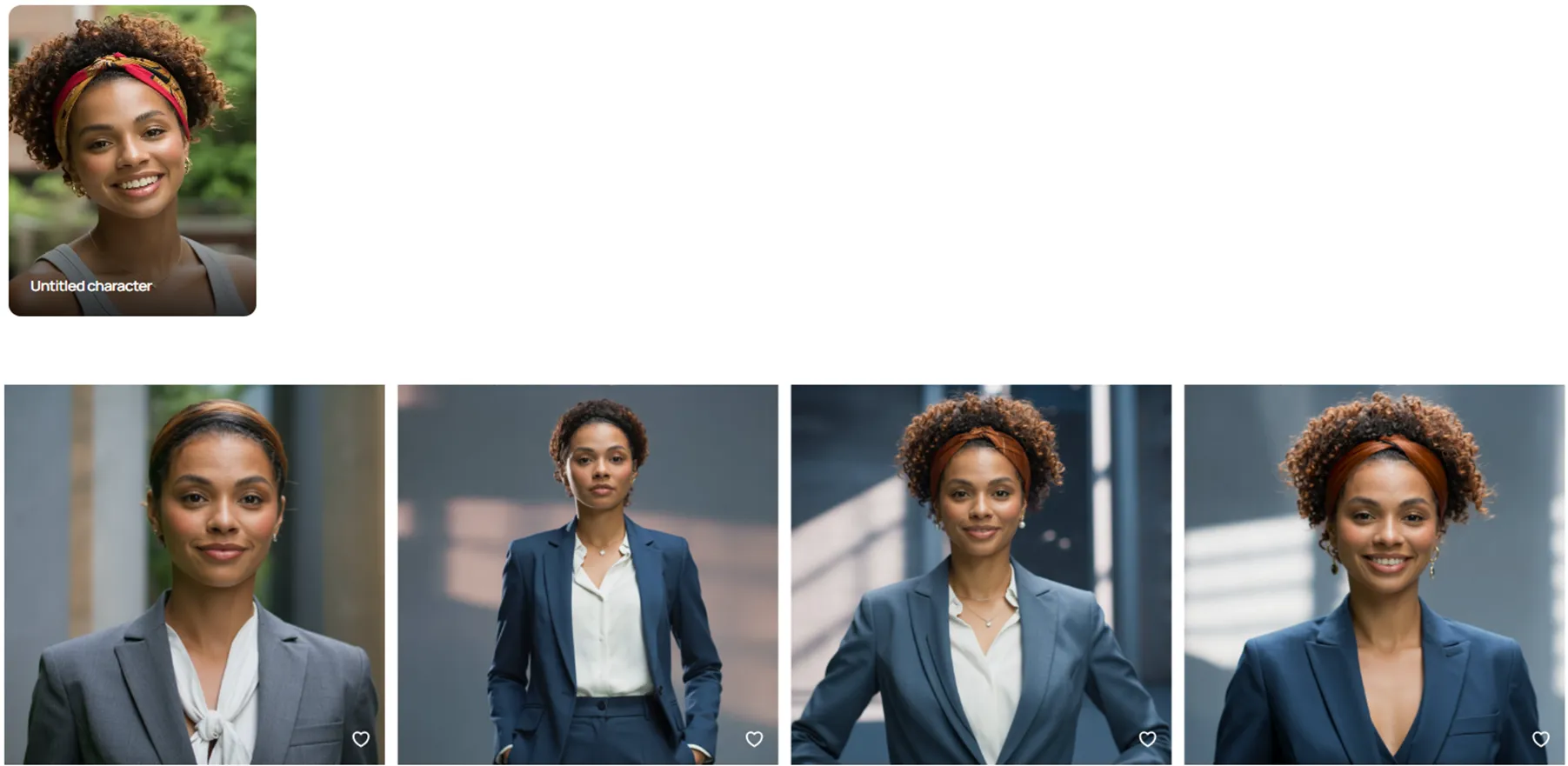
One of Ideogram’s most notable features is the “Character function.” This feature allows consistent generation of the same character from a single reference image.
-
You can feature the same person in various scenes from a single image
-
You can express different situations while maintaining hairstyles and facial expressions
-
The mask function allows fine-tuning of which elements to preserve (face, hair, etc.) and which parts to change
While dedicated training and numerous reference images were traditionally necessary, this function makes it easy to use. It’s effective for story creation and character marketing.
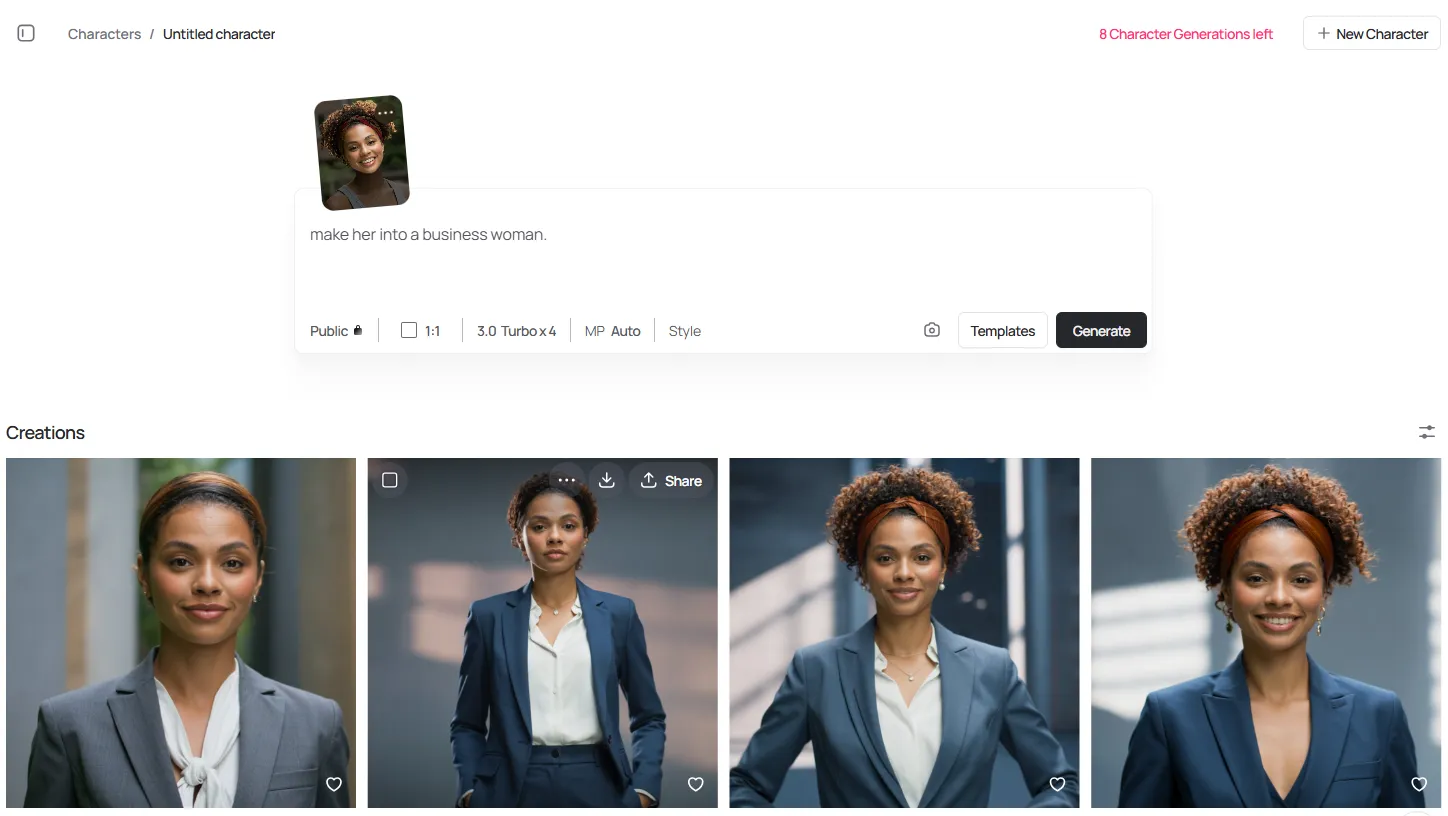
For example, using the sample image below, we generated four character images with the prompt “make her into a business woman.”
Pricing Plans and Usage Scope
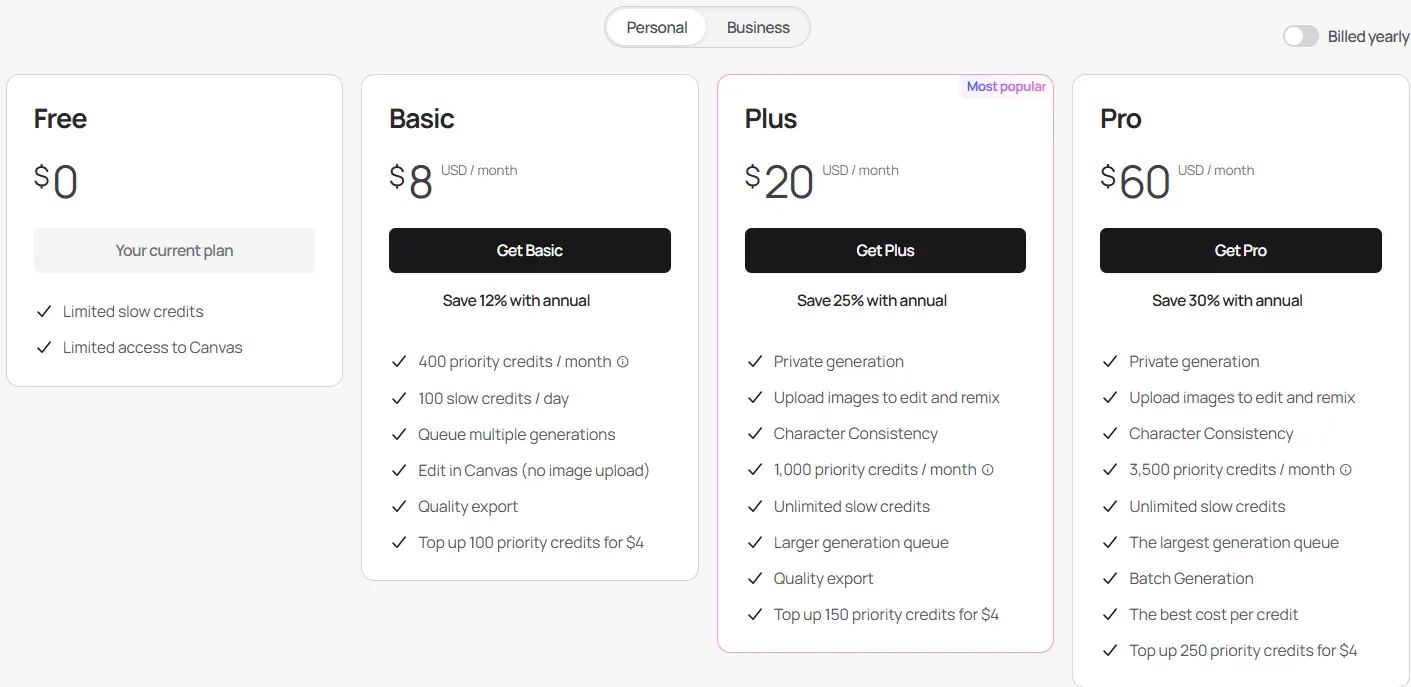
While Ideogram can be tried for free, paid plans are necessary for full-scale use. The main differences are as follows:
Source: https://ideogram.ai/pricing?tab=personal
| Plan | Monthly Fee | Credits/Generation Count | Available Features |
|---|---|---|---|
| Free | Free | 10 credits per week (approx. 40 images/month) | Basic features, Character trial up to 10 times |
| Basic | $8 | 100 credits per day + 400 priority credits per month | Negative prompts, seed locking |
| Plus | $20 | 1,000 priority credits per month + unlimited slow credits | Magic Fill, Extend, unlimited Character |
| Pro | $60 | 3,500 priority credits per month + unlimited slow credits | Batch generation, parallel processing |
| Team | $30/person (2+ people) | 1,500 priority credits per person per month | Team-oriented, Pro-equivalent features |
Commercial use is possible, and rights to generated images belong to the user.
How to Use Ideogram (Character Function Example)
Here are the basic steps for using the Character function.
Account Creation
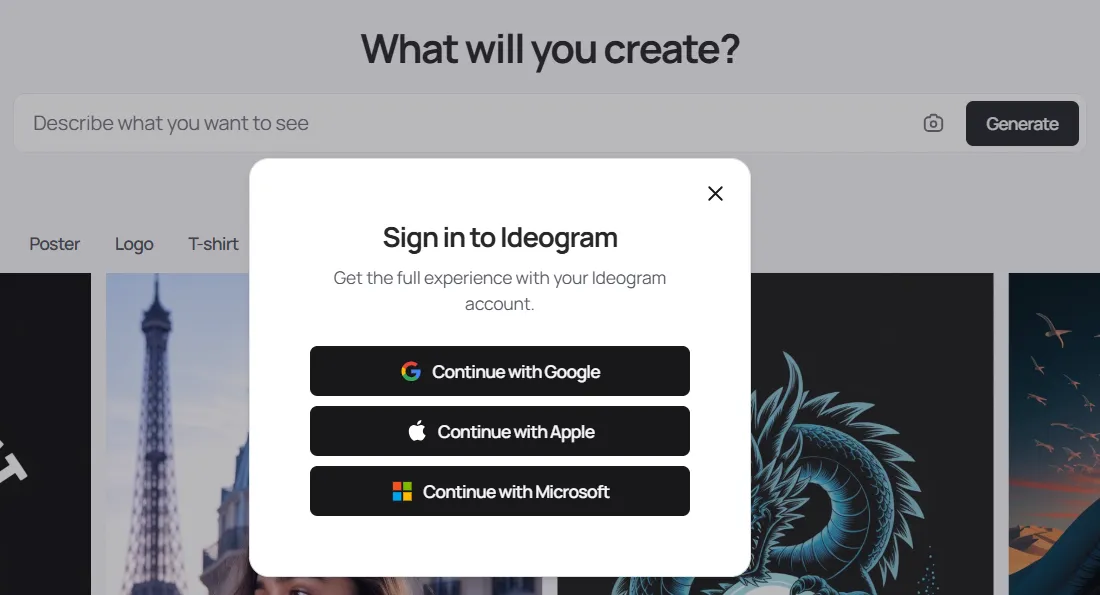
Access Ideogram’s official website. A “Sign in to Ideogram” popup will appear in the center of the screen. You can sign in through any of the following:
-
Continue with Google (Continue with Google account)
-
Continue with Apple (Continue with Apple ID)
-
Continue with Microsoft (Continue with Microsoft account)
You’ll be redirected to the login screen for your chosen service, where you authenticate with email address and password. If necessary, complete two-factor authentication or identity verification. Upon successful authentication, an Ideogram account is automatically created and immediately usable.
Create Character
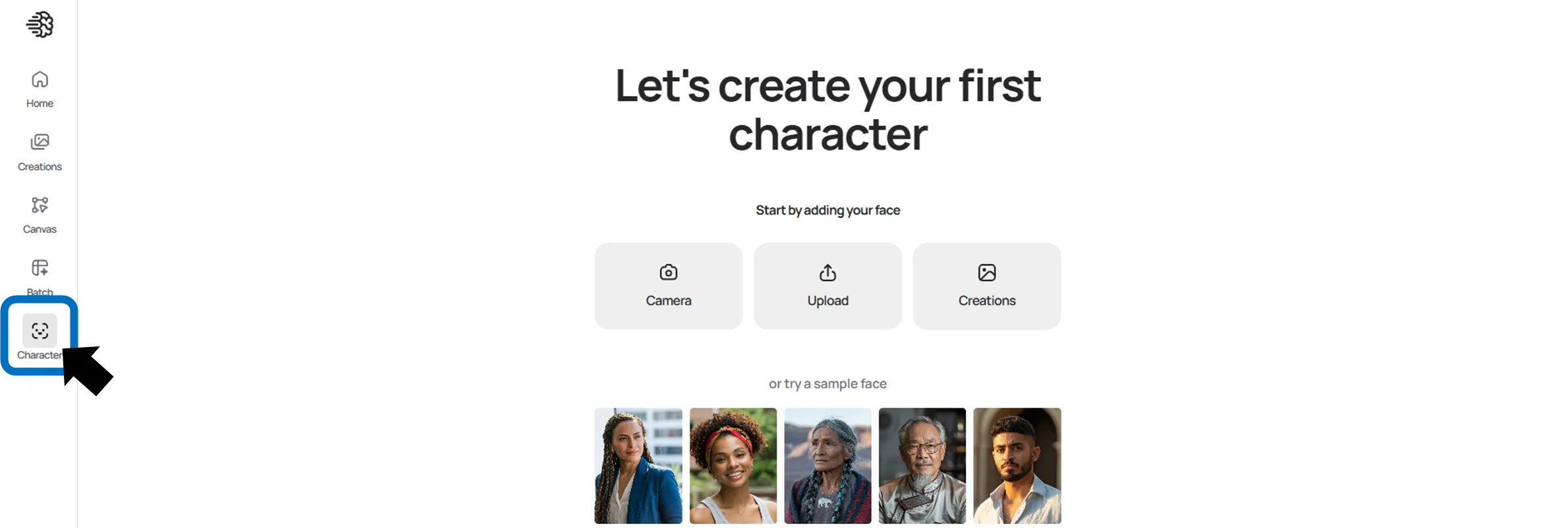
First, open the Character tab on the generation screen. Upload or capture a reference image and set it, then the character will be linked to the prompt input field.
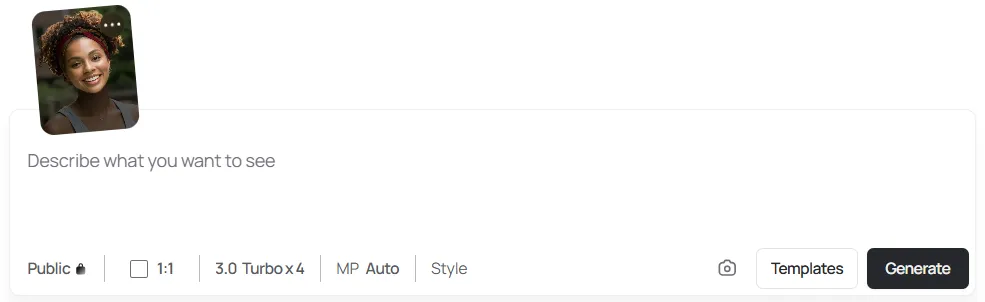
Next, specify the scene or style you want to generate and execute generation. Mask editing and template utilization are also available as needed.
Completed images can be saved and reused.
Business Use Cases
Ideogram is attracting attention not only for personal use but also in business settings.
-
Visual creation for advertising and social media Example:
A poster on a wall with text that reads: "Everything you can imagine is real. – Pablo Picasso"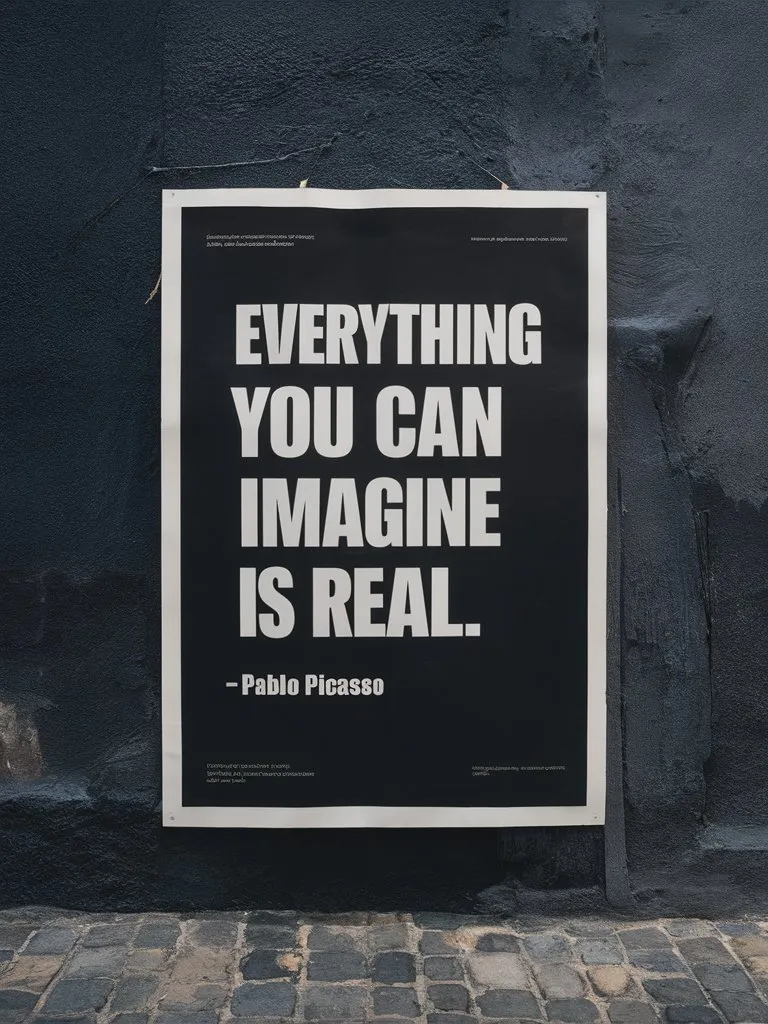
Source: https://docs.ideogram.ai/using-ideogram/prompting-guide/2-prompting-fundamentals/text-and-typography
-
Consistent generation of brand characters
These initiatives can also be applied to corporate marketing activities.
Implementation Considerations
While convenient, attention is needed for the following points:
-
Exercise caution when using designs similar to trademarks or copyrighted works
-
Respect portrait rights when using personal photos as character reference images
-
Free plan has usage limitations, so paid plans are practical for business use
Understanding these considerations allows for more confident utilization.
Summary
Ideogram is a generative AI with strengths in text-inclusive image generation and character consistency. The Character function in particular allows the same person to appear in various scenes from a single image, making it easy to apply to business. As a tool that balances production efficiency with expressive power, it’s worth incorporating into daily operations and creative activities.