
As generative AI competition intensifies, Google has launched Imagen 4, its latest image generation model. With photorealistic rendering that captures every strand of hair and water droplet reflection, plus flawless typography that makes “AI vs. real photo” distinctions nearly impossible, Imagen 4 delivers. Accessible via one-tap testing in the Gemini app and scalable through Vertex AI APIs for enterprise use, it has captured attention from creators to engineers alike.
This article systematically covers Imagen 4’s features, technical advantages, practical use cases, usage methods, and pricing structure.
Table of Contents
- What is Imagen 4?
- Key Features of Imagen 4
- Use Cases
- Usage Methods
- Prompt Engineering Tips and Generation Guidelines
- Pricing and Licensing
- Summary
What is Imagen 4?
Imagen 4, announced at Google I/O 2025 in May 2025, is Google’s latest text-to-image generation model. It supports resolutions up to 2K (2048 × 2048 pixels), enabling generation of everything from photorealistic images to abstract art, including text elements in logos and posters.

Source: https://blog.google/intl/ja-jp/company-news/technology/aigenerative-media-models-io-2025/
Additionally, generated images automatically embed SynthID, a watermarking technology developed by Google DeepMind, allowing later identification of AI-generated content.
For user accessibility, individuals can easily experience it through the Gemini app or ImageFX, while enterprise users can access it via Google Cloud’s Vertex AI for commercial applications.
Key Features of Imagen 4
Imagen 4 stands out for four major reasons:
-
Photorealistic Detail Expression Performance that precisely renders hair texture, water droplet reflections, and fabric weave surpasses conventional image generation models.
-
Natural Text Generation Even in images containing text elements like signage or magazine covers, typography is rendered naturally without artifacts, making it immediately useful for advertising and promotional creative work.
-
Fast Generation Speed The Gemini app generates high-quality images within seconds, dramatically accelerating idea validation and streamlining the prototyping process in production environments.
-
Style Diversity and Safety Switch between photorealistic, anime-style, 3D-style, watercolor, and other diverse styles with a single prompt. All generated images automatically include SynthID watermarks, ensuring transparency and reliability for commercial use.
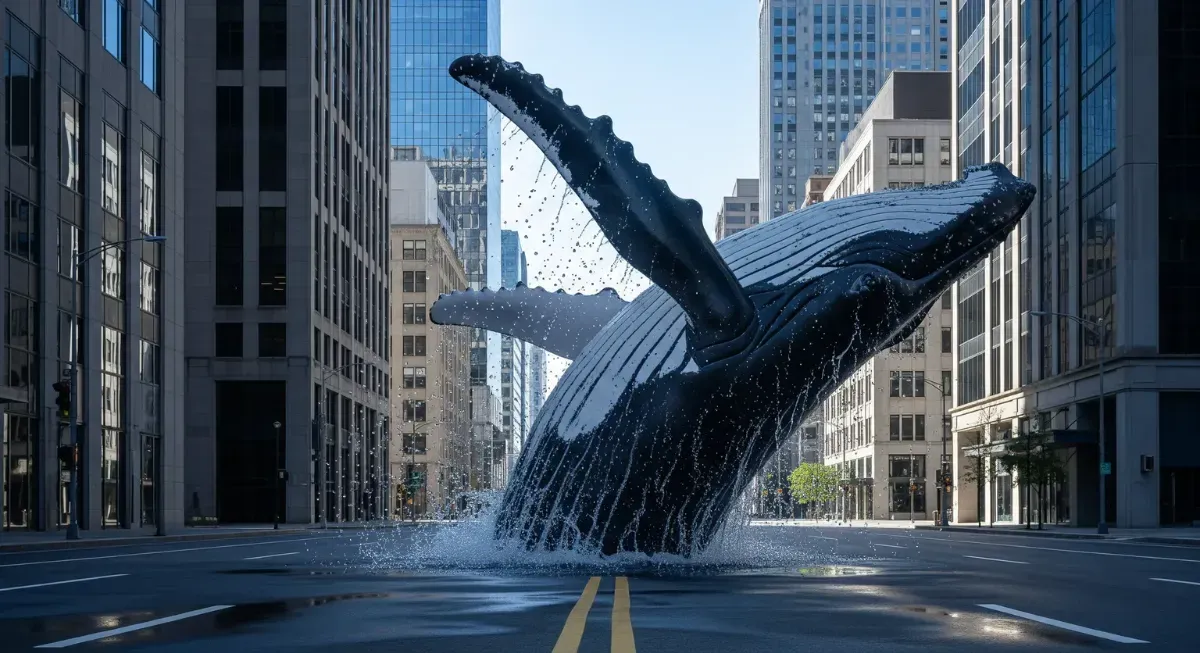 Source: https://blog.google/intl/ja-jp/company-news/technology/aigenerative-media-models-io-2025/
Use Cases
Imagen 4’s capabilities shine across diverse use cases from individuals to enterprises. It particularly excels in the following scenarios:
-
Social Media and Blog Thumbnail Creation Instant generation dramatically reduces time and costs of outsourcing or asset searching. Example:
a young woman holding a laptop, colorful background, modern graphic design style, text "Improving Business Efficiency with AI"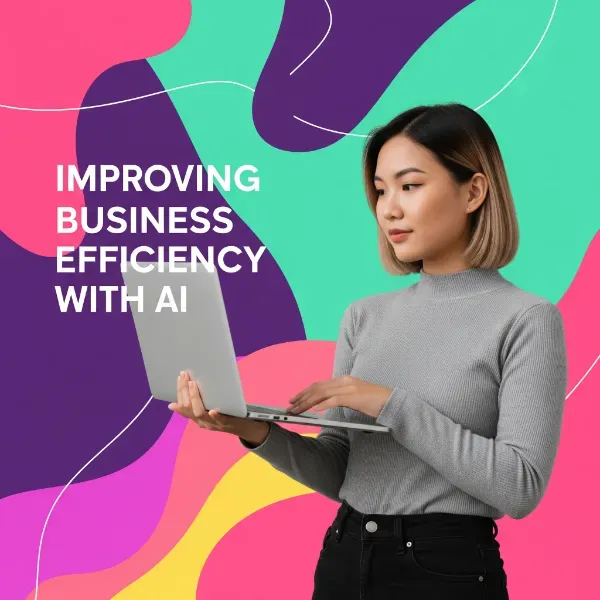
-
E-commerce Product Banners and Background Image Mass Production Automatically generate product-appropriate visuals for speedy marketing initiatives. Example:
a wooden dining chair in a minimalist Japanese-style room, natural lighting, clean background
-
Game and Video Content Concept Art Production Present multiple proposals quickly, accelerating feedback loops with directors. Example:
cyberpunk cityscape at night, neon lights, raining, cinematic lighting, ultra-detailed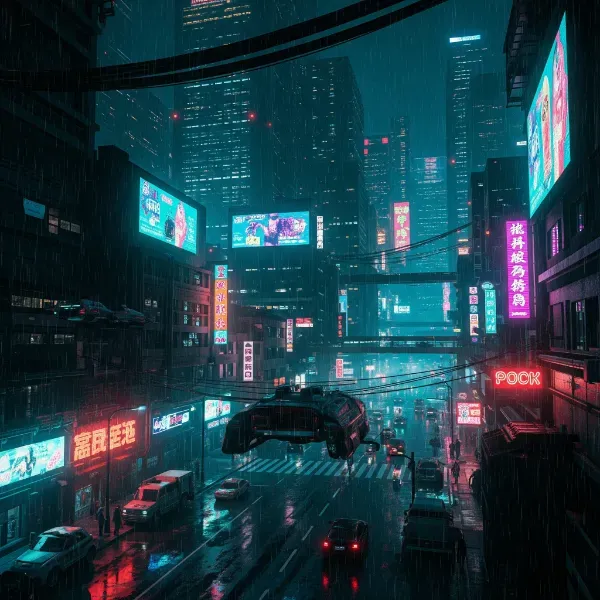
-
Internal Document and Whitepaper Visual Creation Using original images differentiates from generic illustrations and enhances brand strength. Example:
business team discussing strategy in a modern office, whiteboard in background, realistic style
In these use cases, Imagen 4 accelerates the entire production workflow from small-scale prototyping to large-scale production operations, greatly expanding creative possibilities.
Usage Methods
Imagen 4 can be utilized through three primary methods depending on your use case.
Gemini App (For Individual Users)
The easiest way to experience Imagen 4 is through Google’s Gemini app.
【Steps】
Launch the “Gemini” app on your smartphone or PC. Enter prompts in the input field at the bottom of the screen. For example, typing “/image” switches to image generation mode. Pressing the “Send” button generates 2K resolution images within seconds.
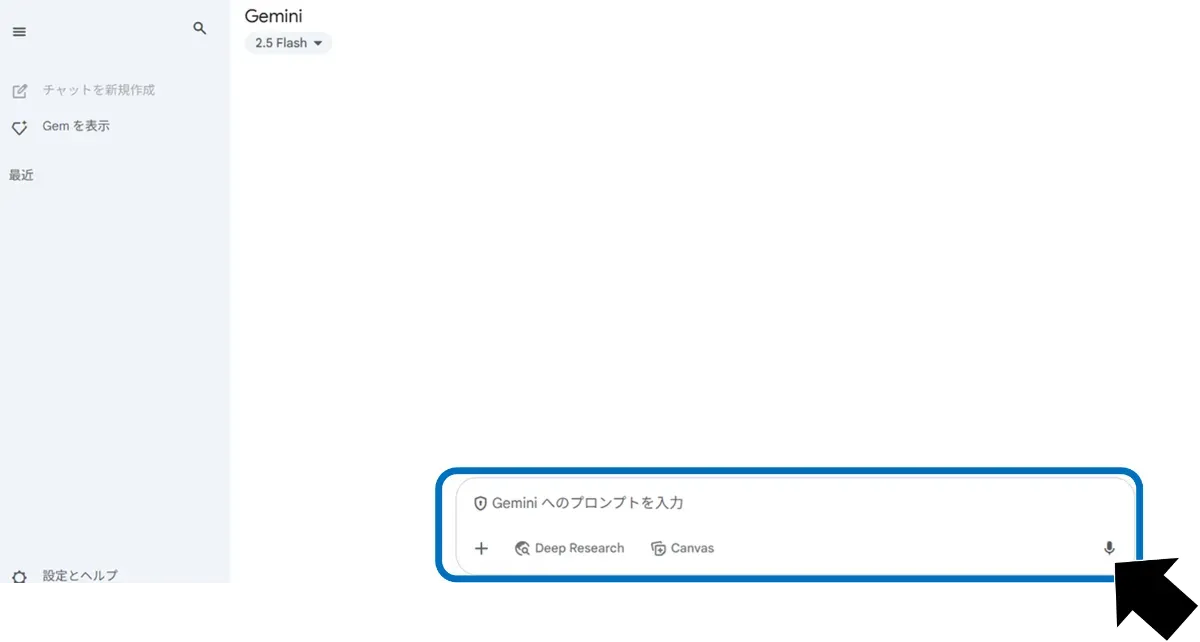
Intuitive operation requires no specialized knowledge. Generated results can be directly used in social media or documents.
ImageFX and Whisk (For Designers and Planners)
Google Labs’ ImageFX and Whisk allow visual adjustment of generated image styles and compositions.
Here we explain how to use Imagen 4 on ImageFX. For Whisk features and usage, see the separate article “Whisk Image Remix: Generate New Visuals from 3 Images.”
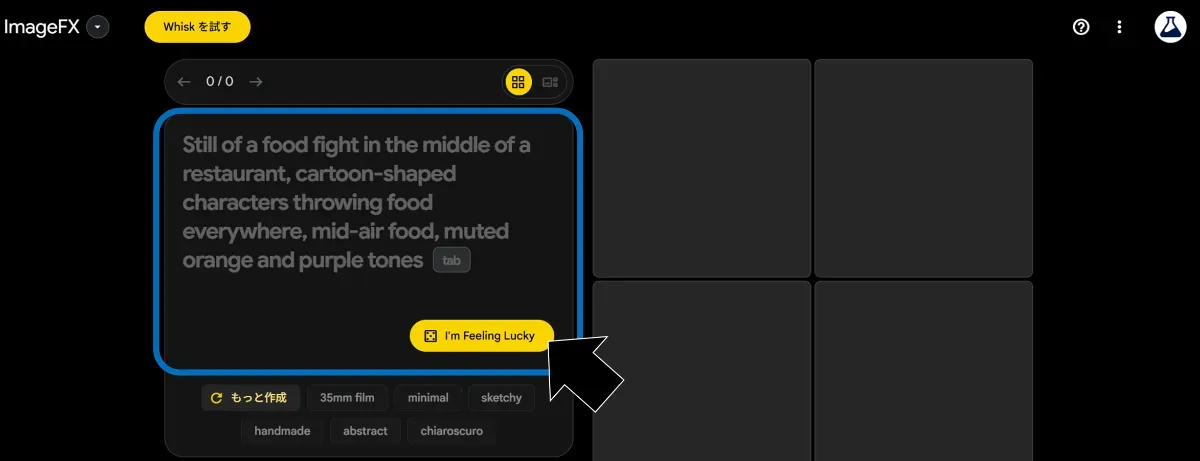
【Steps (ImageFX)】
Access Google Labs and open ImageFX. Enter a text prompt to display four variation images. Clicking a style you like regenerates new images based on that style.
The key feature is quickly selecting optimal visuals while comparing multiple proposals.
Vertex AI API (For Development and System Integration)
For embedding into business applications or products, using Imagen 4’s API via Google Cloud’s Vertex AI is effective.
【Steps】
Log in to Google Cloud Console and create a new project. Enter “Vertex AI API” in the search window and enable the Vertex AI API.
 Like other apps, configure authentication information for API access including API key or service account creation, necessary role assignments, and OAuth consent screen setup.
This enables integration with business tools, SaaS, and web services, realizing large-scale image generation automation.
Prompt Engineering Tips and Generation Guidelines
To consistently generate high-quality images, understanding prompt design and API-specific considerations is crucial. This section introduces “5 tips for fail-proof prompts” along with “common limitations and troubleshooting approaches.”
5 Tips for Improving Reproducibility and Quality
Following these points significantly improves image consistency and completion quality.
-
Specify Composition First Example: Explicitly stating camerawork like
wide-angle shot of a forestmakes it easier to convey intended perspective. -
Narrow Texture and Atmosphere to 2-3 Words Example:
soft diffused lighting,glossy finish, etc. Narrowing to clear keywords is more effective than listing synonyms. -
Avoid Prohibited Words Example:
nudityorgorewill be rejected by automatic filters, requiring re-input. -
Specify Aspect Ratio Example: Specifying ratios like
--ar 3:2(in Gemini:/image 3:2 ...) stabilizes composition along with aspect ratio. -
Test at Low Resolution, Then Regenerate at High Resolution Example: Generate rough compositions at 256px first, then regenerate liked compositions at 2K in a stepwise approach.
Common Limitations and Troubleshooting
Beyond prompt design, attention to generation environment limitations and issues is necessary.
-
Daily Limit Errors If “limit reached” displays, wait until the next day or switch to Vertex AI usage.
-
Distorted Faces Adding
portrait,centered subject,canonical faceto prompts may improve results. -
Removing Watermark (SynthID) Currently SynthID cannot be disabled. While removal via image editing tools after high-quality output is possible, it’s not officially recommended.
Pricing and Licensing
For individual users, usage through the Gemini app is provided free (with daily generation count limits). For enterprise use or development purposes, Vertex AI API access is required, with pricing starting at approximately $0.0001 per generation (preview pricing). Billing rates vary based on output resolution and additional features (upscaling, editing tools).
Additionally, new Google Cloud users receive $300 in free credits, which can be utilized for initial deployment testing. All generated images include SynthID watermarks and commercial use is permitted following Google’s usage guidelines.
Summary
Imagen 4 generates high-resolution 2K images in just seconds while naturally incorporating text elements—performance that clearly distinguishes it from conventional image generation models. With completion quality that competes fully with other leading models like Midjourney and Firefly, it’s applicable across diverse settings from creative production to business support.
An environment for casual experimentation via the Gemini app is already available, and integration into corporate products and business tools is expected to advance. When understanding cutting-edge trends in AI image generation, Imagen 4 is undoubtedly a model worth knowing.