
Midjourney, a highly popular AI image generation service, has added long-awaited video generation capabilities. Previously specialized in generating beautiful static images, Midjourney can now easily generate short-form videos from a single image with its newly released video model “V1.”
This article covers everything from V1’s basic specifications and operation methods to actual user feedback and real-world business applications.
Table of Contents
- V1 Overview
- Key Features and Specifications
- Pricing Plans and Requirements
- Operation Workflow
- User Feedback and Early Reviews
- Business Application Tips
- Summary
V1 Overview
On June 18, generative AI service Midjourney publicly released its first video generation model V1. This is an “Image-to-Video” (I2V) dedicated model that outputs four 5-second videos at once simply by pressing the “Animate” button on existing static images or Midjourney-generated images. As announced in the official blog post “Introducing Our V1 Video Model,” V1 represents the first step toward the company’s vision of “real-time generated 3D worlds.”
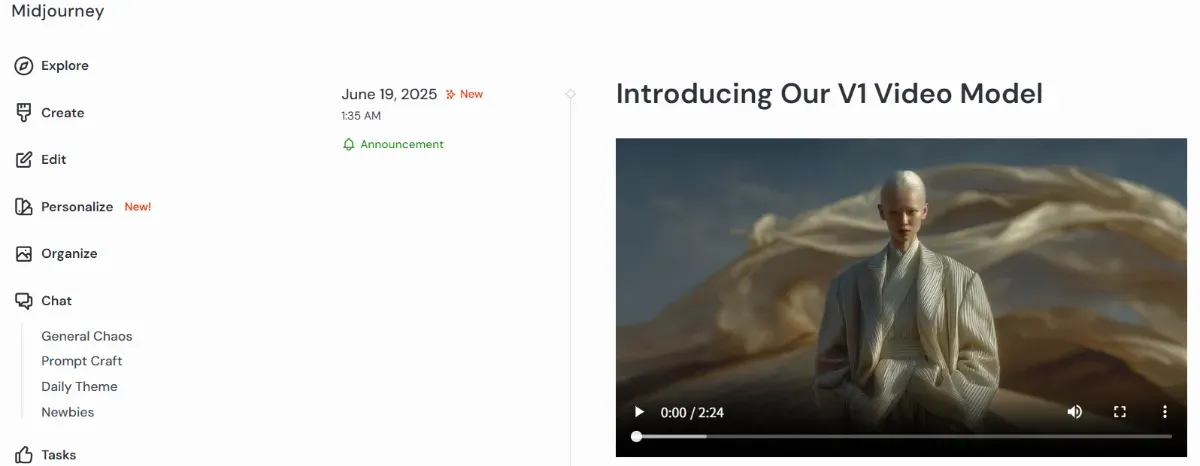
Source: https://updates.midjourney.com/introducing-our-v1-video-model/
Key Features and Specifications
Midjourney V1 offers unique features in video output style and specifications while maintaining extremely simple operation. Here are the main characteristics of the V1 model:
-
Generate high-quality short-form videos with simple operations Select an image and press the “Animate” button to automatically generate four videos of approximately 5 seconds each. Motion can be applied in two ways: “Auto mode” for automatic motion and “Manual mode” for detailed text-based motion instructions. Motion intensity can also be adjusted between “Low Motion” and “High Motion.”
-
Videos can be extended up to 21 seconds After initial generation, you can “Extend” up to four times (4 seconds each) for a total of 21 seconds of video.
-
Lightweight and cost-effective for easy adoption Available starting at $10/month, generating videos using approximately 8 times the GPU time of image generation. The UI is Web-only and does not support audio.
Given these specifications, V1 is a practical model specialized for “rapidly and beautifully producing short looping videos.”
Pricing Plans and Requirements
V1 is available only to Midjourney paid plan subscribers. Below is a comparison table focusing on points particularly relevant to V1 usage:
| Plan Name | Monthly Fee | Fast GPU Hours/Month | Relax Mode | Concurrent Video Generation | Notes |
|---|---|---|---|---|---|
| Basic | $10 | 3.3 hours | Not supported | 1 video | For minimal usage |
| Standard | $30 | 15 hours | △ (Images only) | 3 videos | For intermediate users handling videos |
| Pro | $60 | 30 hours | ○ (Unlimited) | 6 videos (or 2 with Relax) | Recommended for serious use |
| Mega | $120 | 60 hours | ○ (Unlimited) | 12 videos (or 3 with Relax) | For team use or heavy users |
*Additional Fast GPU time can be purchased at $4/hour for all plans.
Note that Relax mode for video generation is supported only on Standard plans and above, and while the Basic plan can create videos, it consumes GPU time per generation. While accessible from the $10/month Basic plan, considering Relax mode generation on Pro or higher plans will be more comfortable as video generation consumes significant GPU resources.
Operation Workflow
Generating videos with Midjourney V1 is very simple and can be started smoothly with just one prepared image. Here’s a step-by-step guide so even first-time users won’t get lost:
Steps:
First, log in to the Midjourney Web UI (Discord account integration required).
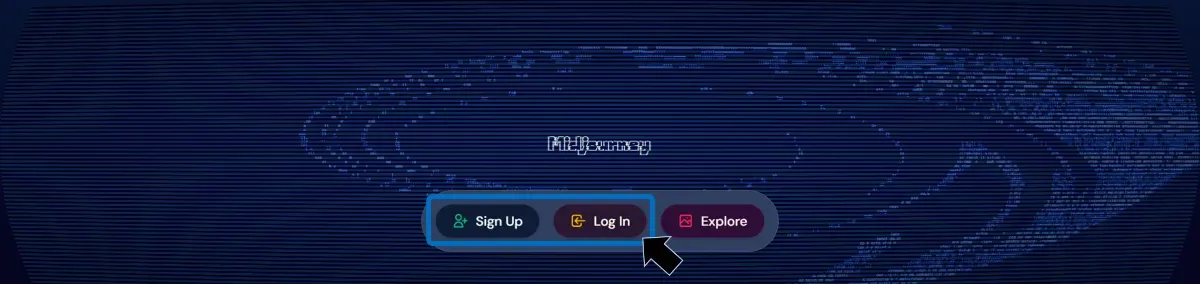
Next, prepare an image to serve as the video base. This can be either a Midjourney-generated image or a user-uploaded image. Select the target image and click the “Animate Image” button that appears when hovering over the thumbnail.
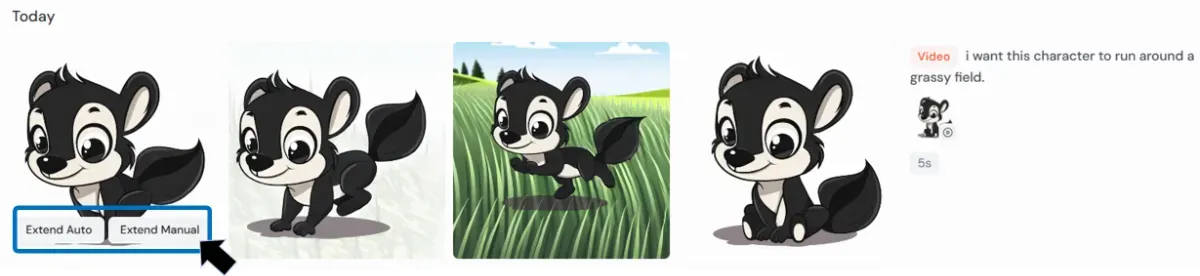
After several dozen seconds of processing, four patterns of 5-second loop videos are generated from a single image. If needed, you can use the “Extend” button to extend the video in 4-second increments up to a maximum of 21 seconds.
This way, V1’s appeal lies in its ability to create high-quality videos with just a few clicks, even without special skills.
User Feedback and Early Reviews
Users who have actually tried it are actively sharing their impressions and experiences with V1 on X (formerly Twitter). Here are some examples:
-
Midjourney Official | “$10/month Video Generation for Everyone” Official Release Announcement The official Midjourney account announced the V1 video generation model. Introduced as “the first video model for everyone, available starting at $10/month,” with actual generated sample videos attached.
-
Phi Hoang | “Beyond My Expectations” — Shares Fantastical Generated Videos A post by Phi, known as a designer/creator, sharing animations generated with Midjourney V1. Stating “it surpassed all my expectations,” they showcase V1 footage expressing a fantastical worldview.
-
OscarAI | Animating Children’s Book Illustrations — “Impressively Complete” A practical example of adding animation to children’s book illustrations. Static images created with Midjourney transform into natural motion with V1, receiving high praise as a “truly amazing experience.”
Business Application Tips
Midjourney V1 can quickly and beautifully generate short-form videos, making it suitable for various business scenarios. It particularly excels in situations requiring both speed and expressiveness, such as social media advertising, presentations, and early-stage creative production.
-
Add motion to product photos for social media advertising materials
-
Add simple motion to artwork and illustrations to expand creative possibilities
-
Use as eye-catching elements in proposal materials and presentations
-
Applicable for creative workflow prototyping
A key feature is its ease of adoption for small and medium enterprises and individual creators with limited production resources, as video generation takes only minutes. Incorporating motion-based expression can strengthen visual impact and enhance information delivery effectiveness.
Summary
Midjourney’s new “V1” feature is a revolutionary capability that automatically generates high-quality short-form videos with just a few clicks based on static images. Midjourney’s expansion from image generation to video support represents a significant update broadening creative possibilities.
It automatically generates four patterns of 5-second animated videos, expandable up to 21 seconds. With intuitive operations and no special knowledge or technical skills required, anyone can easily create motion visuals — a major distinguishing feature.
While video generation is still developing, we recommend experiencing V1 by animating your own images while anticipating future updates. Please experience the new possibilities of visual expression through Midjourney.