
Google has introduced Nano Banana, a new image generation and editing model from Google DeepMind, to the Gemini app, significantly enhancing native image editing capabilities. The official blog clearly demonstrates what this update enables through 10 demos. Key features include maintaining consistency of people and pets, blending multiple photos, partial replacements, and style applications, with the ability to preserve important details from the original images during editing.
This article provides a concise summary of the official blog post, including translated instructions for each demo, usage tips, and how to try them out.
You may also want to read
Table of Contents
- Update Highlights and Key Features
- 10 Official Demo Examples
- Implementation Workflow: Using the Gemini App
- Business Application Tips
- Summary
Update Highlights and Key Features
This section outlines the editing capabilities enabled by this update and clarifies the significant impact on business use cases.
-
Ability to edit people and pets while maintaining consistent appearance (preserving identity even when changing backgrounds, clothing, poses, etc.).
-
Blending multiple photos naturally into a single composition.
-
Modifying only specific parts of an image while keeping the rest intact.
-
Applying the style (texture) of one image to another subject.
-
All features maintain important details from the original images.
These capabilities can be tested directly in the Gemini app, and most examples combine multiple functions.
Start by understanding what’s new. Once you grasp the core editing capabilities, you’ll see how to apply them!
10 Official Demo Examples
Here, we organize each demo from the blog with Japanese instruction examples and explanations of which features they demonstrate. All detailed images are referenced from the official blog. Please refer to the official blog for the English prompts.
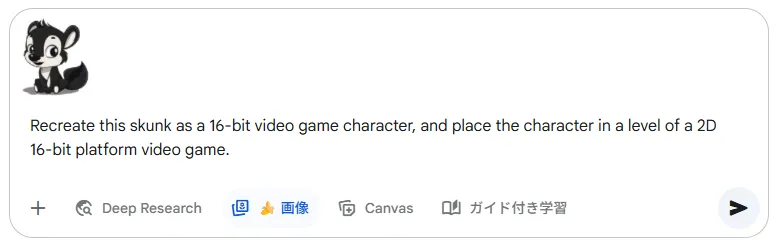
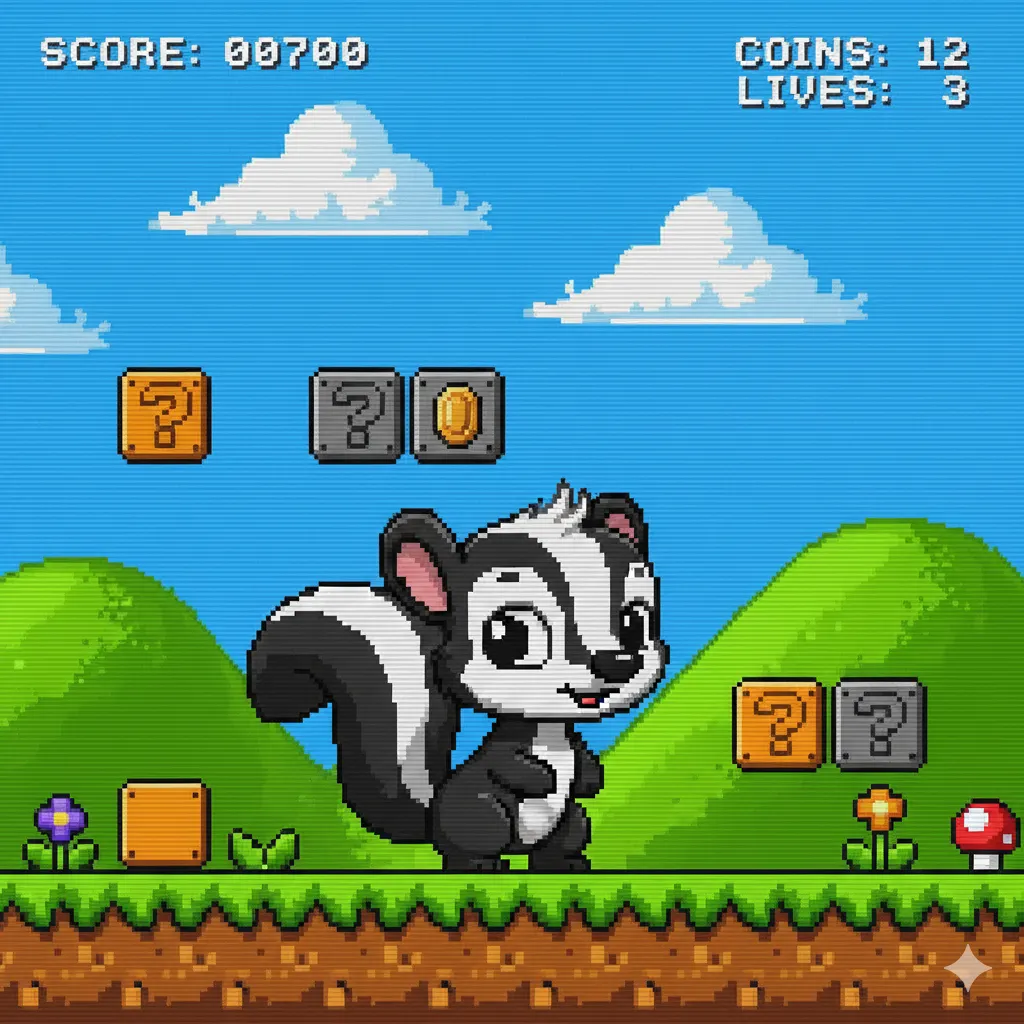
Cat as 16-bit Game Character
"Turn this cat into a 16-bit 2D platformer character and place it in a game stage"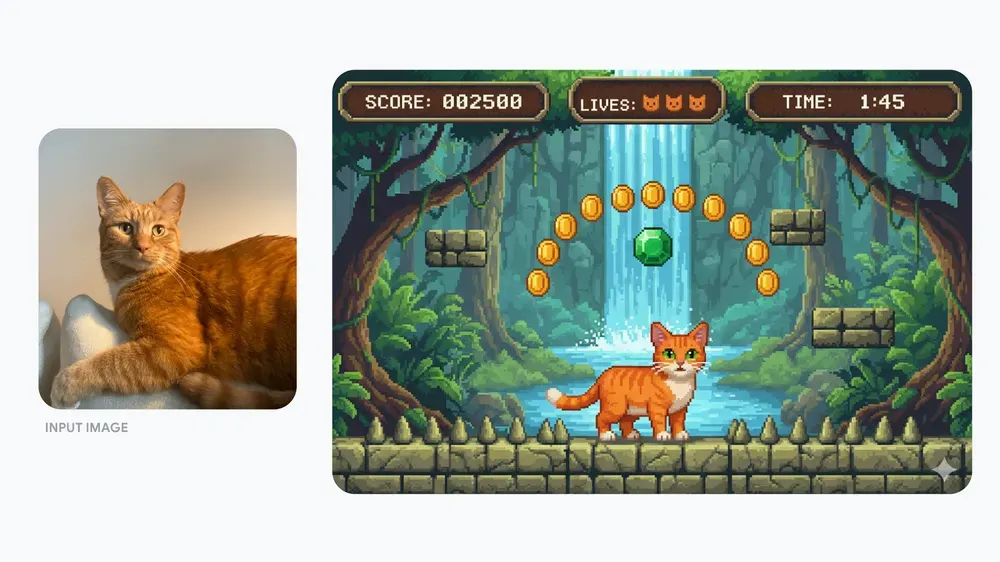
Features demonstrated: Style application, texture transformation
Adult Self and Child Self Having Tea
"Combine a photo of my adult self and childhood self having a tea party in the same playroom"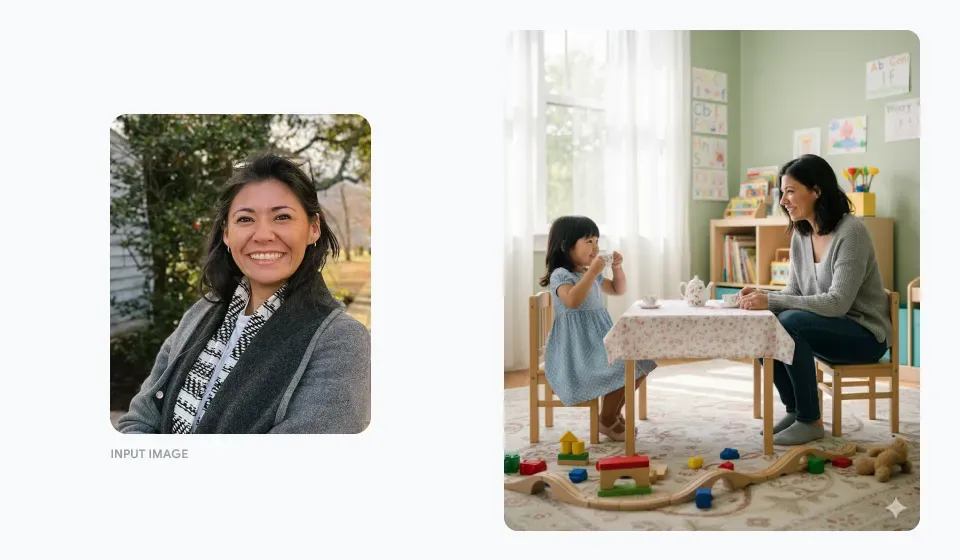
Features demonstrated: Blending multiple photos, consistency maintenance
Landscape Photo as 3D Fantasy Map
"Transform this island photo into a 3D fantasy map style with villages and a port"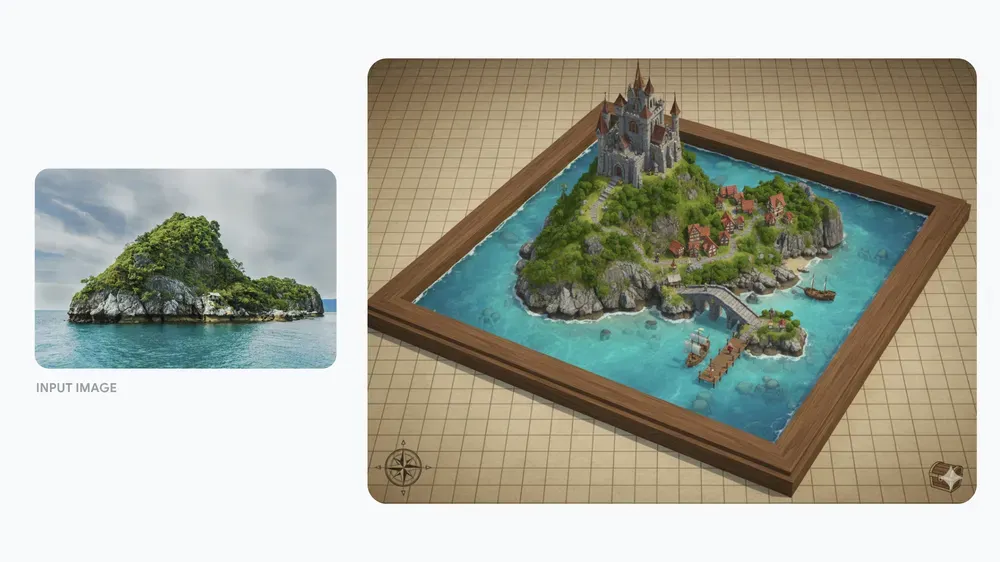
Features demonstrated: Style application, visual transformation
Photo as Detailed Pencil Drawing
"Convert this photo into a realistic pencil drawing style"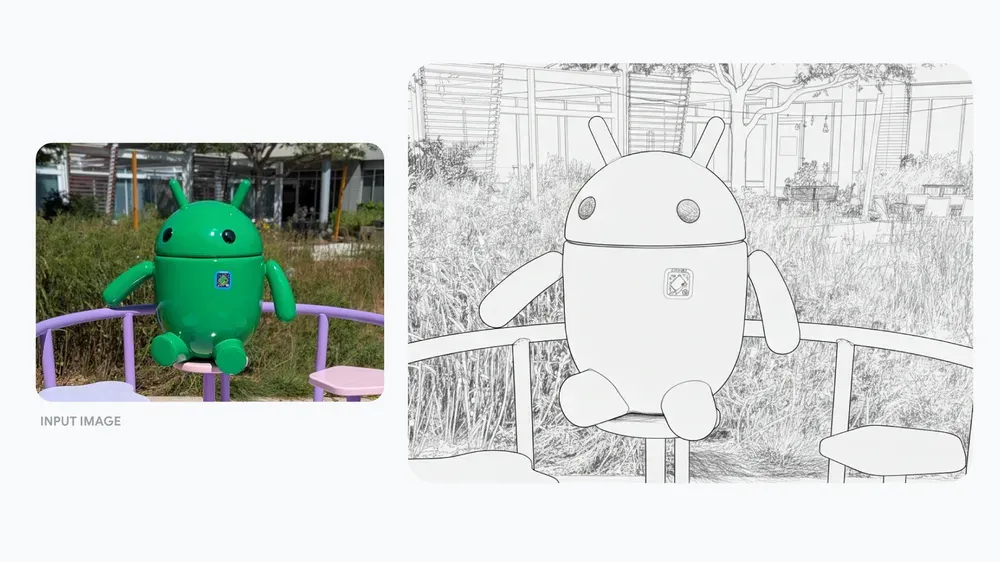
Features demonstrated: Style application, detail preservation
Creating Fine Dining Dessert from Ingredients
"Use this ingredient set as inspiration to create a fine dining dessert, plated in a Michelin-star restaurant style"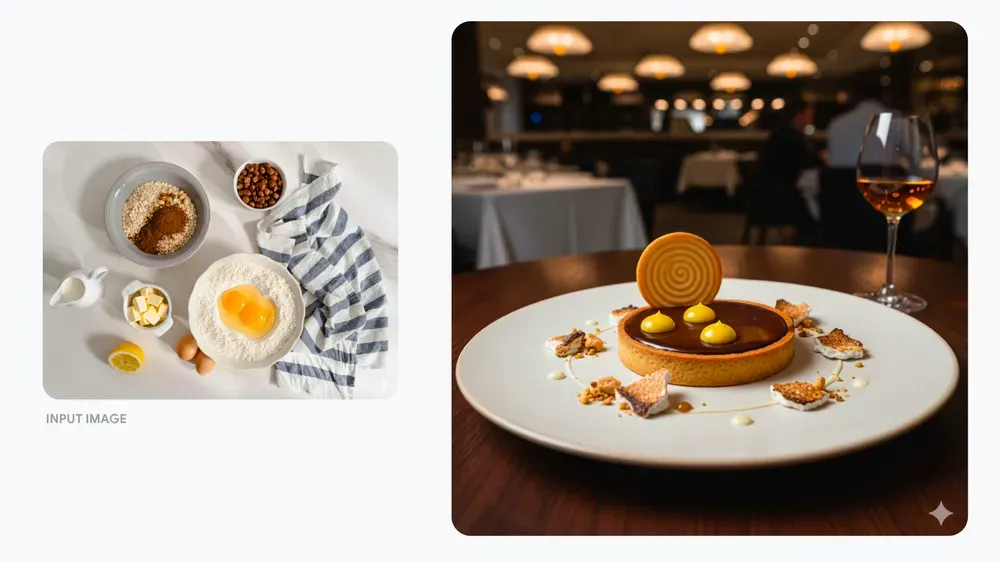
Features demonstrated: Style application, composition generation
Scissors as Fantasy Movie Character
"Transform these scissors into a realistic character from a world inhabited by forest spirits"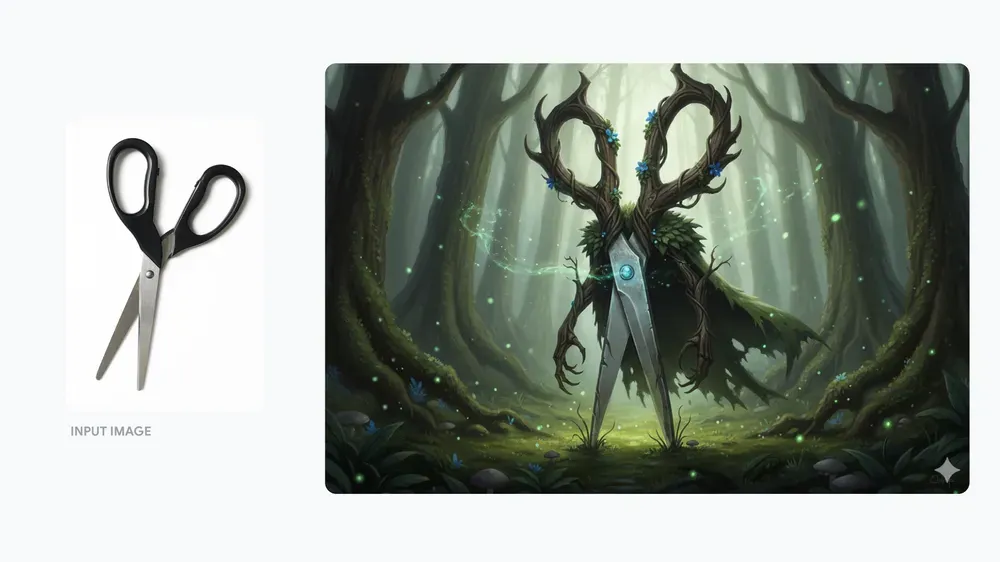
Features demonstrated: Object personification, style transformation
Dog as Small 3D Model on Desk
"Make this dog into a small 3D model and place it next to birthday wrapping"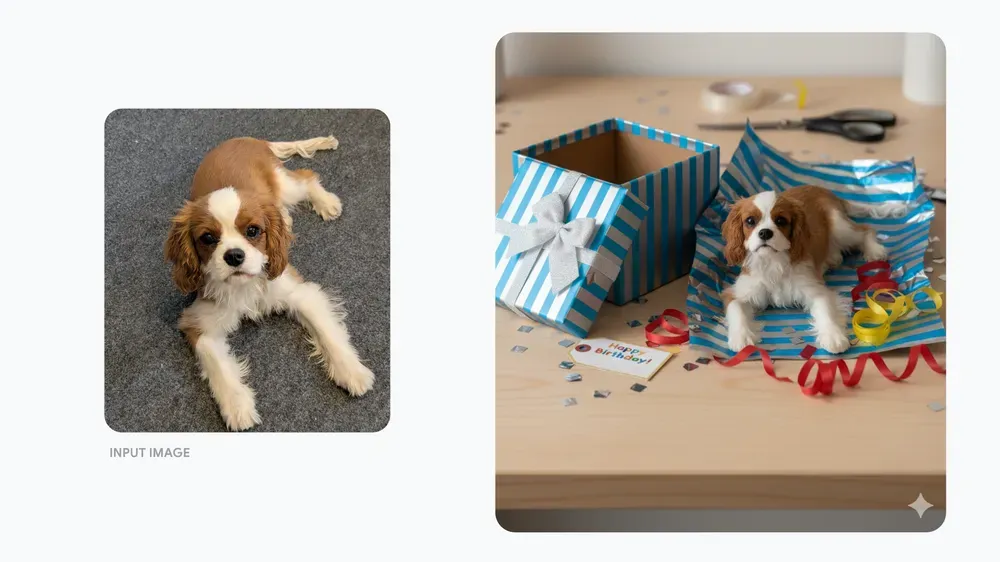
Features demonstrated: Texture transformation, scene composition
9-Panel Dramatic Story with Two Protagonists
"Create a dramatic 9-panel story without words featuring these two as protagonists"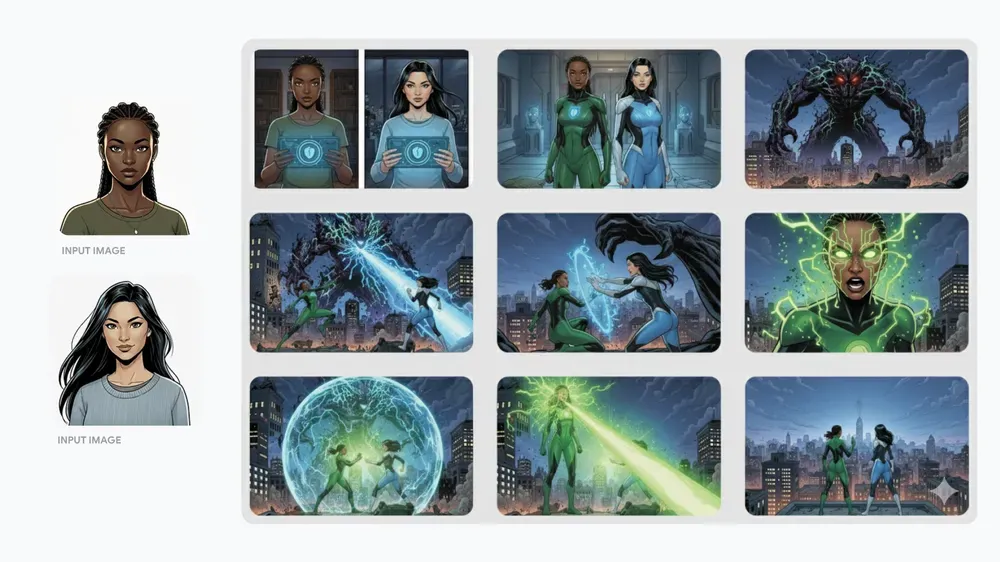
Features demonstrated: Consistency maintenance, series generation
Dress Material Replaced with Tennis Ball
"Replace this person's dress material with tennis ball texture"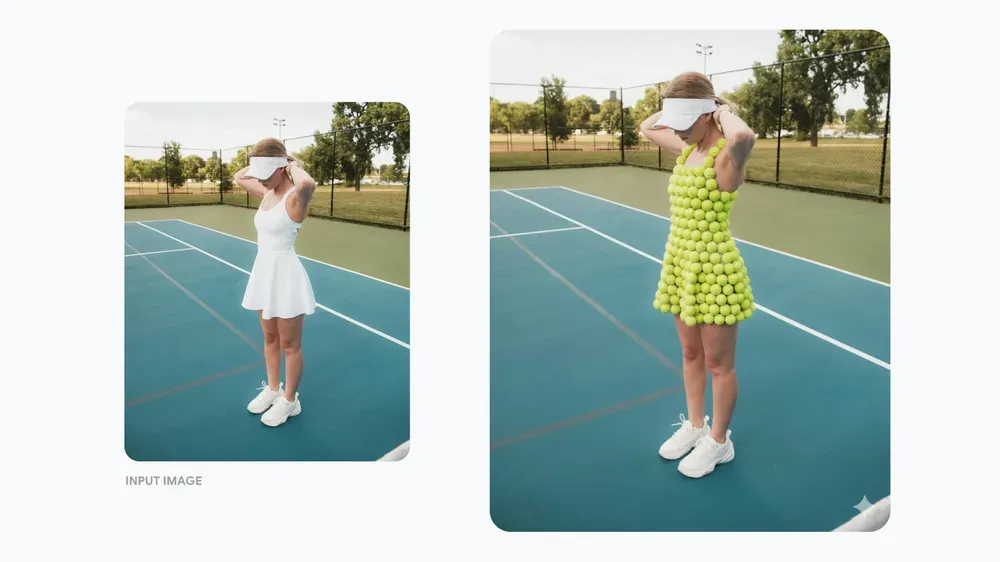
Features demonstrated: Partial replacement (localized editing)
House Remodeled as Tropical Island Resort
"Replace the roof with palm thatch and transform the house into a tropical style with bamboo columns and rich tropical plants"Features demonstrated: Style application, large-scale scene transformation
All of the above are practical examples demonstrating the range of editing possible with Nano Banana.
The phrasing of the instructions provides direct hints. Try adapting them to your specific scenarios!
Implementation Workflow: Using the Gemini App
The workflow is simple. Open the Gemini app, add an image, and input instructions in natural language like the examples above. To composite multiple photos, load materials consecutively and specify something like “naturally blend these two images,” then refine with additional instructions while reviewing the results.
Business Application Tips
The 10 official examples clearly demonstrate “what can be changed and how,” which can be expanded for practical use cases:
-
Creating variations while maintaining consistency of the same person or pet (replacing only backgrounds or clothing).
-
Localized editing to quickly fix minor inconsistencies or remove unwanted elements.
-
Style application for creating unified series or project proposals with consistent aesthetics.
In all cases, the ability to iterate quickly through trial and error directly translates to improved work efficiency.
Summary
The native image editing in the Gemini app has become more practical with the introduction of Nano Banana, enabling consistency maintenance, multi-photo blending, partial replacement, and style application while “preserving details” as demonstrated through 10 examples. Start by loading one image in the app, try short natural language instructions referencing the translated examples in this article, and expand to composition and localized editing by adding materials as needed. Testing with your own photos in small experiments and incorporating useful patterns into your workflow is the most efficient first step.