
Video content has become essential for social media and advertising. However, video production requires significant time and budget, often costing hundreds of thousands when outsourced. Enter Pika, an AI service that generates videos from simple text or image inputs. With advances in generative AI, traditional production workflows are dramatically streamlined, enabling anyone to create video content in minutes.
This article provides a comprehensive overview of Pika’s mechanisms, key features, pricing plans, and practical use cases.
Table of Contents
- Overview of Pika
- Key Features
- Pricing Plans and Platform Availability
- Getting Started with Video Generation
- Important Considerations
- Summary
Overview of Pika
Pika is a US-based video generation AI service that has rapidly gained users since its 2023 launch. By inputting text, images, or existing videos, users can automatically generate video clips ranging from a few seconds to dozens of seconds. Unlike traditional video production, Pika requires no specialized skills or editing software and is accessible via web browser or mobile app.
Source: https://pika.art/login
Key Features
Pika excels at both “new generation” and “editing” tasks. Its main capabilities include:
High-Quality Video Generation
Enter text or upload images, and videos are generated in seconds. Styles range from photorealistic to animated and 3D. Example use cases:
-
Generate short promotional videos from product description text
-
Create imagery like “products rotating against a night cityscape” for social media
-
Upload still images and animate backgrounds to create “moving photos”
Generated videos support 1080p (Full HD) quality, ready for social media advertising.
Video-to-Video Conversion
Transform existing videos into different styles:
-
Convert live-action company event footage to “anime style”
-
Remake product demo videos into “sci-fi movie aesthetic”
-
Create multiple style variations for A/B testing
This enables efficient production of style variations for advertising campaigns.
Editing Features (AI-Based Replacement & Addition)
Pika offers unique editing capabilities that make advanced modifications more accessible than traditional editing software:
-
Pikaswaps Replace elements within videos Example: Replace buildings in promotional video backgrounds with “futuristic cityscapes”
-
Pikadditions Add new elements to videos Example: Insert characters into event footage for enhanced presentation
-
Pikaffects Apply effects Example: Make products “glow” or “explode and transform”
-
Pikascenes Create videos from templates Example: Use “warrior defending castle” template with product characters
-
Expand Extend vertical videos to horizontal format with auto-generated backgrounds
-
Extend AI-generated video continuation for extended duration
These features enable diverse variations while reusing existing video assets.
Latest Model Evolution
The new “Audio-Driven Performance Model” announced in August 2025 adds the following capabilities to existing generation features:
-
Natural Expression Generation from Audio Facial expressions adapt to voice intonation, enabling near-photorealistic performances.
-
High-Precision Lip Sync Audio and lip movements synchronize almost perfectly, eliminating uncanny effects.
-
Rich Gesture Expression Natural hand and body movements suitable for presentations and conversations.
This advancement makes generating “talking person videos” dramatically more realistic, expanding applications to presentation videos, narrated advertisements, and educational content.
Additionally, Japanese language support enhances usability for business applications.
Pricing Plans and Platform Availability
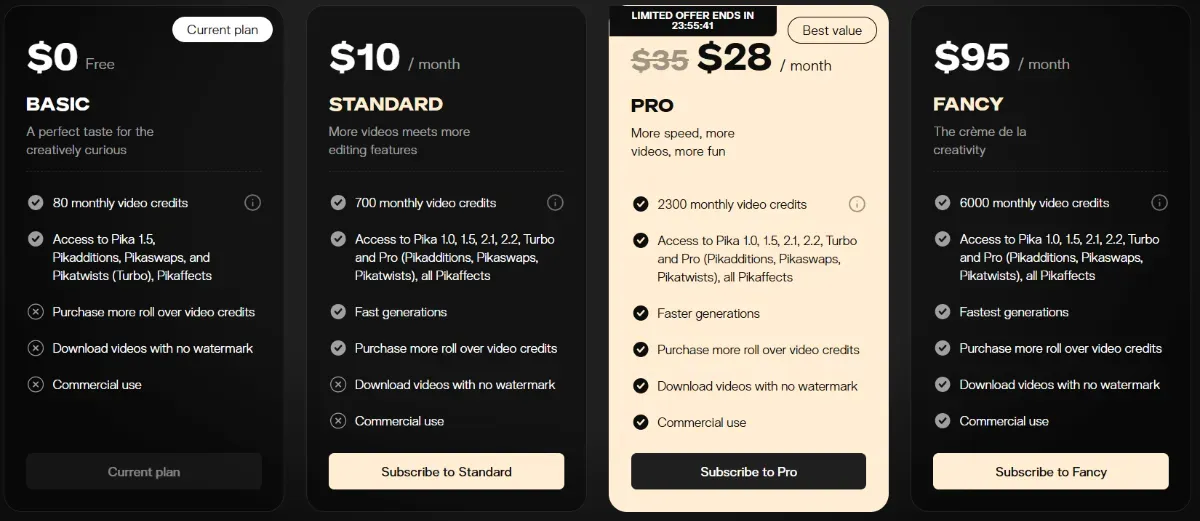
Pika is available from a free tier, with paid plans available based on user needs.
Source: https://pika.art/pricing?interval=month
| Plan | Monthly Fee | Credits | Features |
|---|---|---|---|
| Basic | Free | 80/month | No watermark, trial use |
| Standard | ~$10 | 700/month | Full features, personal regular use |
| Pro | ~$35 | 2,300/month | Fast generation, high volume |
| Fancy | ~$95 | 6,000/month | Large production teams |
The platform supports web browsers, Discord, and iOS apps for flexible access anywhere.
Getting Started with Video Generation
A straightforward guide to help first-time users get started without confusion.
Account Registration
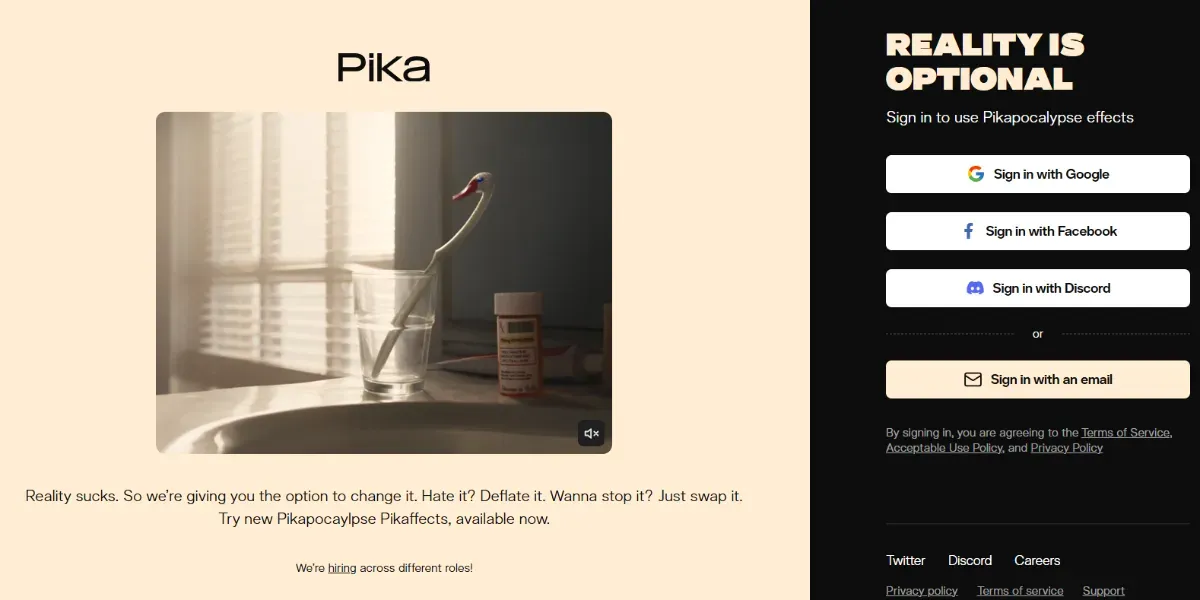
Pika accounts can be easily created using Google, Facebook, Discord, or any email address.
Video Generation
After logging into the official site, text input fields and image upload screens appear. Enter scene descriptions, press the generation button, and videos are completed in seconds.
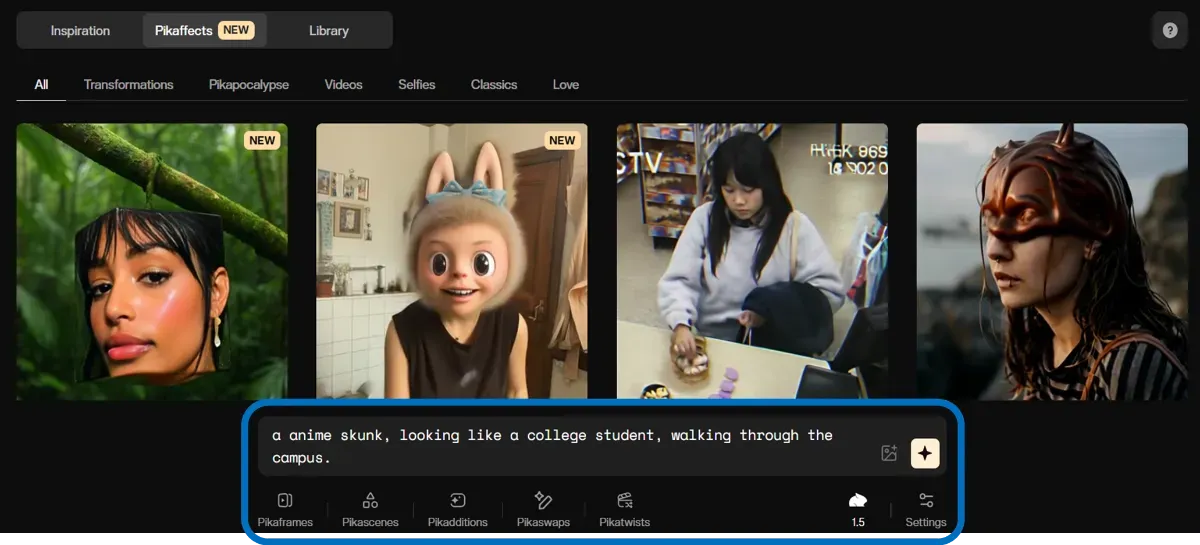
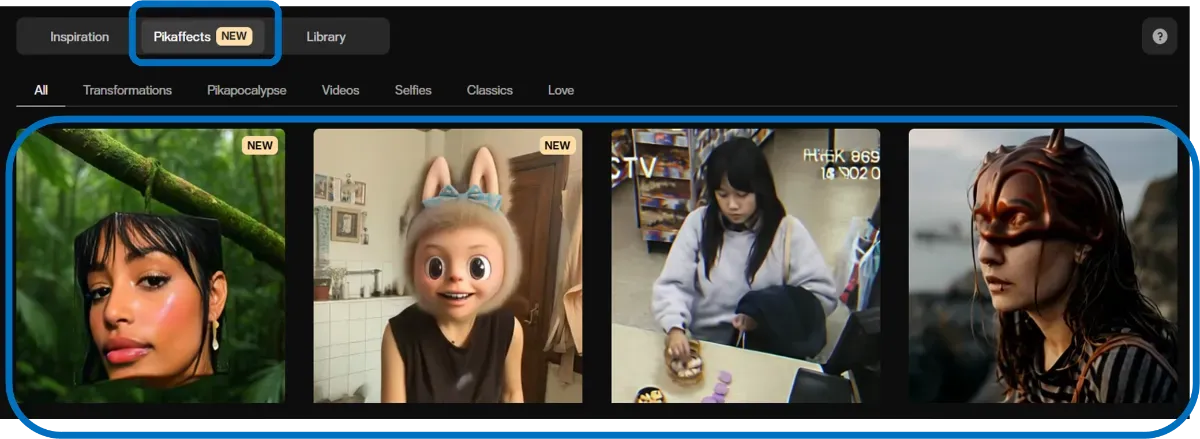
Alternatively, select Pikaeffects samples and upload reference images to easily generate similar videos.
Video Editing
For editing features, simply select the parts to replace and provide instructions. Completed videos can be downloaded in MP4 format.
Important Considerations
When using Pika for business purposes, pay attention to these points:
-
Plan Selection Choose free/paid plans based on intended use. For extensive high-resolution video use, paid plans with sufficient credits are recommended.
-
Rights Verification Commercial use is permitted, but when creating videos featuring third-party materials or famous characters/brands, verify there are no rights infringements.
-
Credit Management AI generation consumes specific credit amounts, requiring strategic usage planning.
Summary
Pika not only generates videos from text and images but now creates natural “talking person videos” from audio with its new model. While dramatically reducing time and costs associated with video production, it’s gaining attention as a new expression medium for marketing, education, and internal communications. As future updates arrive, consider how to incorporate this technology into your organization’s video strategy.