
As demand grows for high-quality short videos in advertising and sales materials, traditional production workflows face challenges with cost and lead time. Runway addresses this by offering a cloud service that generates video clips in seconds to minutes from text or images.
This article covers Runway’s overview, key features, pricing structure, and implementation cases to support your evaluation.
Table of Contents
- What is Runway?
- Main Features
- Pricing Plans and Usage Limits
- How to Use Act-Two
- Real Use Cases on X
- Considerations Before Adoption
- Summary
What is Runway?
Runway (Runway AI, Inc.) is a generative AI company founded in 2018 that develops and provides multimodal generative models called the “Gen series” spanning video, image, and audio. Their official website states they are “building general-purpose multimodal AI models and tools to simulate the world,” and they released their latest model Gen-4 in March 2025. Their tools run in the browser and can be used immediately after account registration.
The main factors behind Runway’s recent popularity include its low barrier to entry with browser-based UI, rapid update cycles for large-scale models like the Gen series, and robust enterprise features including API and SSO support. This enables personnel without video production experience to visualize ideas quickly, making it immediately useful in business settings.
Main Features
Here’s an overview of Runway’s representative AI features and how each contributes to operational efficiency and enhanced expression.
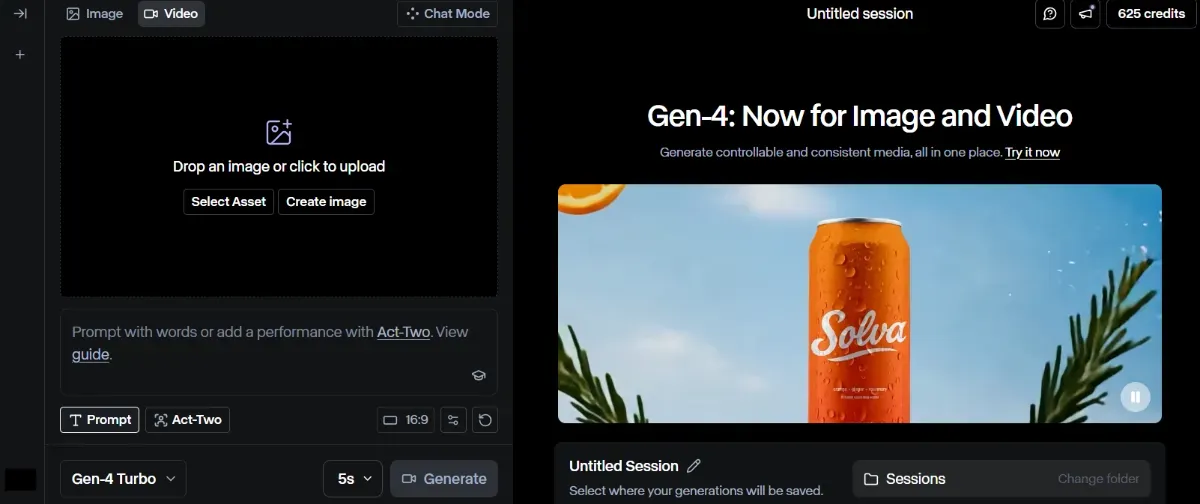
Video Generation (Gen-4: Text/Image/Video Input)
Gen-4 video generation accepts not only text prompts but also still images or short videos as input, automatically generating high-quality clips of several seconds to around 10 seconds. Providing reference images ensures consistency of characters and backgrounds across multiple scenes, while “Image/Video to Video” enables extensions of existing assets like 360° rotation of product photos or photorealistic rendering of rough CG.
[Generation Example]
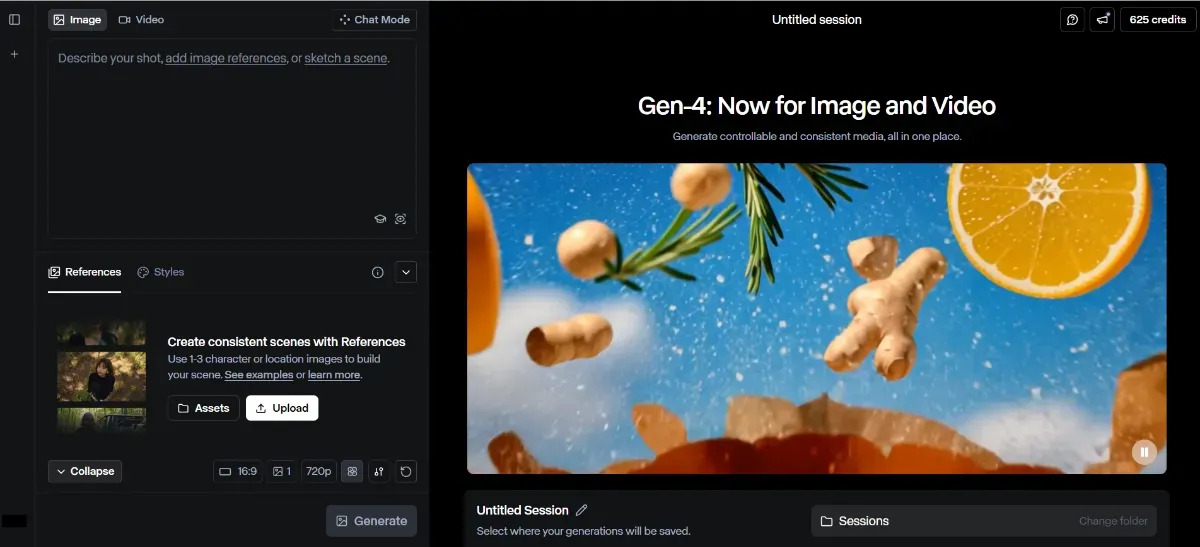
Image Generation (Gen-4 Images: Text to Image/Image to Image)
Gen-4 Images outputs diverse still images from text descriptions in styles ranging from photographic to illustrated, also supporting style conversion and upscaling of existing images. For reproducing brand-specific visuals, Custom Styles can train proprietary models, accelerating in-house production of marketing materials and web banners.
[Generation Example]


The official Runway UI demonstrates calling up brand photos registered in Custom Styles, combining reference images with text to progressively adjust color tone and lighting.
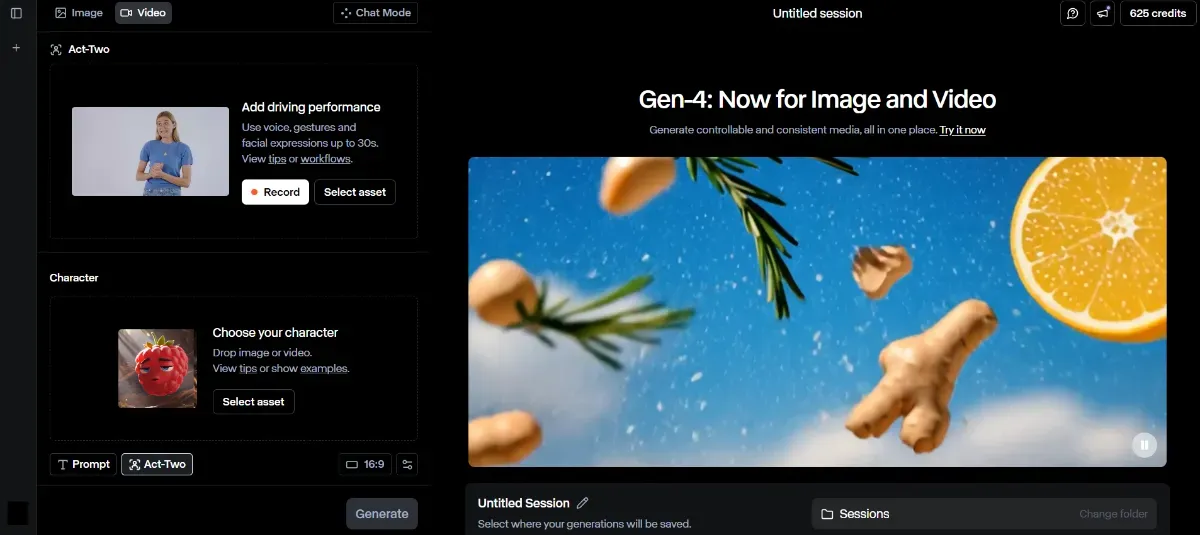
Performance Capture Act-Two (Released July 2025)
Act-Two is a technology that transfers performances, including facial and hand movements, from an actor’s video to another character. Videos don’t need to be prepared in advance—on-the-spot recordings can be used, eliminating the time-consuming motion capture process.
Below is the official Act-Two introduction video.
Source: https://youtu.be/JW8PHlFD7HM
Voice Synthesis & Lip-Sync
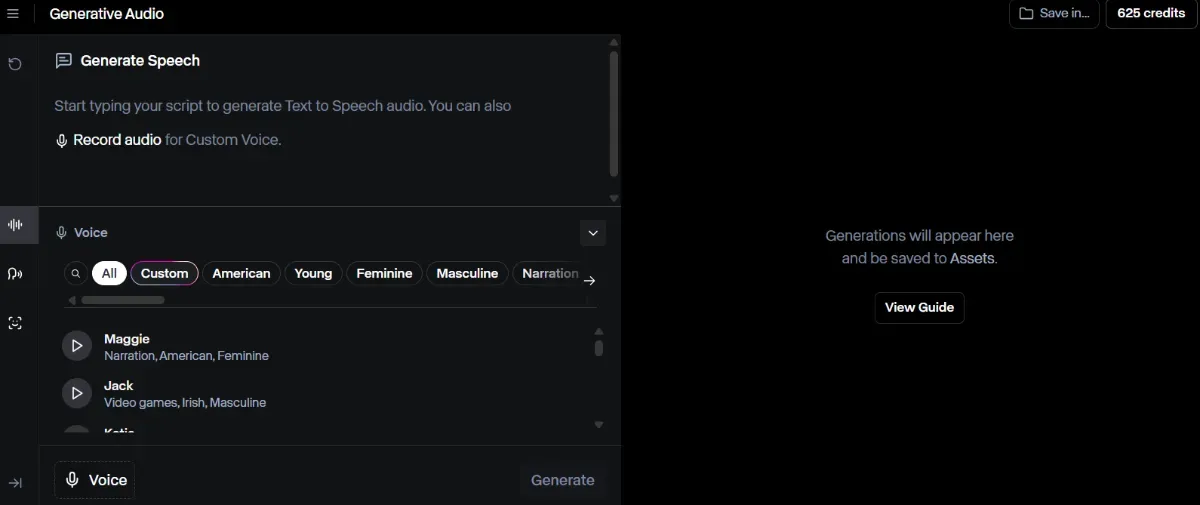
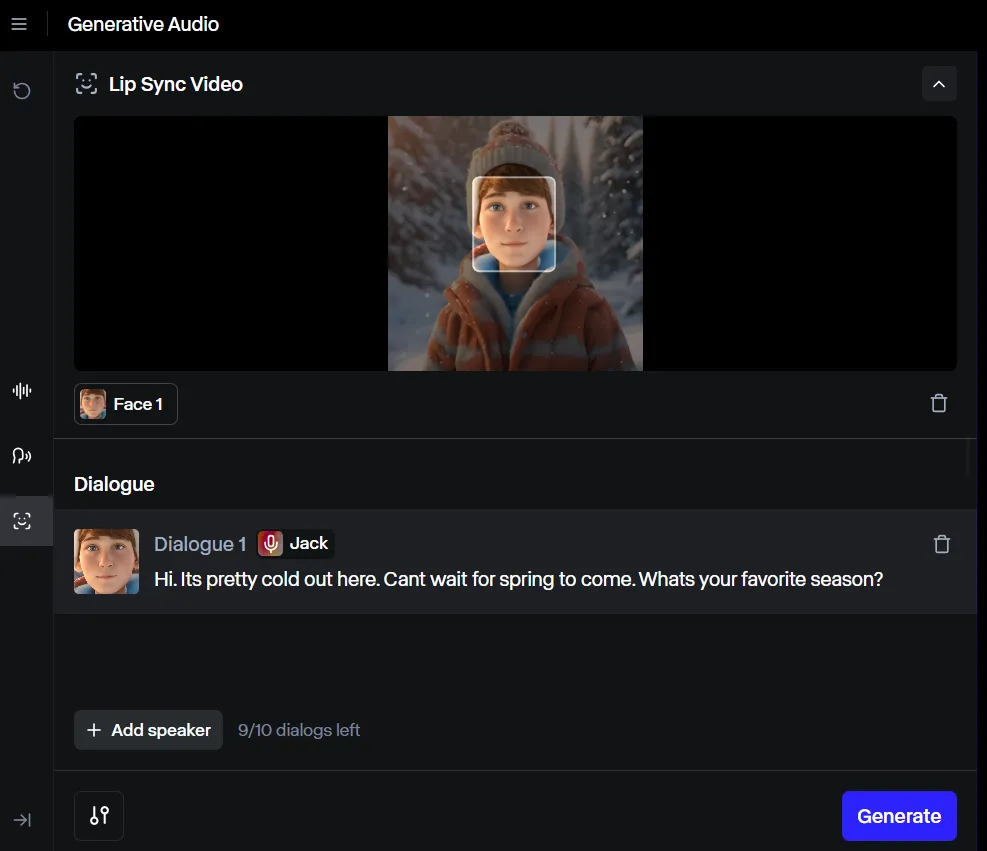
Entering text generates narration at 1 credit per 50 characters, with Pro plans and above supporting custom voice registration. The lip-sync feature automatically adjusts mouth movements to match the generated audio.
 [Generation Example]
Select any image and voice quality from the library and enter dialogue. An audio video with dialogue is completed in seconds.
Pricing Plans and Usage Limits
Below are monthly rates with annual payment and key comparison axes (as of July 2025):
| Plan | Monthly Rate (USD/user) | Monthly Credits | User Limit | Watermark |
|---|---|---|---|---|
| Free | 0 | 125 (initial only) | 1 | Yes |
| Standard | 12 | 625 | 5 | No |
| Pro | 28 | 2,250 | 10 | No |
| Unlimited | 76 | 2,250 + Unlimited Explore | 10 | No |
| Enterprise | Contact | Custom | Custom | No |
Standard and above unlock Gen-4 video generation and Act-Two, while Unlimited allows unlimited generation in low-priority mode.
How to Use Act-Two
Below we explain the specific steps from account creation to generation and export, using the newly released Act-Two feature from July 2025 as an example.
Account Registration
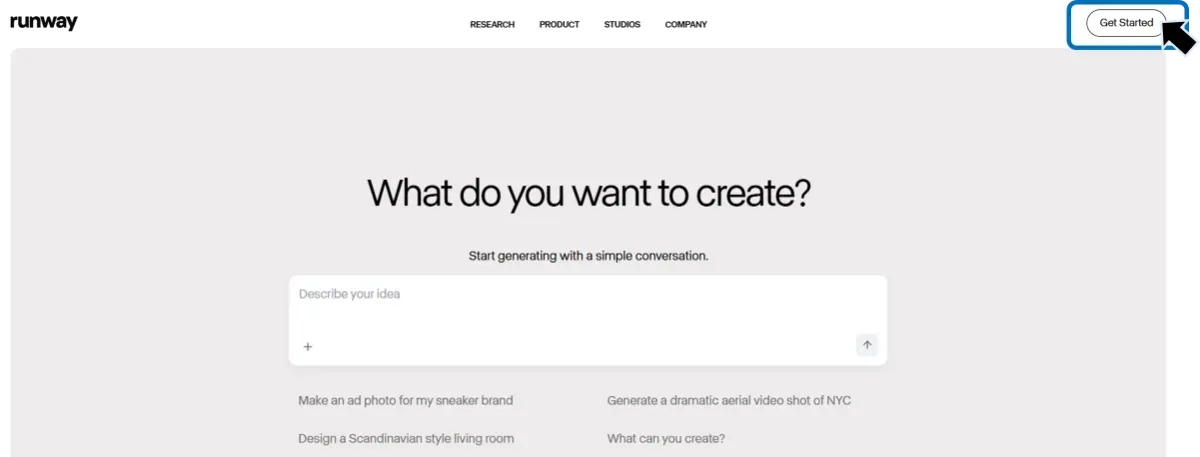
Register your email address on the official website and click the link in the confirmation email to access the Runway dashboard. Upon initial login, you receive 125 credits on the Free plan.
Act-Two
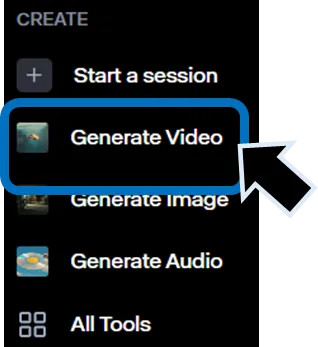
Select “Generate Video” under “Create” on the left side of the dashboard. Choose “Act-Two” at the bottom left of the screen and upload a motion video and Character image or video.
For the motion video, either capture 10-30 seconds of performance footage in the browser following the guidance, or upload an existing MP4 file. Next, drag and drop the face image of the character you want to transfer the performance to, and confirm that the tracking frame correctly captures the face in the preview screen. Set clip length, resolution, and output format in the right panel, confirm the displayed credit consumption, then press “Generate.”
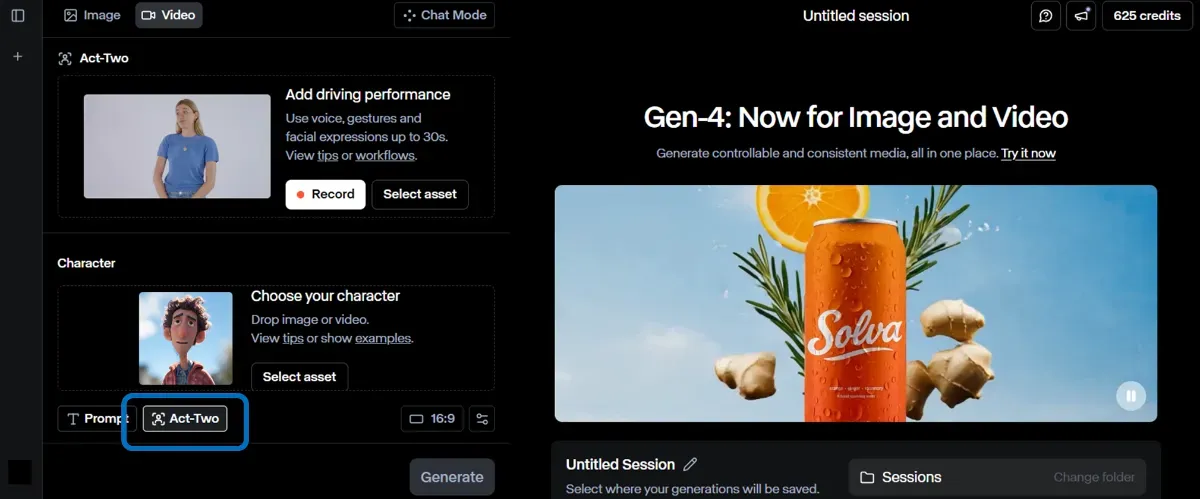
After several seconds, a generation preview appears. If the performance and expressions are reflected as intended, download the MP4 from the “Export” button and send it to the Runway editor for color grading and caption insertion. You can swap character images or performance footage to regenerate as needed, iterating until satisfied.
Real Use Cases on X
Runway adoption is expanding beyond the video industry, with the following applications confirmed on X posts.
[Environment Generation in VFX Workflows]
Demonstrates using Runway Gen-4 References in VFX workflows to create new environments for existing footage. Shows integration with traditional VFX tools through video, emphasizing dramatic productivity improvements for creators.
[Streamlined UGC Product Swap Process]
Introduces the process of swapping products in UGC (User Generated Content) using Runway References. Shares specific steps combining iPhone selfies and product photos, including prompt examples (“ugc style photo of the exact person in (IMG1)…”).
[Sketch to Image and Video Conversion]
Demonstrates using Runway to convert sketches to images and videos. Explains that directional control is possible with almost no prompts required, demonstrating ease of realizing creative ideas. Practical value is clear through images and videos.
These cases are valued for their production time reduction and cost savings, plus the agility of immediate visual prototyping in-house.
Considerations Before Adoption
Points to keep in mind before adopting Runway:
-
Balance of Generation Time and Credit Consumption Gen-4 consumes 12 credits per second, so extensive trial and error depletes credits quickly.
-
Clip Length Restrictions Single generations typically produce 5-10 seconds, requiring concatenation of multiple clips for longer videos.
-
Free Plan Watermark Free plan outputs include the Runway logo, and Standard or above is required for commercial use.
Given these factors, it’s important to design the required credit volume and workflow in advance.
Summary
Runway continues evolving as a generative AI platform integrating video, image, and audio centered on Gen-4. As cases from AMC Networks and Lionsgate demonstrate, its major appeal lies in optimizing both production speed and cost while enabling attempts at previously difficult video expressions. Start by testing the interface with the Free plan, then progressively migrate to Standard or above based on project scale and generation volume to maximize implementation benefits.