
Among the many video generation AI tools available, Seedance 1.0 stands out with its high-speed and high-precision video generation capabilities. What sets it apart is its ability to create productions with a focus on storytelling and style expression, going beyond simple video creation. Its flexibility allows it to be used in various scenarios such as social media posts, product introductions, and internal manuals.
This article focuses on the features and specific generation examples of Seedance 1.0, explaining in an easy-to-understand manner what types of videos it excels at and in which situations it can be utilized.
Table of Contents
- What is Seedance 1.0?
- Overview of Video Generation Features
- How Can It Help at Work? 4 Application Scenarios
- Actual Generation Samples
- Summary
What is Seedance 1.0?
Seedance 1.0 is a cloud service that provides image, video, and audio generation in a one-stop platform. It generates 1080p/10-second videos in approximately 1-2 minutes, achieving smooth motion and high temporal consistency.
Seedance 1.0 was developed by ByteDance, the company behind TikTok, the world’s leading short video platform. Leveraging the company’s strengths in video expression and AI, it has been launched as a noteworthy next-generation creative tool.
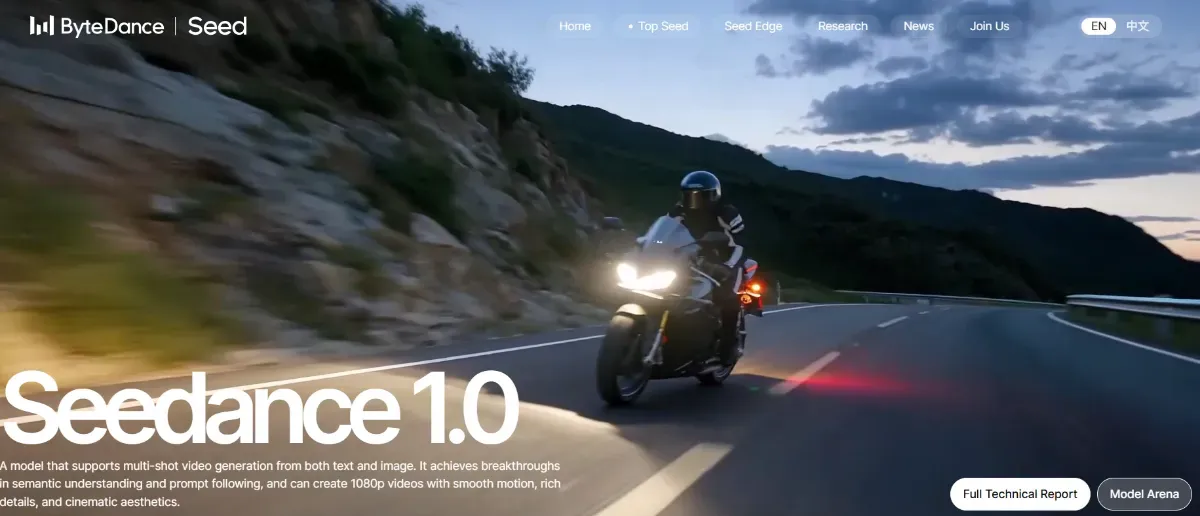
Source: https://seed.bytedance.com/en/seedance
Overview of Video Generation Features
With Seedance 1.0, you can generate videos from text or images.
In particular, Text-to-Video (T2V) enables detailed production instructions such as:
-
Video camera work (zoom in, zoom out, pan, tracking, etc.)
-
Shot transitions (up to 4 shots can be connected)
-
Style and atmosphere (realistic, anime-style, documentary-style, etc.)
-
Aspect ratio specification (1:1, 9:16, 16:9, etc.)
-
Background, subject movement, and environmental production such as season and time of day
Additionally, Image-to-Video (I2V) allows you to generate videos by adding motion and perspective changes to static images. You can upload logos or product photos and utilize them as several-second loop videos or promotional footage.
This enables Seedance 1.0 to go beyond being just “video-generating AI” and function as a tool that supports video expression with attention to composition, production, and motion.
How Can It Help at Work? 4 Application Scenarios
Here are some specific scenarios where you can utilize this in your business. This should help you visualize how to incorporate it into your daily work.
-
SNS Promotional Videos Create 10-second reels with just text and product images. Quickly prepare multiple variations and execute A/B testing immediately.
-
Website Hero Images Place dynamic loop videos on your top page to reduce bounce rates. With Seedance 1.0, you can mass-produce prototypes in 1-2 minutes.
-
Manuals & Training Materials Upload screenshots → convert to operation videos with Image-to-Video functionality. Add explanatory text to complete e-learning materials.
-
Exhibition & Event Eye-Catchers Project high-resolution cinematic videos on large screens. Generated videos are approved for commercial use, so you can use them with confidence.
By actually trying it, you should be able to experience firsthand how production speed and appeal power can dramatically change.
Actual Generation Samples
Here we introduce Seedance 1.0 generation videos shared on X (formerly Twitter). Through these examples, you can see how high-quality videos Seedance 1.0 can produce in terms of camera work, motion smoothness, and lack of artifacts.
-
Flexible Camera Work and Freedom of Composition Camera work that resembles live-action footage can be specified through prompts. Dynamic production and compositional changes are at your command.
-
Smooth and Stable Motion Expression From subtle expressions to large-scale actions, it balances physical reality and stability. Natural motion without a sense of incongruity is its characteristic.
-
High Reproducibility with Minimal Artifacts Even for Large Movements It has high compatibility with anime styles, and with carefully designed prompts, even complex actions can be generated without artifacts. This greatly expands the range of production possibilities.
-
Control Time Progression and Angles with Prompts Alone A post showcasing the multi-shot feature demonstrates how videos with multiple scenes showing different times (morning, evening, night) or perspectives can be generated from a single image using prompts alone.
Summary
Seedance 1.0 is a generative AI that combines the ease of “one-click for both static images and videos” with a full-fledged 1080p-capable engine. Because you can create high-quality content in a short time by yourself, it greatly expands the speed and scope of production work.
However, it’s important to note that Seedance 1.0 does not have a web UI or API provided directly by ByteDance; it must be used through external platforms such as CapCut or BasedLabs. Currently, it is not suitable for API integration or standalone business system integration for developers to incorporate independently.
Nevertheless, it’s a tool with unique appeal that other generative AIs don’t offer in terms of balancing expressive power and generation speed. By choosing the right integration platform for your use case, you can seamlessly incorporate it into your daily work.