
Keyboard input is time-consuming and prone to errors. By incorporating high-precision voice recognition into your workflow, you can dramatically speed up document creation and email responses. Super Whisper is a desktop and mobile app that extends OpenAI Whisper, providing real-time transcription and AI format conversion in one integrated solution.
This article organizes the features, pricing structure, and implementation considerations, primarily based on official documentation.
Table of Contents
- What is Super Whisper
- Key Features and Strengths
- Pricing Plans and Related Tools
- How to Use
- Use Cases and Benefits
- Super Whisper Implementation Checklist and Considerations
- Conclusion
What is Super Whisper
Super Whisper is a voice input tool specifically designed to “generate text just by speaking.” Unlike conventional dictation software, it combines Whisper model’s high-precision multilingual recognition with AI-powered contextual analysis that automatically formats content into emails, summaries, translations, and more. Currently available for Mac, iPhone, and iPad.
Dictation: Listening to speech and transcribing it into text.
Key Features and Strengths
The following features are integrated and ready to use without additional setup.
High-Precision Voice Recognition and Translation Support
Whisper is an open-source speech recognition model offering flexibility for multilingual, multi-speaker, and noisy environments. Super Whisper can run this model both locally and in the cloud, enabling instant conversion without sacrificing accuracy.
Additionally, by enabling automatic translation during recording, non-English audio such as Japanese or French can be instantly converted to English. This is useful for international teams and customer support.
Offline Processing and Real-Time Transcription
By utilizing local audio models, you can transcribe audio to text completely offline without cloud connectivity. This is particularly optimized for Apple Silicon Macs with GPU and Neural Engine support, achieving both high-speed processing and enhanced security.
Furthermore, the system analyzes speech in real-time as recording begins, displaying text instantly in the input field. The Nova model supports streaming with transcription delays of just a few seconds.
AI Format Conversion and File Support
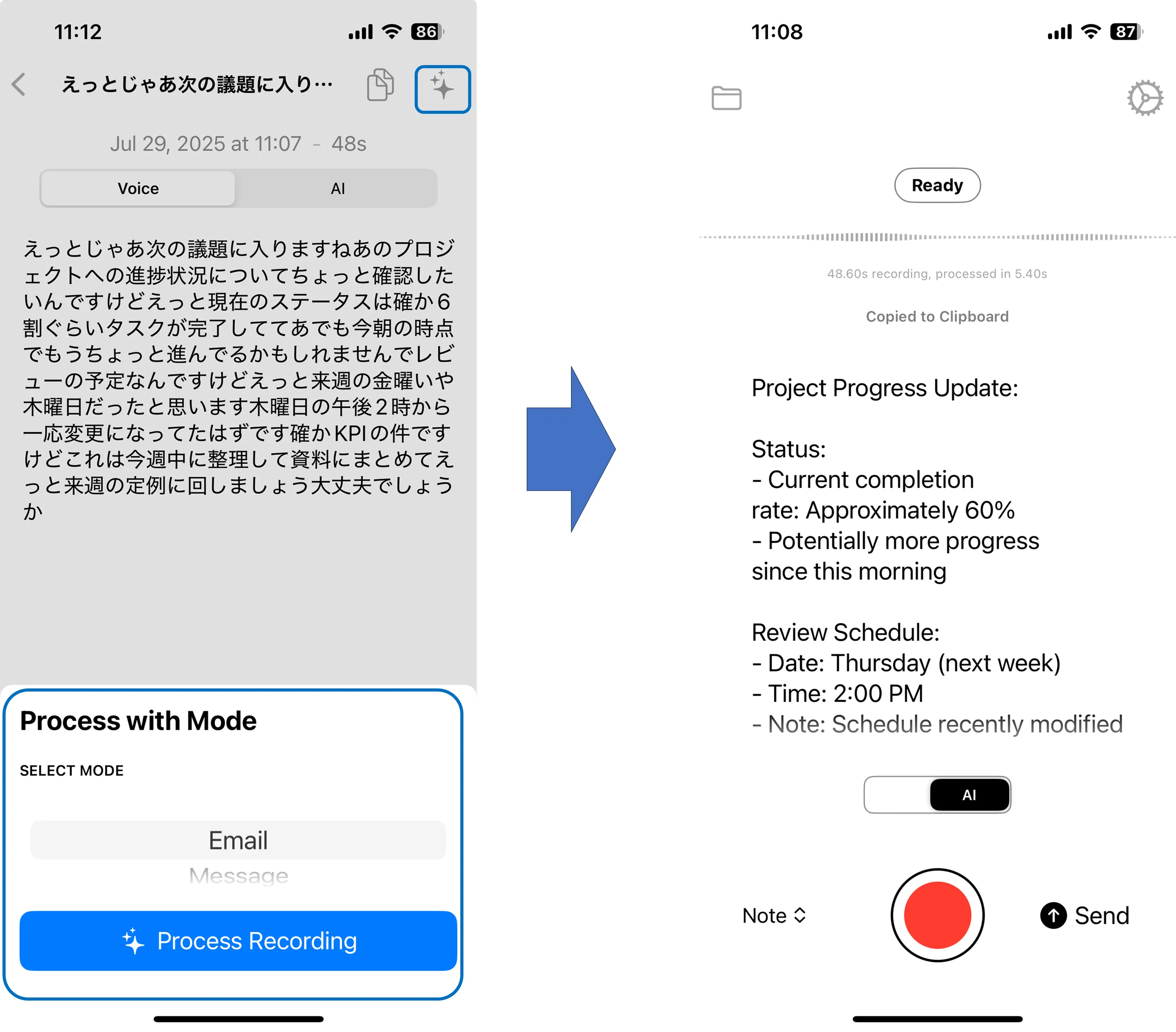
Beyond simple transcription, modes like “Voice,” “Email,” and “Note” adapt text structure for different purposes. Spoken language is formatted into readable documents, minimizing post-input editing.
Additionally, audio and video files such as MP3, WAV, and MP4 can be loaded for automatic transcription of long-form content like meeting recordings and presentations.
Custom Vocabulary and External AI Integration
By registering term dictionaries, you can reduce misrecognition of proper nouns like names, locations, company names, and abbreviations. Pre-registering specialized terminology can improve recognition accuracy. Additionally, by configuring API keys for OpenAI or Anthropic, you can leverage your organization’s contracted large language models within Super Whisper for extended functionality.
These capabilities enable simultaneous “input work reduction” and “document quality standardization” across a wide range of applications including meeting minutes, reports, and customer support emails.
Pricing Plans and Related Tools
While Super Whisper offers a basic free trial, premium features require a paid license. Here’s a summary table:
| Plan | Price | Available Models | Translation | File Transcription | API Key Integration | Support |
|---|---|---|---|---|---|---|
| Free | $0/month | Small local audio model | × | × | × | |
| Pro (Monthly) | $12/month | All cloud & local | ○ | ○ | ○ | Priority |
| Pro (Annual) | $120/year | Same as above | ○ | ○ | ○ | Priority |
| Lifetime | $400 one-time | Same as above | ○ | ○ | ○ | Priority |
If you plan to integrate Super Whisper directly into your company’s systems, the Whisper API (pay-as-you-go) provided by OpenAI is also a viable option.
How to Use
Here we’ll explain the iOS workflow step by step for easy access.
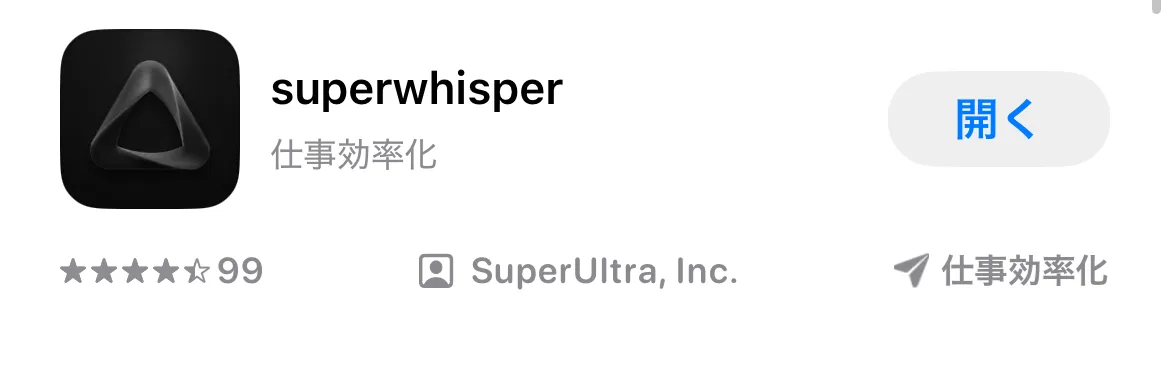
First, download the official app from the Apple Store.
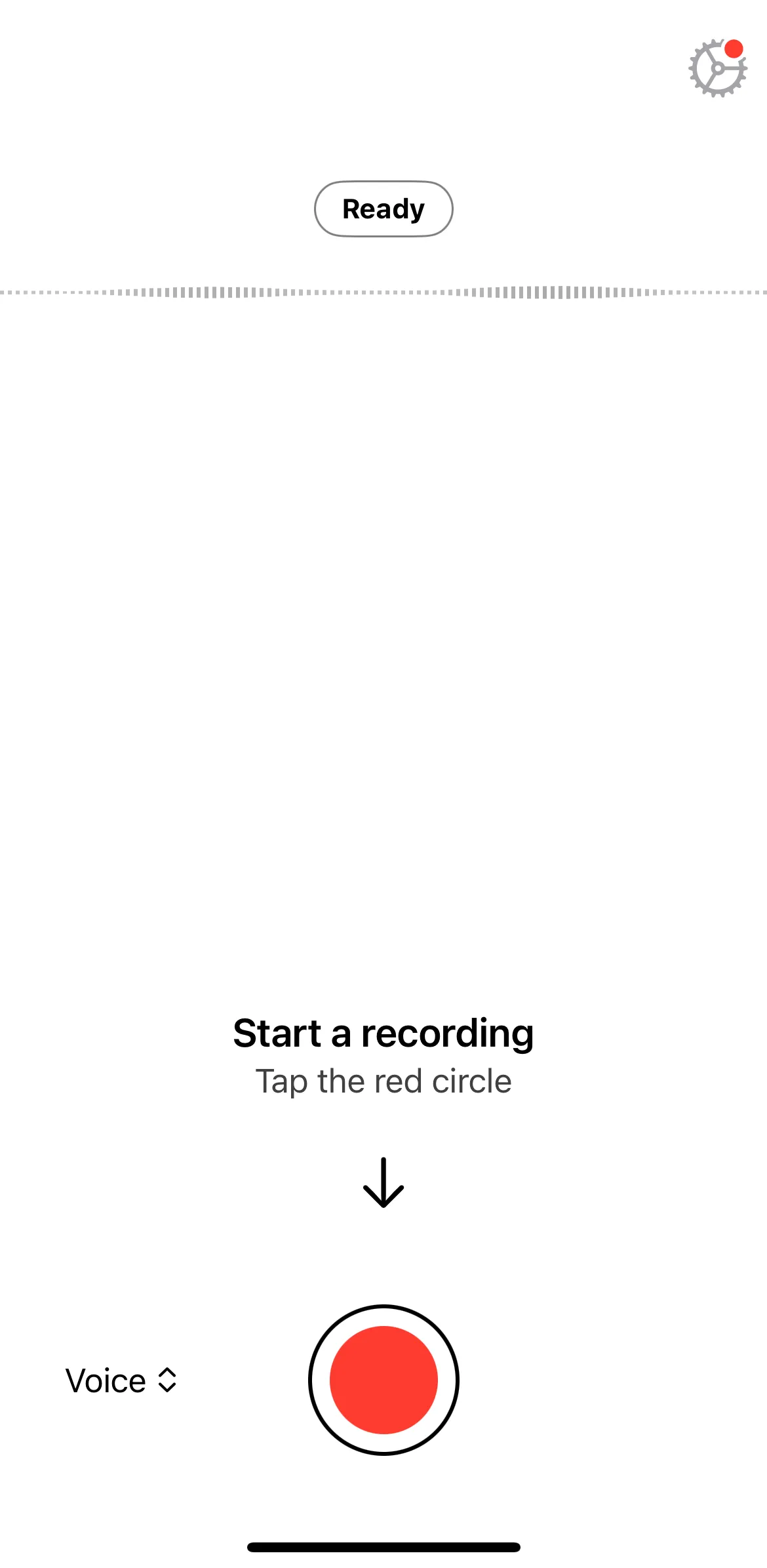
When launched, onboarding begins. After granting microphone permission, press the space key in the recording window to start recording, then press the “stop button” when finished. The text is automatically sent to the clipboard.
Next, select the menu bar icon and switch between Voice, Email, Message, Note, etc., depending on your purpose. You’ll see that the transcribed conversation content is formatted for readability according to each purpose. While this sample outputs in English, output is also possible in Japanese and other languages.
Finally, setting keyboard shortcuts allows instant voice input from any app. This can be configured from “Install Shortcut” in settings.
Use Cases and Benefits
Since 2025, Super Whisper has been increasingly adopted across industries, with numerous use cases being reported.
-
Streamlining SNS Posts This app instantly transcribes spoken content through high-speed, high-precision voice recognition. As a result, you can quickly record spontaneous thoughts and ideas by voice, refine them, and directly use them for SNS posts.
-
Efficiency Through Voice Over Manual Input Voice input dramatically improves work efficiency, particularly demonstrating power in AI interactions and content generation.
-
Recording Thoughts and Ideas Through Speech for Instant Text Conversion By combining “SuperWhisper” with “Cursor,” users can build an environment where thoughts are instantly transcribed and saved to files just by speaking, dramatically increasing output efficiency with a “write as you speak” sensation.
Super Whisper Implementation Checklist and Considerations
For effective implementation and utilization of Super Whisper, pre-implementation verification and risk mitigation are essential. Below is a summary of key points and considerations to address before implementation.
Pre-Implementation Checklist
-
Device Verification If your device is an Apple Silicon Mac, high-speed local processing is possible. Older Macs may experience slower processing.
-
Network Policy Verification When using cloud models, verify compliance with your organization’s network and security policies.
-
Audio Data Storage and Backup Audio is automatically saved to the “History” folder. Understanding the storage location and configuring backups provides peace of mind.
-
Specialized Terminology Support For fields with extensive specialized terminology like medical, legal, or technical, preparing vocabulary registration in advance improves accuracy.
-
API Key Integration and Billing Management When integrating APIs, it’s important to clearly establish billing and permission management rules.
Risks and Considerations
-
Information Transmission During Cloud Processing Using cloud models transmits audio data to external servers. Verify alignment with information management policies.
-
Background Microphone Recording Depending on settings, unintended recording may occur due to accidental operations. Carefully manage microphone settings.
-
Excessive Custom Vocabulary Registration Adding too many vocabulary terms can increase the likelihood of conversion errors (hallucinations), requiring balance.
-
Offline Processing and Device Performance Offline models depend on device performance, so older Macs risk processing delays.
For Stable Operations
By clarifying implementation policies in advance and preparing internal configuration guidelines, you can significantly reduce operational troubles and security risks.
Conclusion
Super Whisper is a voice input platform that integrates Whisper’s high precision with real-time input, AI formatting, and offline processing. Even the free plan enables professional-level dictation, while the Pro license extends capabilities to translation and file transcription. Consider trying the free tier first to evaluate the operation feel and accuracy for compatibility with your organization’s workflow.