
Google keeps upping the stakes for AI-powered filmmaking. Veo 3.1, the latest release from DeepMind, doesn’t just turn prompts into clips—it now outputs synchronized audio (dialogue, SFX, ambience) alongside video. That change alone lets teams validate tone, pacing, and structure before ever touching a NLE.
Below is an English digest of the official Japanese guide—covering how Veo 3.1 evolved, where it shines, how it’s priced, and what to watch for before rolling it into your workflow.
Table of Contents
- Veo 3.1 Overview & What’s New
- Offering Types & Pricing
- Step-by-Step Usage Flow
- Business Use Cases
- Implementation Watchouts
- Wrap-Up
Veo 3.1 Overview & What’s New
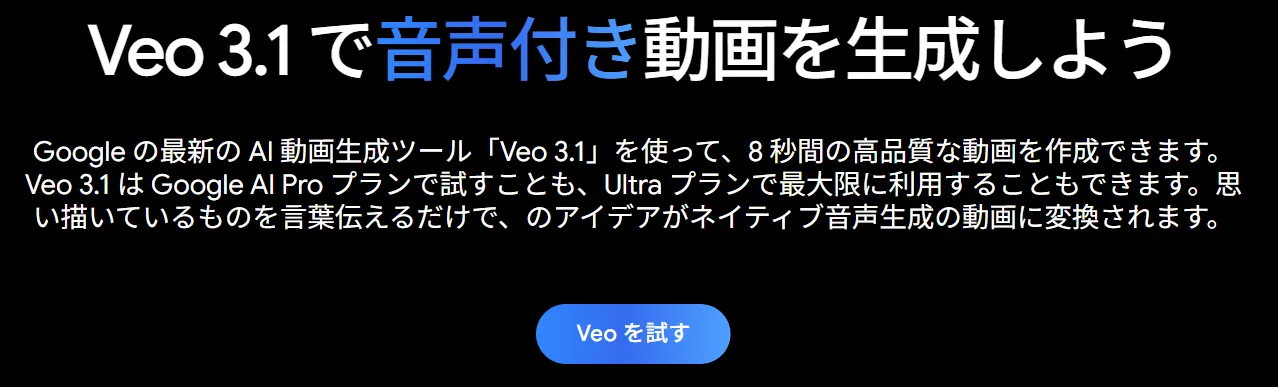
Veo 3.1 is DeepMind’s newest multimodal generator. Compared with earlier Veo releases it:
- Generates video and audio simultaneously.
- Tracks camera language better, delivering cinematic movement and framing.
- Preserves character look and motion consistency across longer clips.
Google pitched the release as “Video, meet audio”—a nod to the combined pipeline.
Audio Integration Boosts Speed
Veo now interprets prompts that include dialogue (“…“he whispers: ‘We found it.’””), SFX (SFX: thunder cracks), or ambient cues. On the UI side (Flow) that audio engine is wired into existing features like Ingredients, Frames, and Extend. On the API side you can request sound-enabled clips as long as you call the Veo 3.1 preview model; some editing ops (Add/Remove) still fall back to Veo 2 and therefore remain silent.
Key upside: you no longer need to storyboard visuals and THEN patch audio. Drafts arrive with voice, SFX, and beds baked in.
Higher Fidelity & Character Consistency
Veo 3.1 lifts frame quality and keeps characters on-model. Current preview specs (Vertex AI) look like this:
| Setting | Value | Notes |
|---|---|---|
| Resolution | 720p / 1080p | 1080p excluded from Extend for now |
| Clip length | 4 / 6 / 8 sec | Image → video maxes at 8 sec |
| Frame rate | 24 fps | Fixed |
| Aspect ratio | 16:9 or 9:16 | Some tools override |
| Prompt language | English | As of preview |
Ingredients-driven generation also benefits—the same hero, props, or background can persist across shots while Flow’s “true-to-life textures” keep fabrics, reflections, and hair consistent.
Cinematography Controls & Scene Building
Veo 3.1 understands camera vocabulary, so prompts like wide tracking shot of… or macro lens, shallow depth-of-field reliably steer the look. Recommended prompt skeleton: [Cinematography] + [Subject] + [Action] + [Context] + [Style/Ambience]. Add timestamps to chain multi-shot sequences.
Other creative controls:
- Ingredients to Video locks multiple reference images (talent, props, style) and now pipes audio through those shots.
- First & Last Frame generates seamless transitions between two stills, again with sound.
- Flow editing offers Extend (stitching ~60 seconds), Insert/Remove objects, etc. API parity is partial today—Extend isn’t live, and Add/Remove uses Veo 2.
Net result: you “direct” Veo instead of crossing your fingers for a lucky render.
Offering Types & Pricing
Consumer routes
- Gemini app / Flow (UI): subscribe to Google AI Pro (lighter “Veo 3.1 Fast”) or Google AI Ultra (full Veo 3.1 with audio). Ultra is publicly listed at $249.99/month in the US. Flow lets you switch plans inline, add reference images, and edit output without touching code.
Developer routes
- Vertex AI / Gemini API: call
veo-3.1-generate-previewvia REST or the Python SDK for text→video, image→video, transitions, or reference-driven scenes. Pricing is consumption-based. Preview guidance from Google’s launch material: roughly $0.40 per generated second when audio is enabled and $0.20 per second for silent clips. Some enterprise pilots mention a credit system (e.g., ~150 credits per clip), with Google AI Ultra’s 12,500 credits equating to ~83 renders.
Always confirm current numbers at the Vertex AI pricing page; regions, quotas, and trials change quickly.
Step-by-Step Usage Flow
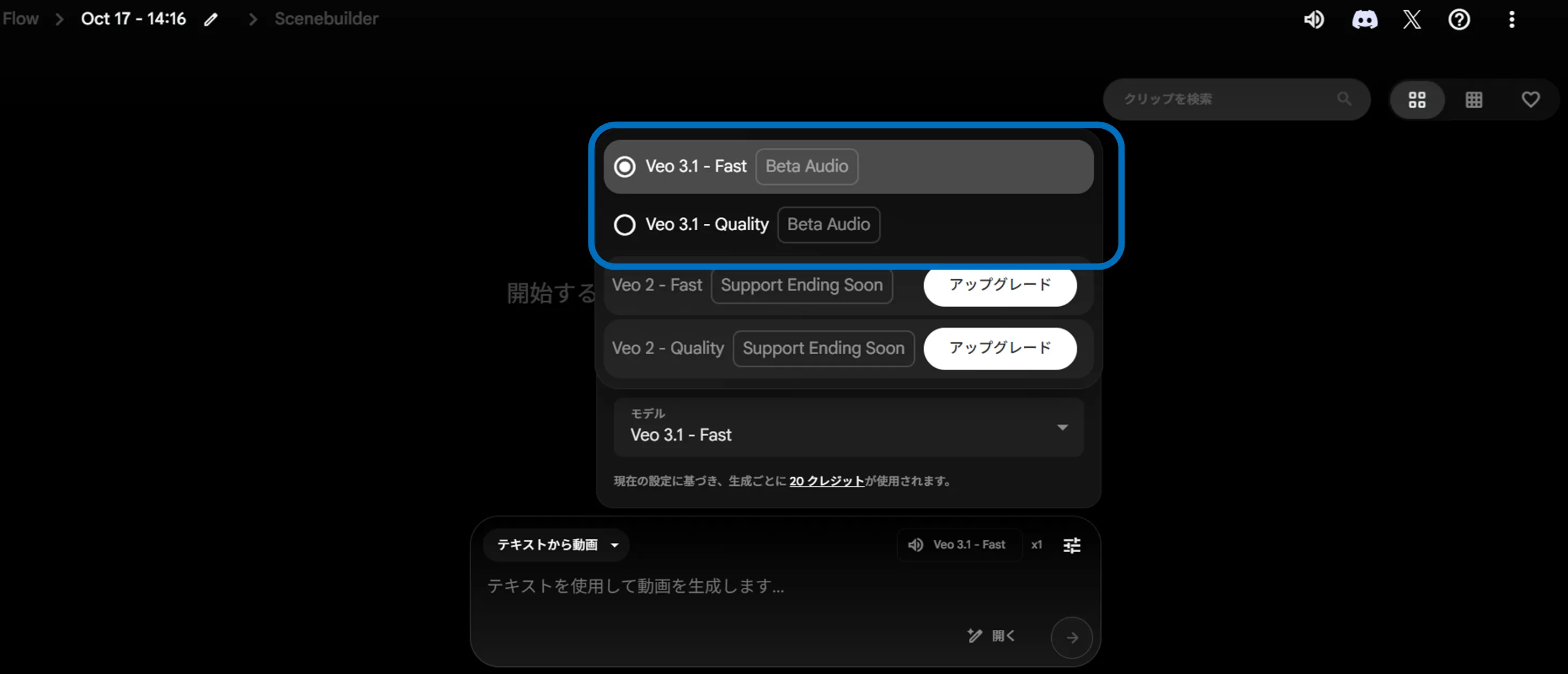
- Sign into the Gemini app or Flow, subscribe to the Pro/Ultra plan that exposes Veo 3.1.
- Open the video creation module and describe the scene in natural language—location, subjects, emotions, dialogue, etc.
- Add style tags or reference images if needed.
- Hit Generate; Veo returns a playable clip in seconds.
- Tweak the prompt if needed, or jump into Flow’s editing tools (Extend, Insert, Remove) for polish.
- Export the MP4 and audio stems once you’re satisfied.
Business Use Cases
- Promo shorts: whip up hyper-specific story beats for upcoming launches without renting sound stages.
- Always-on social: generate 8-second reels/shorts that already include VO/SFX so social teams can A/B ideas faster.
- Previz: visualize campaign ideas before pitching, replacing slide decks with voiced animatics.
- Character explainers: combine Ingredients + dialogue to give mascots or spokespeople believable performances.
Implementation Watchouts
- Availability: Veo 3.1 hasn’t rolled out in every market. Gemini/Flow gating is region-specific, so verify access before planning a rollout.
- Cost modeling: pay-by-second or credit plans can escalate quickly if you iterate dozens of shots per concept. Model usage volume upfront (seconds × renders × variants).
- Rights & resemblance: generated assets can still echo existing works. Keep legal review in the loop, especially for public campaigns.
- SynthID watermarks: Google embeds SynthID in Veo outputs for provenance. Understand how that watermark appears (and whether downstream platforms detect it) before final delivery.
Wrap-Up
Veo 3.1 pushes video generation closer to “prompt, direct, and ship”—with synchronized audio, better cinematography, and more edit knobs. Constraints remain (short clip lengths, regional gating, preview pricing), but for advertisers and creative teams it’s already useful for ideation, previz, and even frontline social assets.
Start with small clips to gauge fidelity and cost, keep the Vertex AI docs bookmarked for API updates, and decide whether the Gemini/Flow UI or direct API access matches your team’s muscle memory. Once dialed in, Veo 3.1 becomes another lever to scale visual storytelling without a full production crew.