
Character animation usually means capturing motion, cleaning it up, and compositing by hand. Wan 2.2 Animate 14B shortens that loop: provide one character image plus one reference video and it outputs a full performance—lip sync, facial nuance, lighting, and color balance included. The model weights and inference code launched under Apache 2.0 in September 2025, so you can run it locally, on wan.video, or via Alibaba Cloud.
This guide mirrors the Japanese original and covers how the model works, what each mode does, how to spin it up, where it fits in production, and which risks to watch.
Table of Contents
- What Is Wan 2.2 Animate 14B?
- Technical Highlights
- Delivery Models And Pricing
- How To Use It
- Business Use Cases
- Deployment Checklist
- Risks To Manage
- Wrap-Up
What Is Wan 2.2 Animate 14B?
The model generates video from one character image + one reference clip. You can transfer a performer’s motion to a still character or replace the actor inside an existing shot, letting you handle pose transfer, face/body swap, and color relighting inside one framework.
Weights and code ship under Apache 2.0, and you can test it via wan.video, Hugging Face Spaces, or ModelScope in addition to local inference.
Technical Highlights
- Unified model for animation and replacement tasks
- Blends character traits and reference motion while auto-matching lighting/grade
- Open-source release enables customization, on-prem runs, and future research
Animation vs Replacement Modes
| Mode | Input/Output | Use Cases |
|---|---|---|
| Animation (Move) | Character image mimics the reference video’s motion and expressions | Turning static mascots into short promos, testing choreography, rapid pose iterations |
| Replacement (Mix) | Reference actor is swapped with the character while lighting/color are matched | Talent replacement, localized shoots, digital doubles |
Efficiency Tricks In The 14B×2 MoE
Animate 14B uses two ~14B experts (one for high noise steps, one for low noise). Only one expert activates per step, so although the total capacity is ~27B, inference cost and VRAM stay near 14B. FSDP + DeepSpeed Ulysses and offloading options keep local runs reasonably accessible.
How It Maintains Cohesive Lighting & Color
Official tooling ships with Python inference scripts, a Hugging Face Space UI, and ComfyUI/Diffusers integration. Wan 2.2 overall expanded training data (images +65.6%, video +83.2%) and tagged aesthetics such as lighting, framing, and color harmony—so action shots and micro-expressions render without obvious seams.
Delivery Models And Pricing
| Option | Where to get it | Pricing view |
|---|---|---|
| Open-source (local) | GitHub / Hugging Face | Apache 2.0 free. Provide your own GPUs |
| Web demo / hosted | wan.video, Hugging Face Space | Free demo slots (availability varies) |
| Cloud API (reference) | Alibaba Cloud Model Studio | Pay-per-second. Example wan2.2-s2v rate: 480p ≈ $0.0717/s, 720p ≈ $0.129/s. Check Model Studio for Animate-specific pricing |
In short: free license on-prem, metered pricing in the cloud. Mix both based on workload and deadlines.
How To Use It
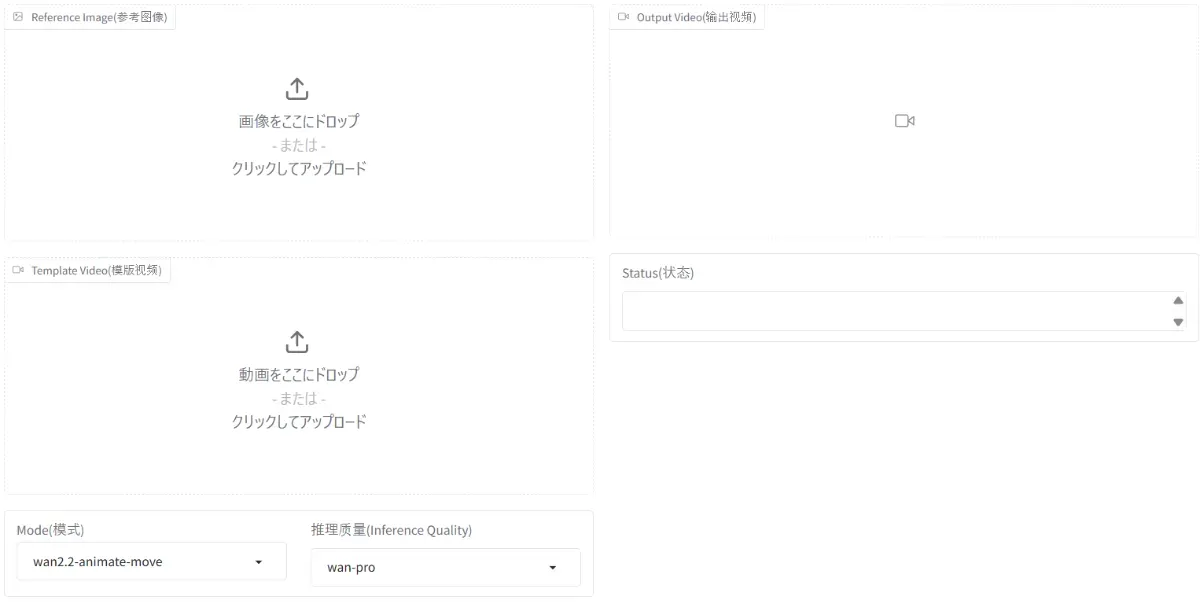
Web demo
- Open the Wan2.2-Animate Space
- Upload the character image and reference video
- Choose Animation or Replacement, run the job
- Preview and download once complete
Local inference
- Clone the GitHub repo
- Install
requirements.txt - Run the preprocessing script to extract inputs
- Launch
generate.pywith the desired mode; enable offload/FSDP if VRAM is tight - Reference the README “Run Wan2.2 Animate” section for canonical flags
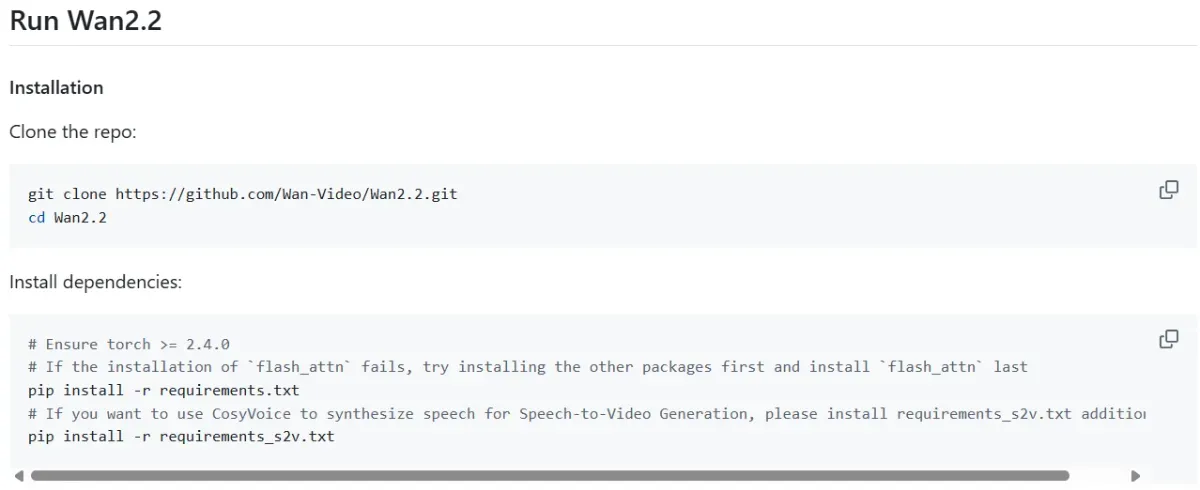 Reference: https://github.com/Wan-Video/Wan2.2/blob/main/README.md
Business Use Cases
-
Rapid character performance clips
Map a live actor’s performance onto a static character to produce reels, ads, or in-store signage without new shoots.
-
Post-production talent replacement
When reshoots are impossible, swap faces/bodies while preserving scene lighting—ideal for localization or compliance fixes.
-
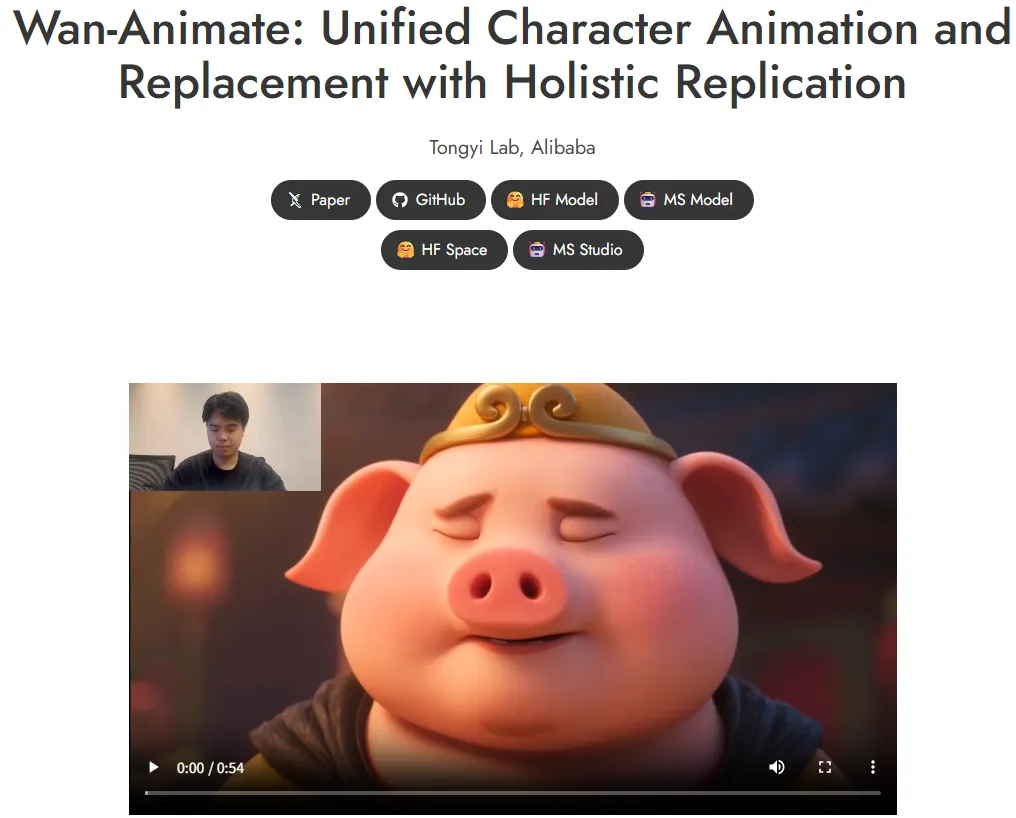
Follow official demos for workflow templates
The project gallery (https://humanaigc.github.io/wan-animate/) is updated with new examples, helping teams design internal presets.
Deployment Checklist
- Licensing & policy: Apache 2.0 still lists prohibited uses; confirm compliance with your distribution plan.
- Input rights: Clear copyright, likeness, and trademark on both reference videos and character art. Keep documentation.
- Quality controls: Tiny faces or extreme motion can break outputs. Adjust framing/resolution and add relighting LoRAs if needed.
- Operational design: Plan GPU capacity, FSDP settings, and how/when to burst to Model Studio’s metered API.
Risks To Manage
- Misrepresentation: Secure talent consent, disclose synthesis in credits/metadata, and avoid unauthorized impersonation.
- Platform rules: Social and ad platforms have unique policies for synthetic media—violations can pull campaigns down.
- Security & cost: Protect API keys, log access, and forecast per-second spend before large batches.
Wrap-Up
Wan 2.2 Animate 14B lets you generate both performance transfers and character swaps from a single framework. Dual MoE keeps quality high without exploding compute, and the open-source + cloud pairing means you can start in the browser, then scale locally or via Model Studio. For production, begin with Hugging Face to learn the knobs, validate KPIs on small campaigns, and only then harden the pipeline with repeatable prompts and credit tracking.