
Short-form video keeps getting harder to produce—teams need motion assets for every landing page, paid campaign, and internal deck, but live-action shoots are expensive. HailuoAI, built by MiniMax, solves that by generating 4–6 second clips straight from prompts or stills. Everything runs in the browser (or mobile app), so motion design becomes a prompt-and-download workflow.
This guide recreates the Skunc AI Lab article for the Adbrand LP. You’ll get the platform overview, feature breakdown, plan comparison, walkthroughs, and risk checklist—minus the promotional CTA.
Table of Contents
- How HailuoAI Works
- Feature Highlights
- Pricing and Credits (July 2025)
- Hands-On Guide
- Where Teams Deploy HailuoAI
- Preflight Checklist
- Risks and Limitations
- Bottom Line
How HailuoAI Works
HailuoAI (“Transform Idea to Visual”) ingests prompts or still images, runs them through MiniMax’s generative video stack, and outputs short clips you can download instantly. Japanese prompts are supported, and every action takes place inside a clean, browser-native interface.
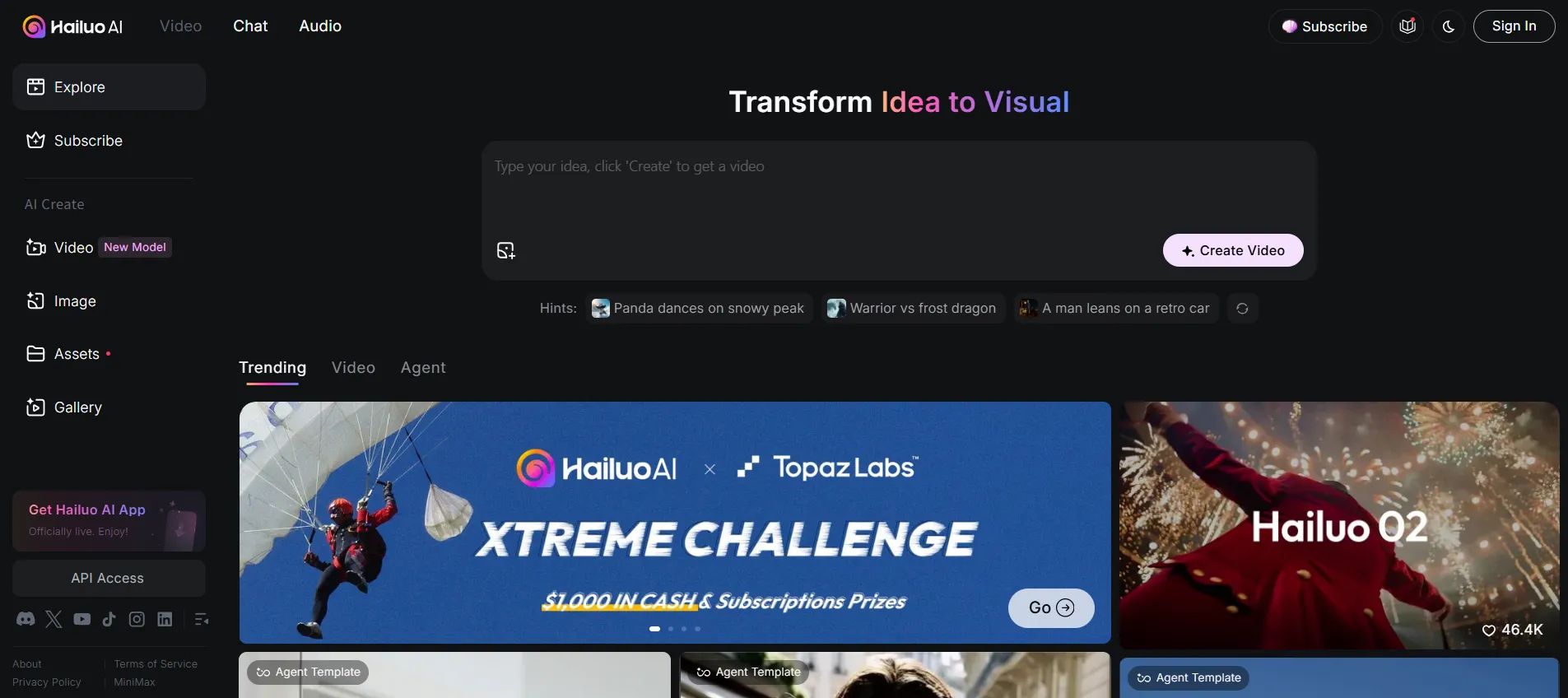 Source : https://hailuoai.video/
Feature Highlights
Text-to-video storytelling
Use a one–two line prompt with subject, action, and setting. The model infers backgrounds, characters, lighting, and camera moves. It interprets camera verbs like pan left or slow zoom, and typically renders in about 4–7 minutes.
Image-driven motion
Upload a JPG/PNG to turn product shots or posters into motion graphics. HailuoAI detects edges and applies Ken Burns-style pans, zooms, or particle effects. Transparent PNGs can be composited onto AI-generated backgrounds for fast banner loops.
Subject reference consistency
Save up to five character references per project. HailuoAI hashes facial landmarks and can re-use the same ambassador or mascot across multiple scenes, keeping campaigns cohesive.
Automated visual polish
Smart Retouch handles color grading, denoising, and frame interpolation (up to 60 fps). Pro users unlock 1080p; Master+ tiers support 2K upscales, so assets drop straight into pitch decks or social feeds without additional cleanup.
Multilingual templates
More than 10 languages are parsed, and 30+ templates cover launches, event promos, internal comms, etc. Swap “agent templates” to experiment with different storyboards without rebuilding timelines.
Pricing and Credits (July 2025)
Pricing below is lifted from the July 14, 2025 subscription terms. Always confirm on the official billing page before deploying.
| Plan | Monthly (USD) | Credits / month | Highlights |
|---|---|---|---|
| Free | $0 | Signup bonus | Watermarked downloads, standard queue |
| Standard | $9.99 | 1,000 | Priority queue, watermark removed |
| Pro | $34.99 | 4,500 | Priority queue, 1080p output |
| Master | $79.99 | 10,000 | Higher limits, 2K upscale |
| Ultra | $124.99 | 12,000 | Access to Hailuo02 |
| Max | $199.99 | 20,000 + Relax | Hailuo01/02, fastest queue, Relax unlimited |
Credits reset each month and unused balances do not roll over. Every paid tier removes watermarks and bumps render priority.
Hands-On Guide
Account setup
- Visit hailuoai.video and start signup.
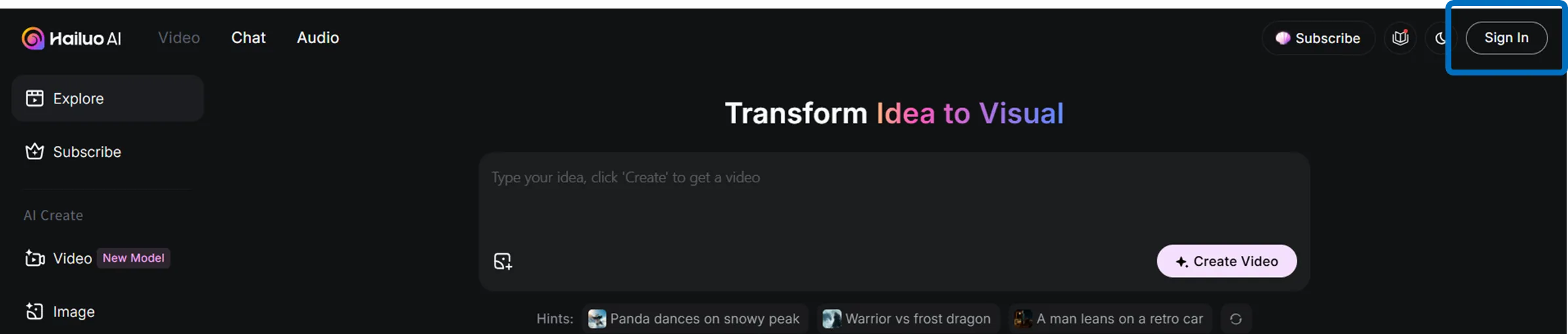
- Authenticate with Google or Apple.

- Receive ~300–400 welcome credits once the account is live.
Video generation
- Navigate to AI Create → Video.
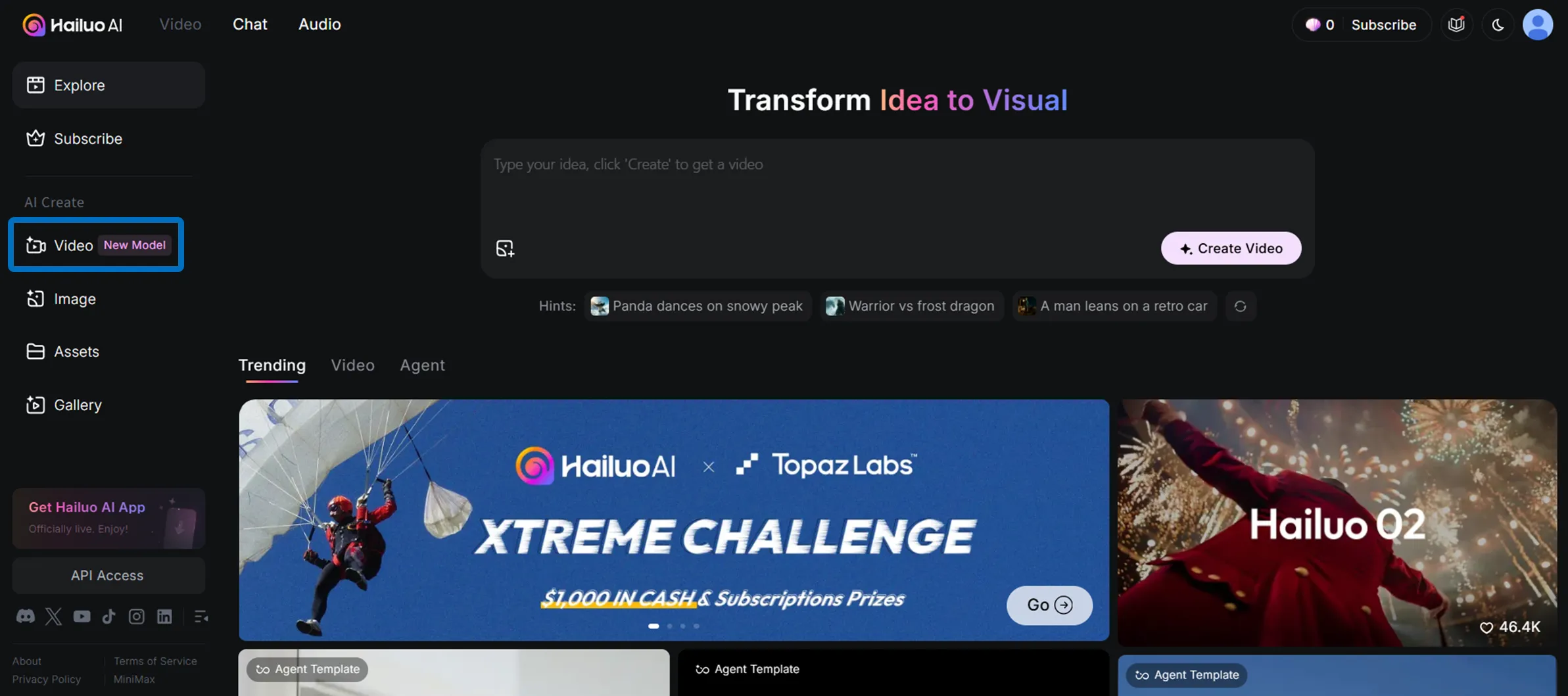
- Upload an image if you want to drive motion from a still, or pick Text to Video for prompt-only workflows.Enter the scene description, camera cues, duration, and optional Subject Reference.
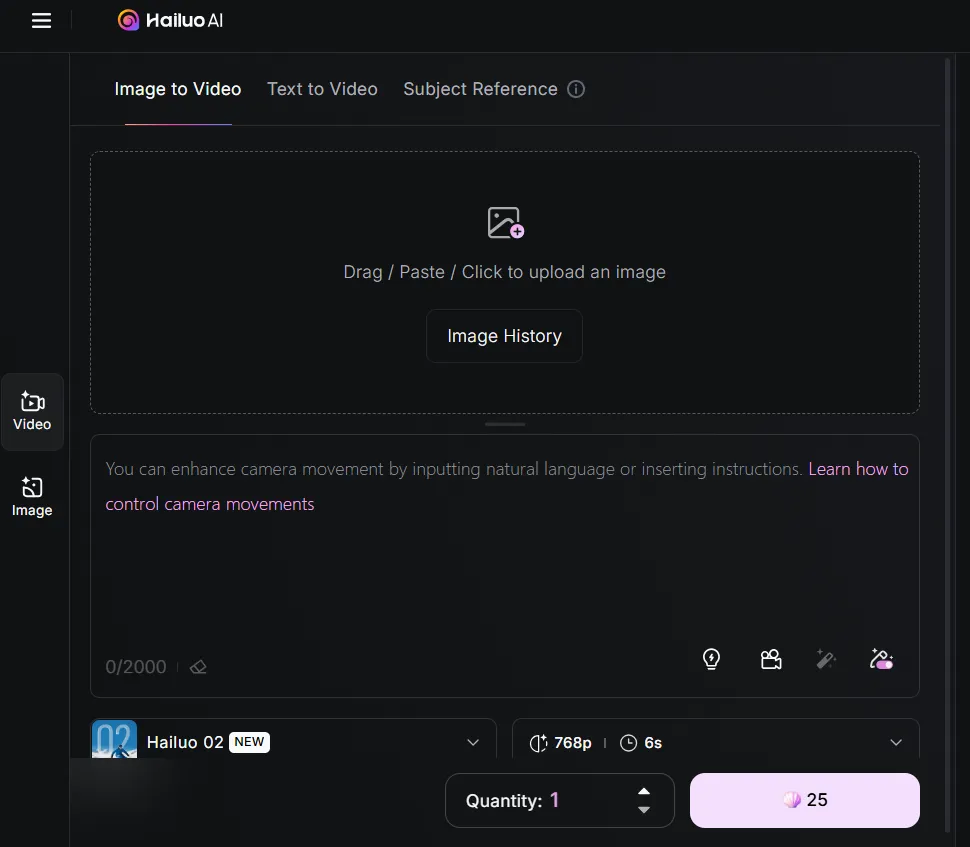
- Click Generate and wait for the preview.
- Download the MP4 if it hits the brief, or adjust the prompt and rerun.
Image generation
- Switch to AI Create → Image.
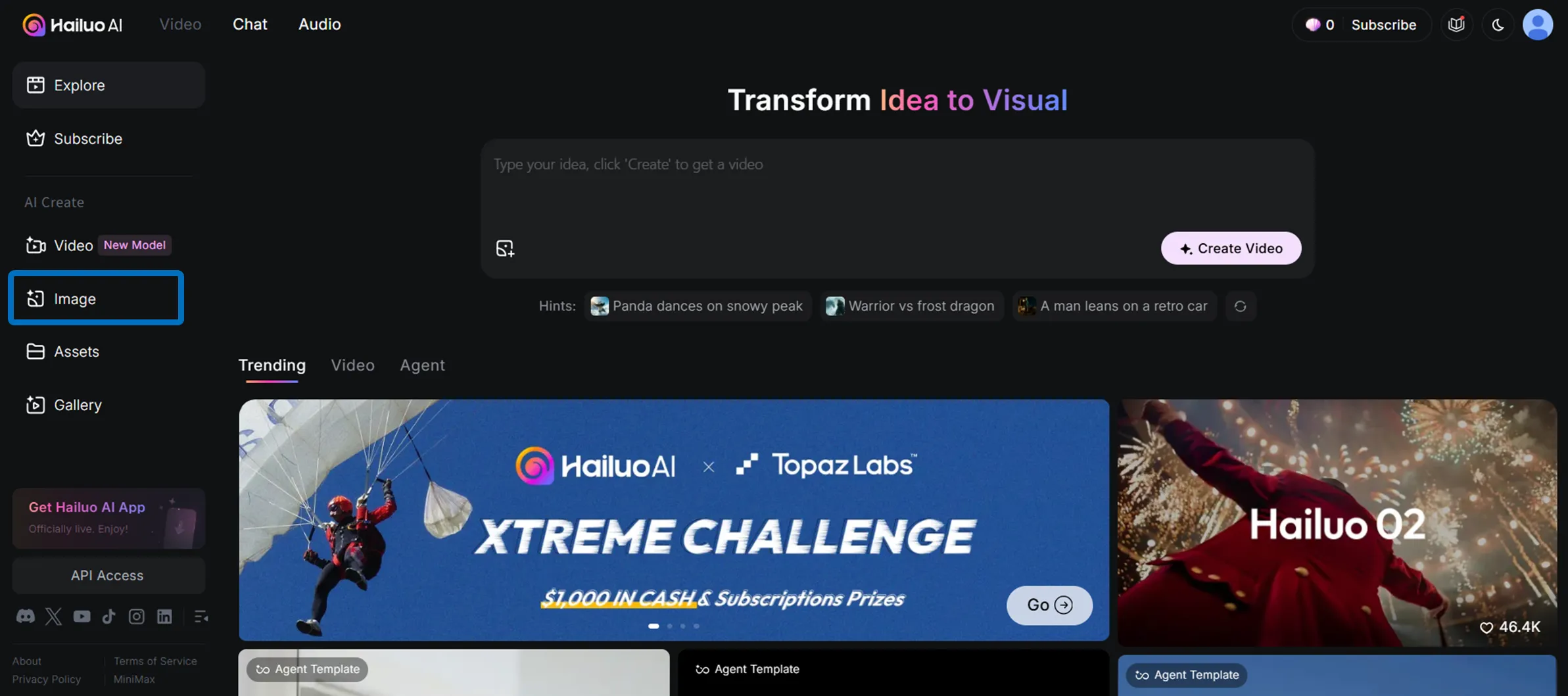
- Describe composition, lighting, and style; add a reference character if needed. Generate to receive stills that can later feed into Image-to-Video.
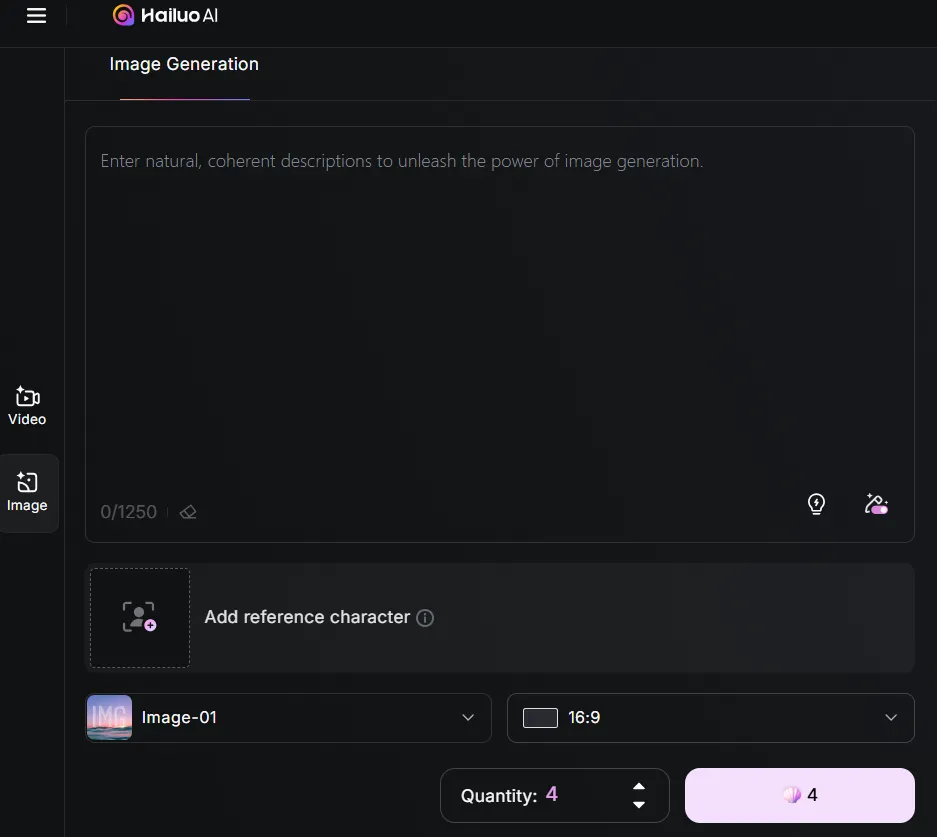
Where Teams Deploy HailuoAI
- Marketing: Batch 6-second social teasers to improve view-through rates.
- E-learning: Drop quick simulations between slide sections without hiring animators.
- News & media: Convert scripts into B-roll visuals for explainers.
- Creative R&D: Prototype concept reels or mood boards during early pitches.
Preflight Checklist
- Free tier outputs include a watermark—opt for Standard+ for external distribution.
- Credits reset monthly; plan production calendars around the pool and upgrade before running dry.
- Paid users own the rendering rights and can use assets commercially.
- API access requires a separate request via the MiniMax platform.
- Prompt specificity matters: define subject, motion, lens, and mood to avoid rerenders.
Risks and Limitations
Generated footage is still synthetic. Verify that reference images or likenesses are cleared for use, especially when animating talent or third-party brands. Complex shots can increase render time and credit burn, so align expectations with stakeholders before promising delivery dates.
Bottom Line
HailuoAI compresses video production into a guided prompt workflow. Between subject references, Smart Retouch, and multilingual templates, it fits teams who need to spin up on-brand clips in minutes. Start with the Free tier to gauge visual quality, then move into Pro, Master, or Max once you know how it plugs into your creative pipeline.