
When teams evaluate video generators, four questions come up: How fast is it, how clean is the output, how well does it follow direction, and how predictable is the pricing? Kling 2.5 Turbo, announced in September 2025, answers all four. The official messaging (“Turbocharged”, “Even Lower Price”) underscores the push for speed and budget control, while the app store listing confirms support for 1080p renders and up to ~3-minute extensions, covering both prototype clips and production shots.
This article recreates the Japanese guide so you can scan Kling 2.5 Turbo’s upgrades, technical traits, usage flow, and community examples in English.
Table of Contents
Kling 2.5 Turbo Upgrades
Turbo zeroes in on three axes—speed, cost, and creative control.
Faster generation, lower price
Official announcements lean on the “Turbo” and “Even Lower Price!” slogans. In practice it means shorter render times and lower per-clip spend, so you can iterate more ideas per sprint or pitch deck.
Expanded quality + input modes
The app store copy lists 1080p output plus extensions up to roughly 3 minutes. Beyond plain text prompts you can attach reference images (Image-to-Video mode) to lock tone, wardrobe, or layout.
New creative surface via Avatars
Kling’s YouTube demo highlights an Avatar mode that handles singing and lip sync. Even without live talent you can record explainers or narrated content with synced mouth movement—ideal for training, education, or marketing assets.
Technical Highlights
Kling 2.5 Turbo isn’t just faster; it’s tuned for more iterations, steadier quality, and flexible direction.
Speed and cost efficiency
Turbo-class renders land faster while the rate card drops. That keeps internal reviews and client-facing variants cheap enough to run multiple passes.
High-resolution output & timeline extensions
1080p masters plus ~3-minute extensions broaden the use cases from quick social clips to product explainers or event coverage. You can now ship presentation-ready footage straight from Kling.
Mixed text + image input
Blend reference images with your prompt to preserve brand colors, product IDs, or set design. It’s an easy way to previsualize campaigns without breaking visual consistency.
Avatar-driven performances
Avatar mode covers vocals and lip sync in a single pass, so you can publish spokesperson-style videos without on-set production. Voice, timing, and mouth movement stay aligned automatically.
Usage Workflow
The fundamentals still start inside the web or mobile app, but Turbo adds a few best practices:
- Select a 2.5 Turbo model/quality mode after login.
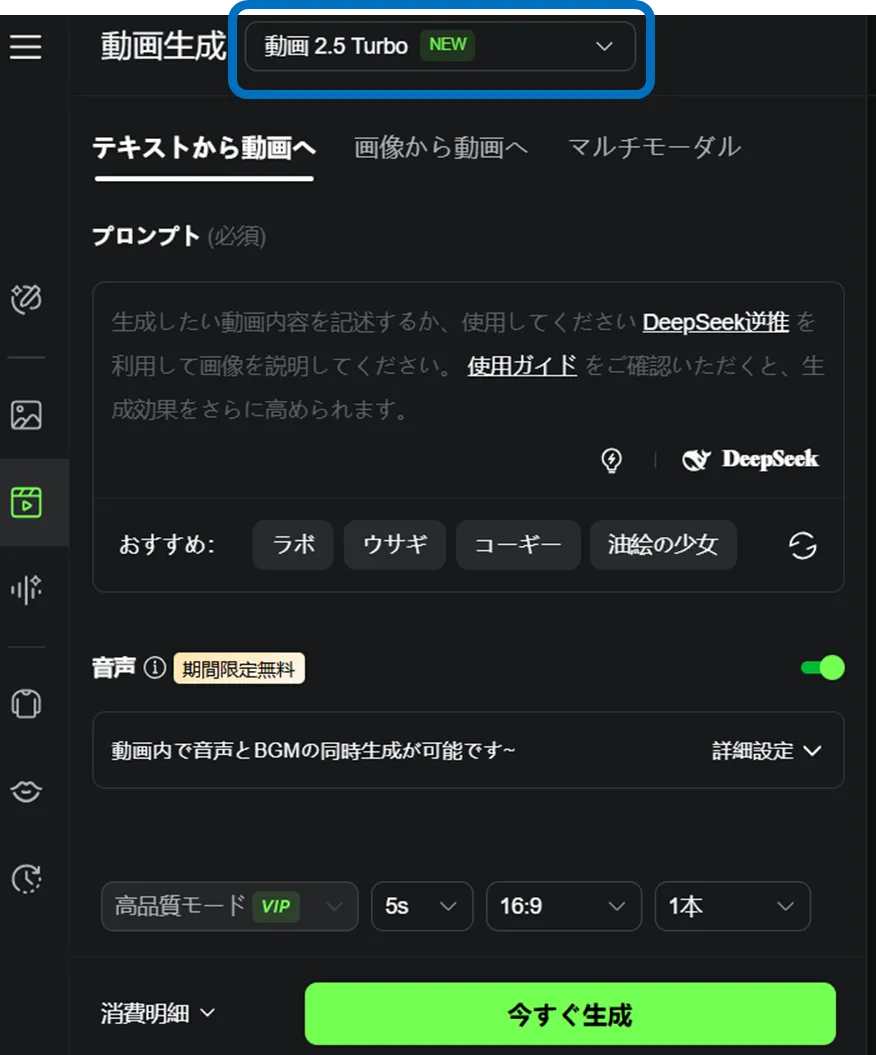
- Pair text prompts with reference images and spell out shot vocabulary (angle, motion, lighting, mood).
- Begin with short clips and extend only after confirming pacing.
- Review character motion and camera paths in the preview; iterate with negative prompts where needed.
- For API work, validate parameters in the partner Playground, then lock duration/quality/seed values to stabilize production runs.
Community Examples
Three real posts showcase how the Turbo build behaves in the wild.
Precision character motion
Directed movements, door interactions, and prop timing all follow the prompt, underscoring Kling’s improved adherence.
Everyday realism and audio cues
From squeegee trails to vacuum audio and the pause before shutting off a car, mundane details feel convincing.
Cinematic Western consistency
Horseback duels, quick-draw moments, and desert vistas all stay on-model, proving long-form style consistency.
Wrap-Up
Kling 2.5 Turbo packages 1080p quality, ~3-minute timelines, faster renders, and lower pricing into one tier. Use the app first to benchmark quality and community recipes; once it fits your pipeline, graduate to the API for automation and batch output.
You may also want to read